


Brush to Eraser Toggle keybind not working
hello. I'm having difficulty with the keybind for the [Brush to Eraser toggle]. I'm using Photoshop CC 2024 on Windows and no matter what key I set the keybind shortcut to, it just doesnt work.
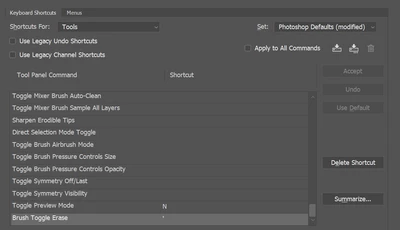
At first i thought it may be because I'm using a special character for the toggle, so I changed it to the letter 'm' and yet it still doesnt work. I've tried searching for answers but everyone is using the Tilde key on default for the shortcut. but I did not have that on default, and when I to change it to the Tilde key, it shows an error.

I then tried to change an existing shortcut keybind, The [Brush] shortcut, just to make sure that it isnt an issue with me manually setting keybinds. But even as I changed the [Brush] keybind, it works, so the issue isnt me changing the keybind.
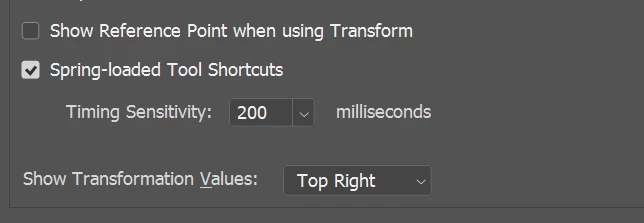
Another solution I've seen other people give is to check the [Spring-loaded Tool Shortcuts] and I have that enabled already.
I'm at a loss of what to do. If anyone can help, it would be greatly appreciated!

 AdChoices