
Participant
July 18, 2025
Question

Brush Toggle Erase (~) no longer working

  • July 18, 2025
  • 2 replies
  • 142 views

I've used ~ to toggle the brush to clear mode for as long as I can remember, but it has recently stopped working. I checked my keyboard shortcuts and the setting still appears to be correct, but it doesn't actually toggle back and forth between normal and clear modes for the brush any longer.
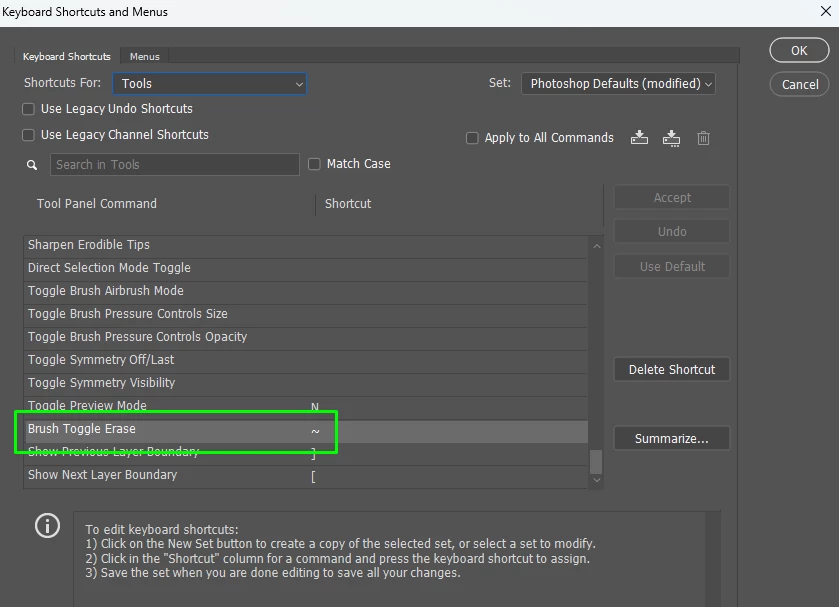


I've checked several forums and found no solutions that work for me.

2 replies

Bojan Živković11378569
Community Expert
Community Expert
July 21, 2025

I'm using Photoshop 26.8.1 on Windows, and from what I’ve observed, this seems to be a custom keyboard shortcut issue. When I try to assign the tilde (~) as a shortcut for Brush Toggle Erase while English is set as the input language, Photoshop throws an error and blocks the assignment. My investigation suggests that certain preferred shortcuts may be restricted.

AxelMatt
Community Expert
Community Expert
July 19, 2025

Try to reset the preferences of Photoshop using the steps described here:

https://helpx.adobe.com/photoshop/using/preferences.html#reset-preferences

It's recommended to backup your settings before resetting the preferences.

See here:  https://helpx.adobe.com/photoshop/using/preferences.html#backup-photoshop-preferences


My System: Intel i7-8700K - 64GB RAM - NVidia Geforce RTX 3060 - Windows 11 Pro 25H2 -- LR-Classic 15 - Photoshop 27 - Nik Collection 8 - PureRAW 6 - Topaz Photo AI