
Participant
November 7, 2023
Question

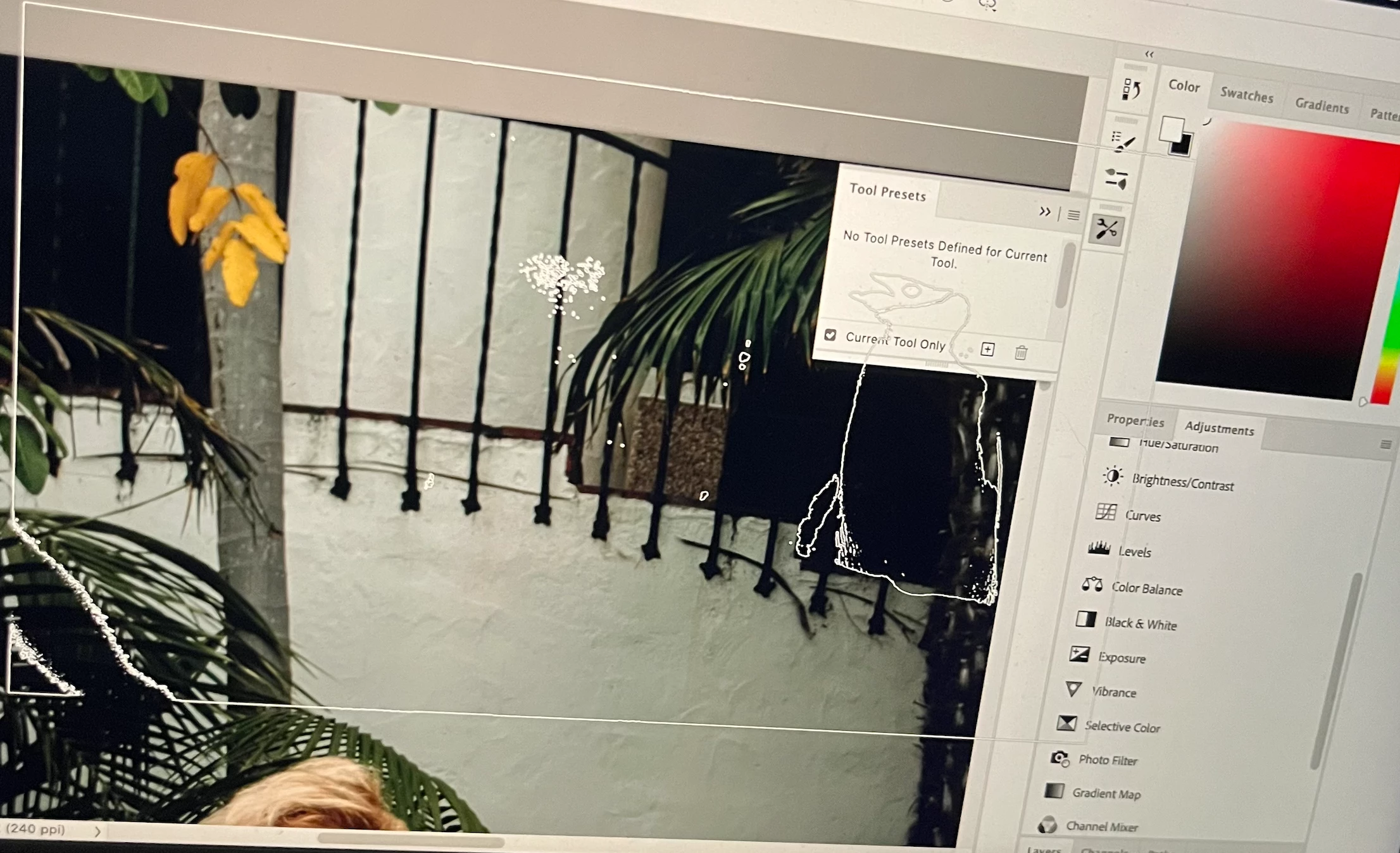
Brush tool gives weird stamp that looks like a penguin?

  • November 7, 2023
  • 2 replies
  • 192 views

I'm definitely a novice so my apologies if this is obvious. I'm trying to whiten a subject's eyes in a photo. I'm going through steps I found here https://www.adobe.com/creativecloud/photography/hub/guides/how-to-brighten-eyes-in-photoshop.html , but when I get to this step the brush tool doesn't work and i get what looks like a stamp of a penguin? 


What is happening lol.
This topic has been closed for replies.

2 replies

Trevor.Dennis
Community Expert
Community Expert
November 7, 2023

The easiest way to fix weird behaviour all at once, is to reset the tool.  This will take you back to a round preset with normal blend mode.

Bojan Živković11378569
Community Expert
Community Expert
November 7, 2023

It is probably brush preset choice. You should choose proper brush for the task. Right click while Brush tool is active is probably easiest way to acess brush preset list.