In the new version of Photoshop brushes can be saved with or without tool presets. This means that a brush can be saved with or without the associated tool and tool settings.
To see which have tool settings and which have not, in the brushes panel, go to the options at the top right and check " show additional preset info"
A small icon will appear next to those brushes that have a tool settings saved with them
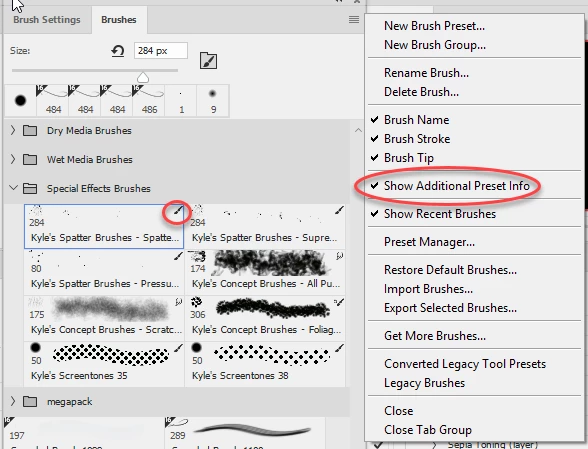
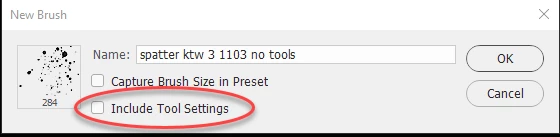
To convert a brush with tool presets to one without, choose "New Brush Preset" at the top of the menu, then in the dialogue give the brush a new name and uncheck "Include tool settings"
Dave





 AdChoices