
Participant
January 29, 2022
Question

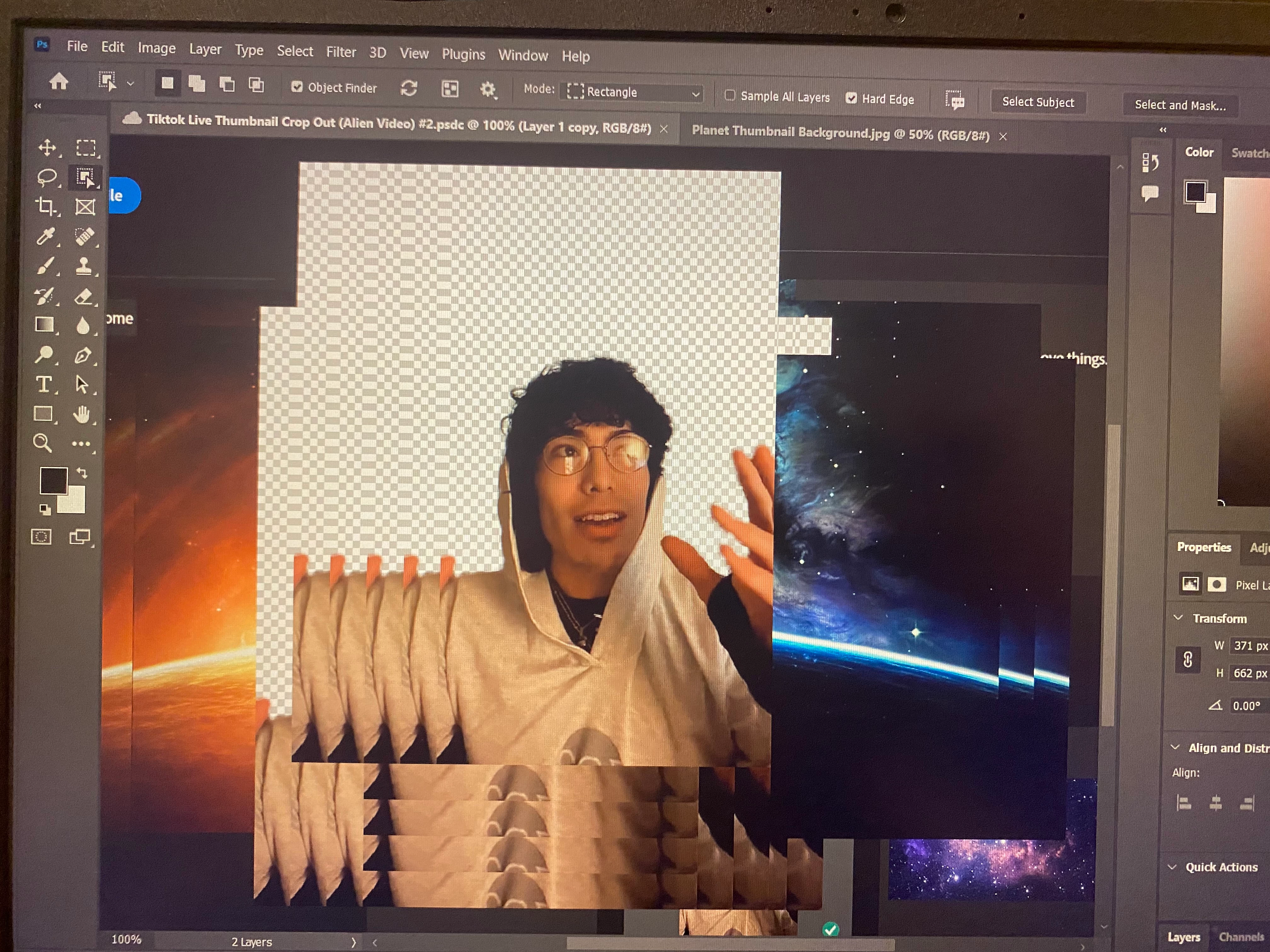
Bug, Unable to have multiple tabs without them merging and lagging on top of one another.

  • January 29, 2022
  • 3 replies
  • 241 views

Whenever I add more than one tab the images from the two seperate tabs merge together into one, and whenever I drag the screen there's a lag which makes the images not move away, so they just keep piling on top of one another. I will insert URL to a video and also a picture showing how this happens to make the explanation make more sense.
This topic has been closed for replies.

3 replies

Participant
October 15, 2023

Hello, how did you solve this problem?

Mark.Dahm
Community Manager
Community Manager
February 1, 2022

@Carmen228918111qnx , thanks for the video. I notice you are on Windows 11; try getting a GPU driver update from your vendor, not from the Microsoft Update service.

Legend
January 29, 2022

Go to Preferences > Technology Previews... and check "Disable Native Canvas" - then restart Photoshop. Does the problem still occur?