


bug where drawing over a stroke effect makes an invisible "hole" in my board?
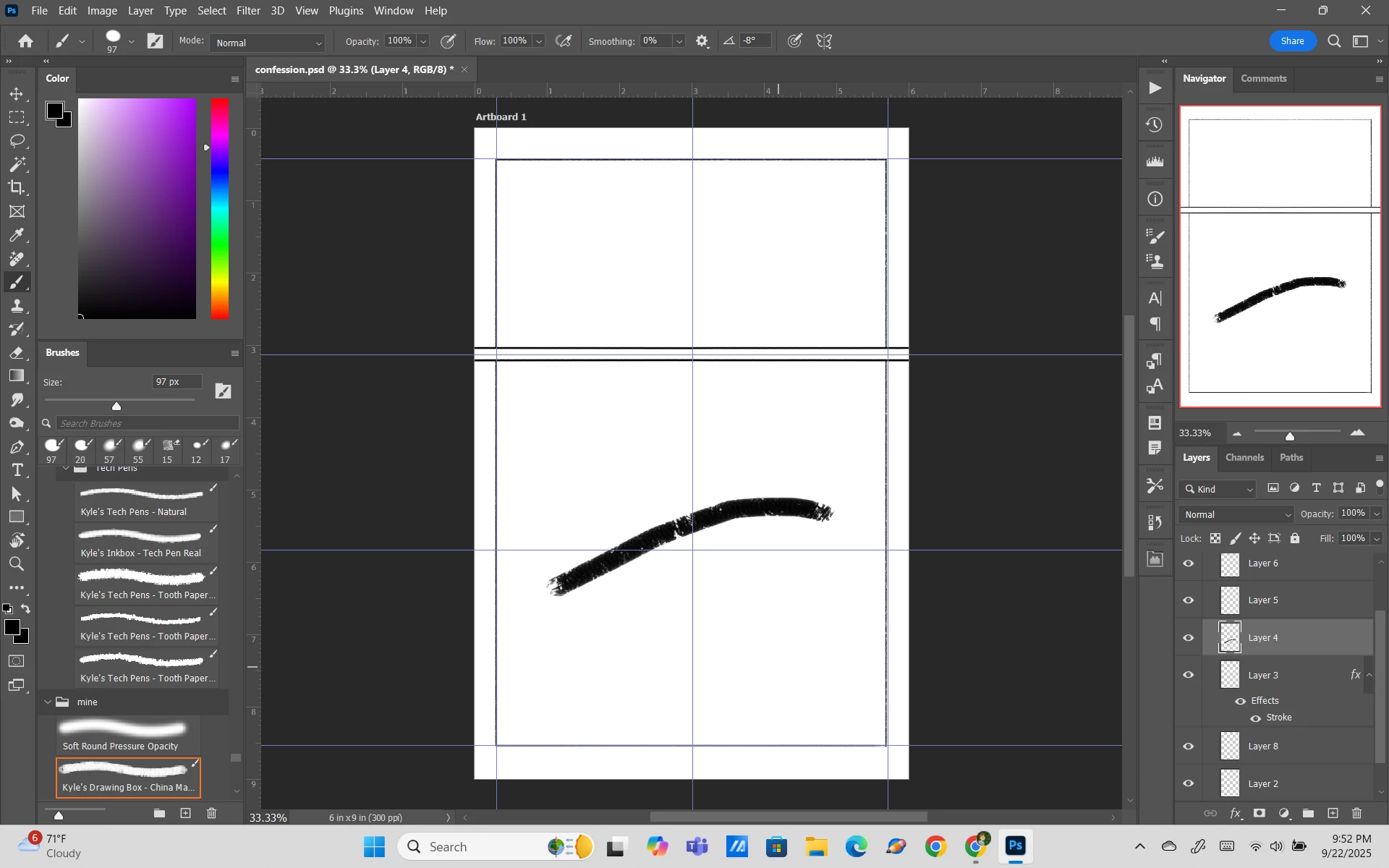
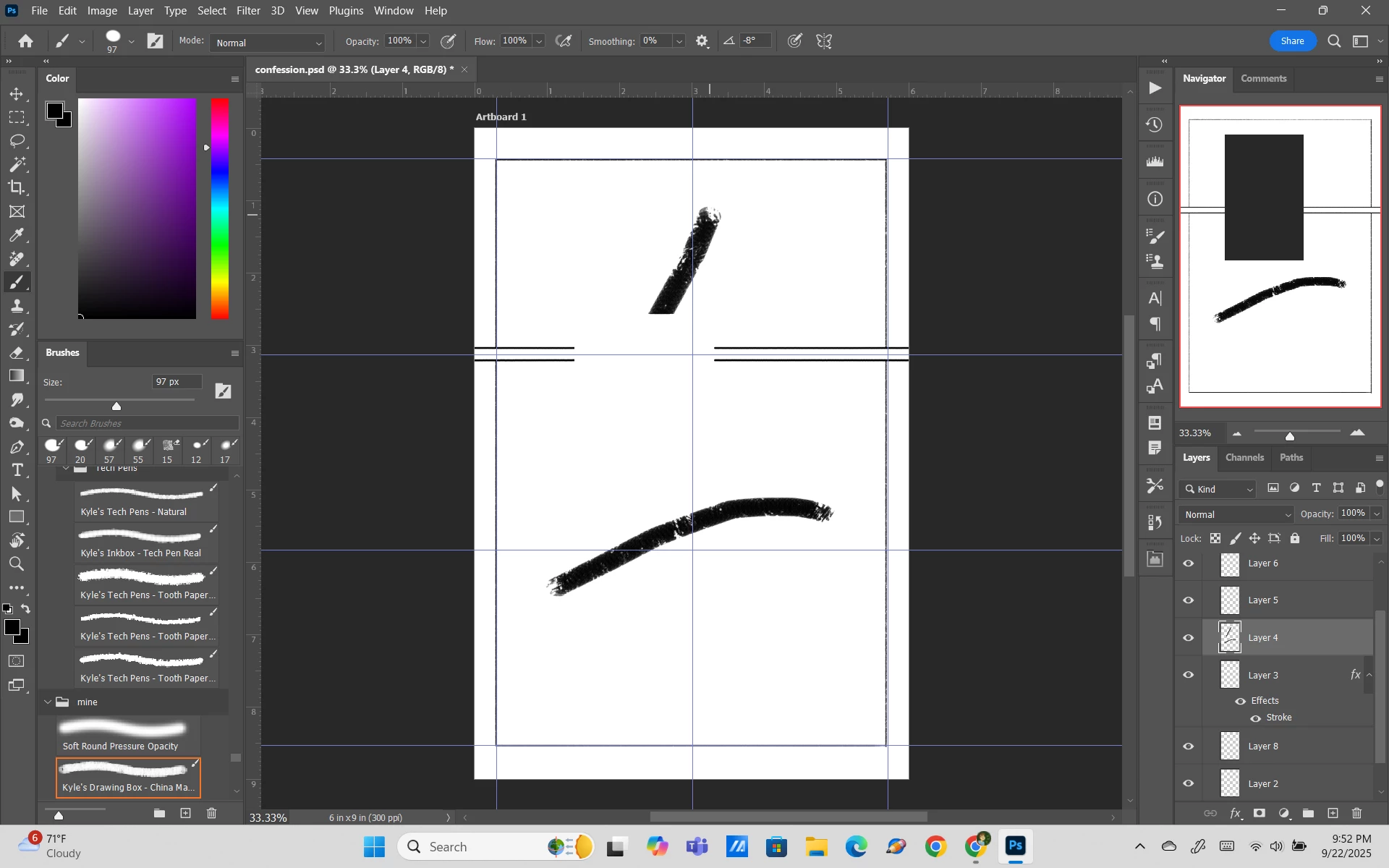
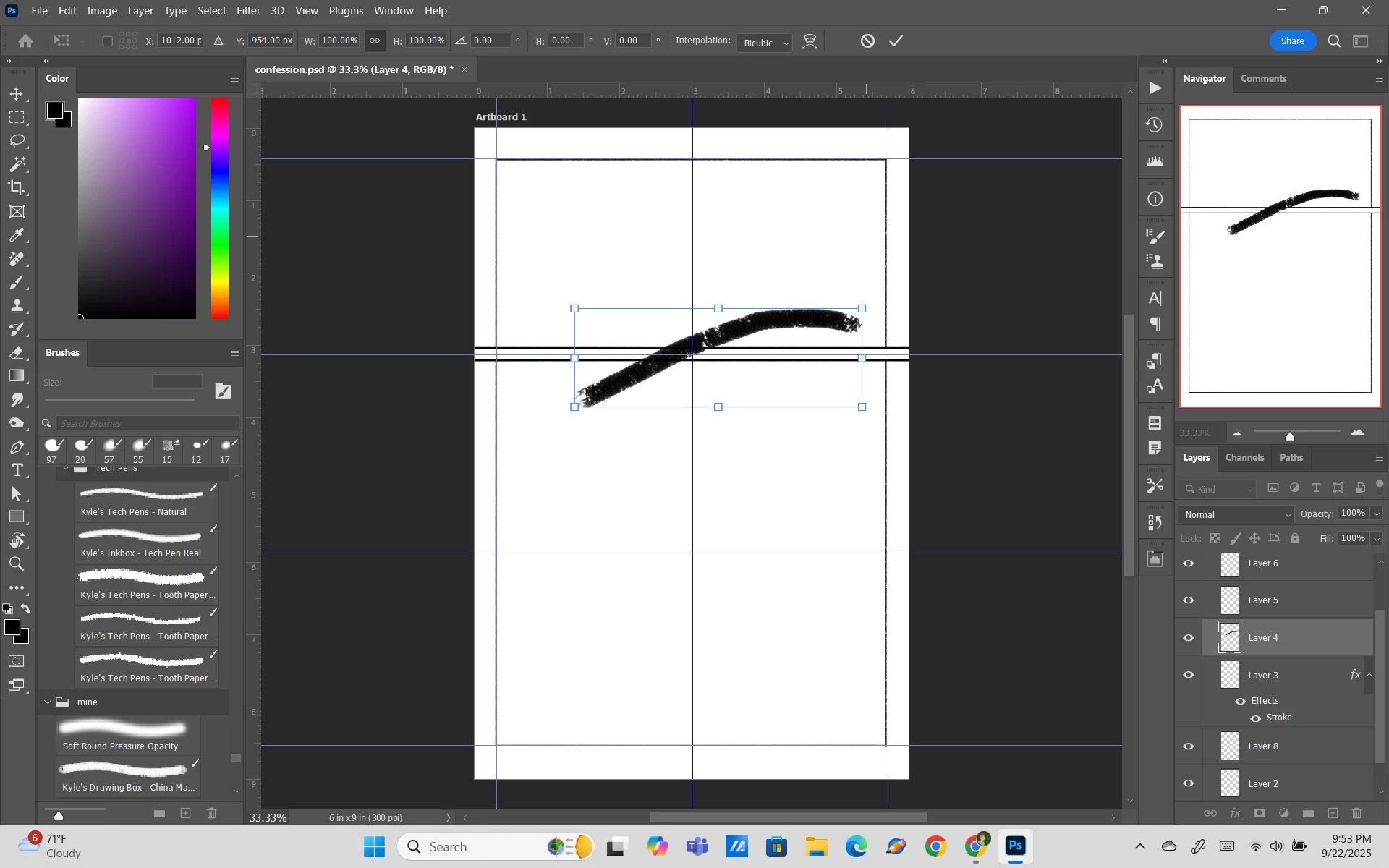
I'm assuming this has to be a bug but if it's possible to fix I'd like to know how. I have a layer with a stroke effect, and for some reason when I try to draw in another layer with the line crossing over the stroked line, it simply erases that area of the stroke as well as the line I just drew. In the navigator, it appears that a rectangular "hole" is cut out of my canvas depending on how large the line was. It was initially just happening with layers above the stroke line, but now below too. As of now I seem to be able to draw a line that doesn't touch the stroke line, and move it with the transform tool to be under the stroke and it'll work normally. But if I try to move it WITHOUT the transform tool, or move the layer itself above once positioned, the glitch happens. I used to be able to draw the intersecting line below then move the layer above, but this doesn't work anymore. Any idea what's going on?
Note: Once I rasterize the layer the problem goes away (as of now at least), but for now I need to be able to have it unrasterized while I work.
 AdChoices