
Spirited_detail402a
Participant
Nov 14, 2026 1:20 PM UTC
Question

buttons not works

The minimize and maximize
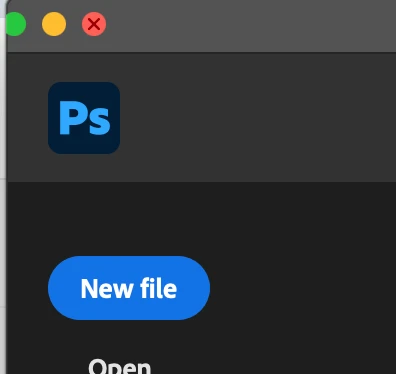
for the application do not work; only the (x) button functions. This has been an issue for about three versions of Photoshop for Mac—we hope this annoying problem gets resolved.

    3 replies

    Conrad_C
    Community Expert
    Community Expert
    Nov 17, 2026 8:08 PM UTC

    The buttons in your screen shot are unusual. Usually, the order of the three buttons is red, yellow, green. But yours are green, yellow, red. Has your macOS been customized, or does Apple change the button sequence for different countries? Are the buttons in that order in other applications on your Mac, or only in Photoshop?

    Also, for the Photoshop preferences option in the picture below, does your Photoshop have this enabled or disabled? And does it work better if you set it the other way?


    Translate
    nik.m
    Community Manager
    Community Manager
    Nov 17, 2026 2:15 PM UTC

    Hi, thanks for reaching out!

    I've tried to reproduce the behavior on macOS 27.2.1 with Photoshop 28.0 and version 27.11.1, but everything is working fine.

    Could you let us know the version of Photoshop currently installed on the machine and the macOS version?


    Thanks,
    Nikunj

    Translate
    ajabon grinsmith
    Community Expert
    Community Expert
    Nov 16, 2026 2:23 AM UTC

    Informing the OS version you are using is beneficial for improvement. It looks like it's after Tahoe. My Sequoia (15.8.3) works fine.

    Translate