Participant
May 6, 2025
Answered

Camera Raw

  • May 6, 2025
  • 1 reply
  • 238 views

Ciao, in camera Raw (ultima versione e anche photoshop ultima versione al 06.05.2025) le sfumature (sia circolare che lineare) non funzionano più. Cosa possso fare? Grazie

Correct answer AxelMatt

First try to reset the ACR preferences.

  • Mac: hold down the Command key and select Photoshop > Preferences > Camera Raw
  • Win: hold down the Ctrl key and select Edit > Preferences > Camera Raw.

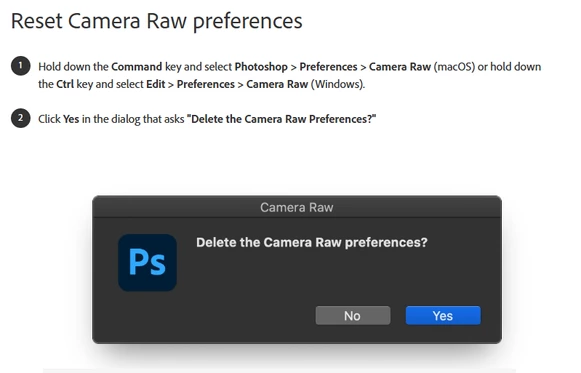
Then click on "Yes" in the dialog that asks "Delete the Camera Raw Preferences?


If this doesn't help please give us more informatrions about your environment. Please provide a copy of your 'System Info'. This can be get from the Photoshop menu item Help > System Info. There's a copy button in the System Info dialog. Press this button and paste the info into your next forum post.

If possible post also a screenshot that shows the issue.


1 reply

AxelMatt
Community Expert
AxelMattCommunity ExpertCorrect answer
Community Expert
May 6, 2025

First try to reset the ACR preferences.

  • Mac: hold down the Command key and select Photoshop > Preferences > Camera Raw
  • Win: hold down the Ctrl key and select Edit > Preferences > Camera Raw.

Then click on "Yes" in the dialog that asks "Delete the Camera Raw Preferences?


If this doesn't help please give us more informatrions about your environment. Please provide a copy of your 'System Info'. This can be get from the Photoshop menu item Help > System Info. There's a copy button in the System Info dialog. Press this button and paste the info into your next forum post.

If possible post also a screenshot that shows the issue.


My System: Intel i7-8700K - 64GB RAM - NVidia Geforce RTX 3060 - Windows 11 Pro 25H2 -- LR-Classic 15 - Photoshop 27 - Nik Collection 8 - PureRAW 6 - Topaz Photo AI
DANNYRONAuthor
Participant
May 8, 2025

Grazie mille AxelMatt della risposta, adesso funziona tutto bene.