


Question
Camera RAW DNG Colors change when convert to smart-object and re-open
Hello!
I am using MacOS 15.7.2 (24G325) , and Photoshop 2026 (Adobe Photoshop Version: 27.0.0 20251015.r.25 d1c1320 arm64 (final, Release))
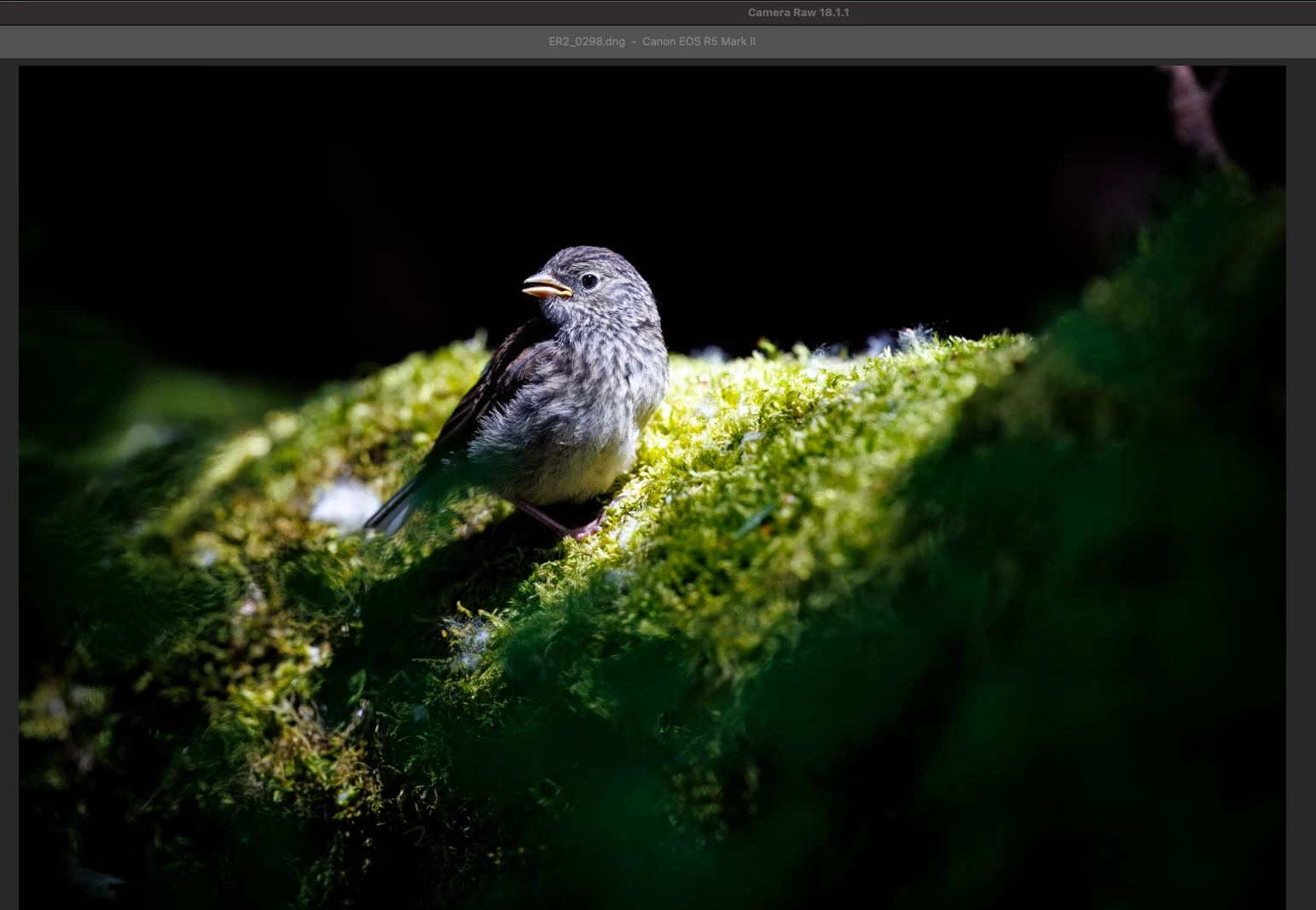
When I export a DNG from Topaz Photo, the latest version, and then open in Photoshop Camera RAW, the color appears one way. But if I then "save" as a smart object, then re-open in Camera Raw, immediately the colors will change for some reason, with no other manual changes otherwise.
First Opened.
Then "save" to a Smart Object as I said, and re-open into Camera Raw, with no changes performed.
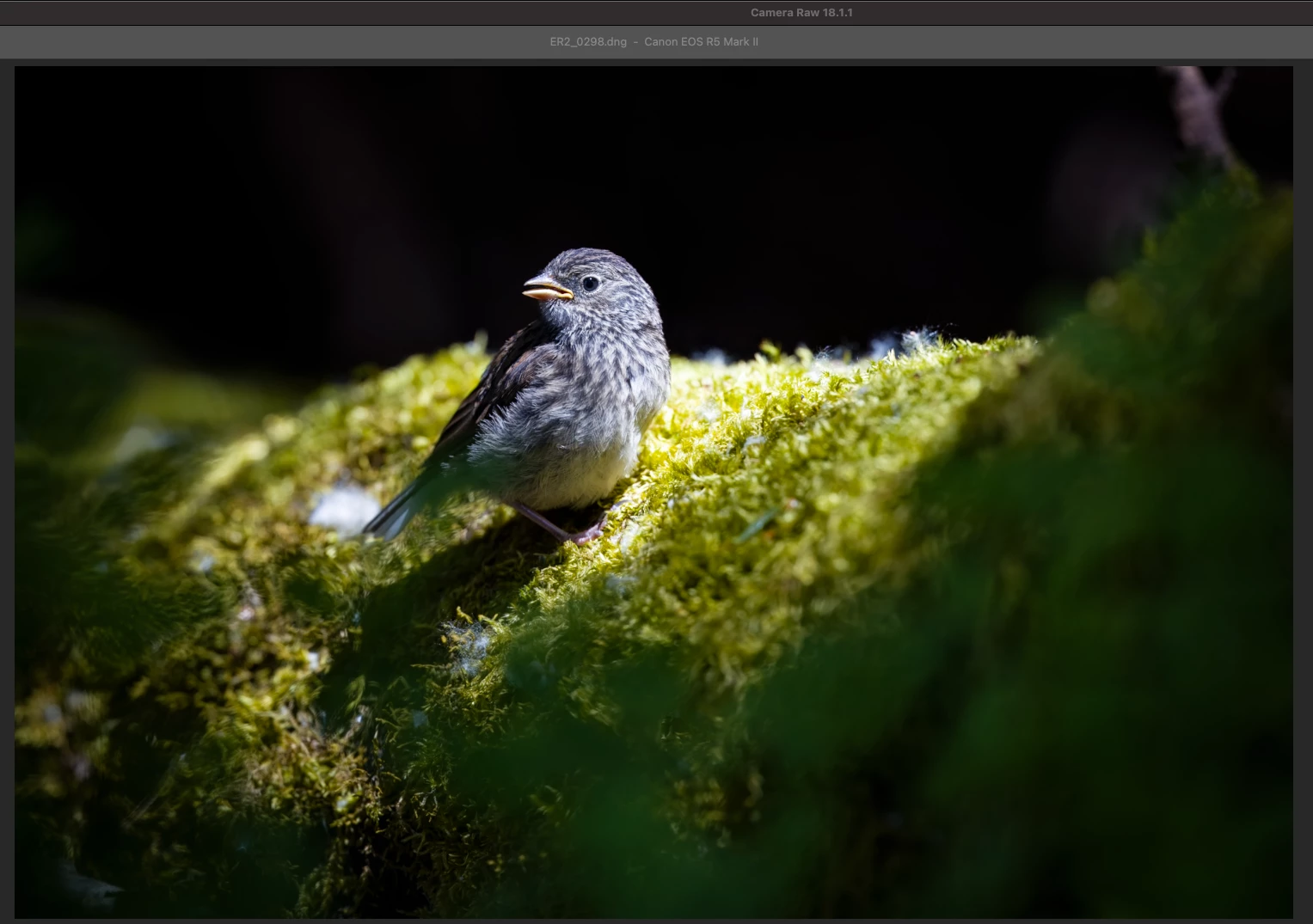
It becomes more orange or something, or the colors change in some way.
Thank you!
 AdChoices