
Answered
Camera Raw Presets Save Path
Hello,
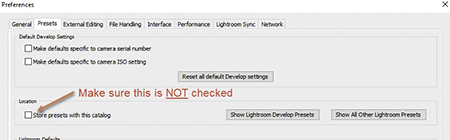
I'm creating profiles in PS camera RAW using the "new profile" dialog by alt clicking on the "new preset" icon. When I save the profile it stores the new profile (.xmp) in the path "C:\Users\Michael\AppData\Roaming\Adobe\CameraRaw\Settings", which is fine for PS, but Lightroom cannot "see" this path in it's profile browser when it starts up. Lightroom is looking in the path "C:\ProgramData\Adobe\CameraRaw\Settings" for profiles.
How do I set PS and LR to look in the same location for profiles?
I'm using the latest versions of PS CC and LR Classic CC on a Windows 10 machine.
Regards,
Michael


 AdChoices