jmarin12
Participating Frequently
Dec 2, 2022 1:37 PM UTC
Question

Camera RAW problem with Smart Objects

Hellow everyone!


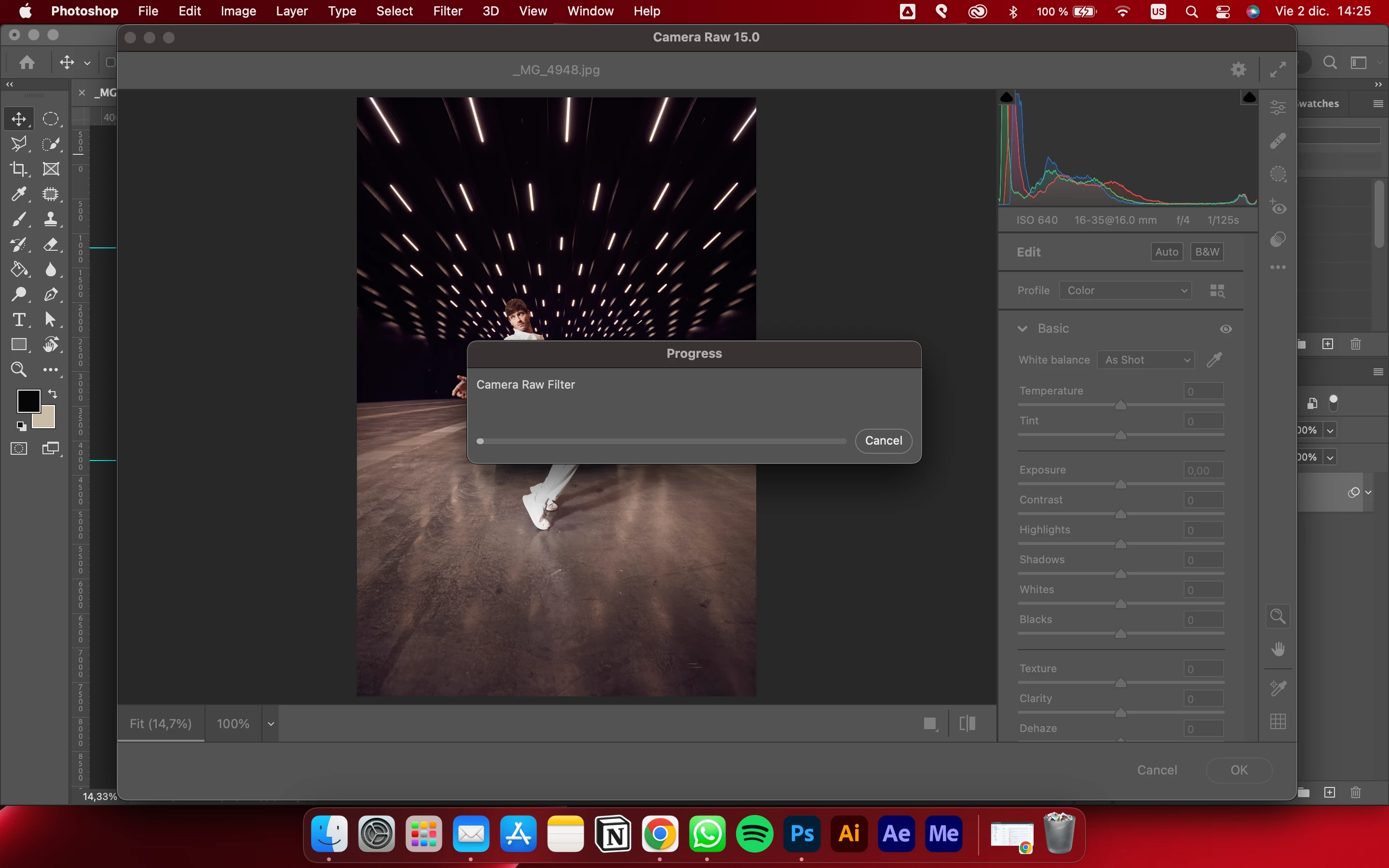
I'm looking for some help because I'm having problems with Adobe Camera Raw filter in Photoshop.


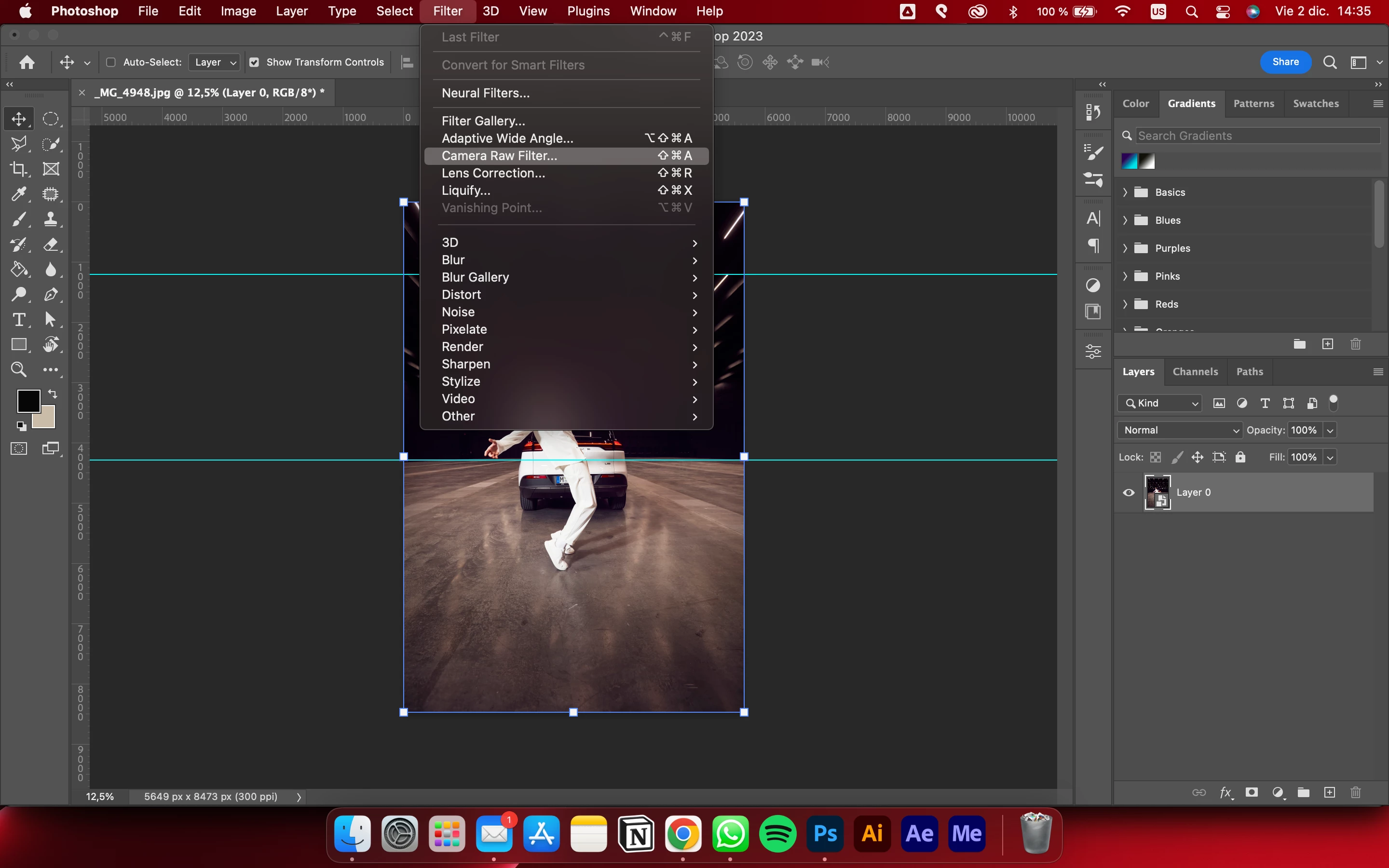
When I have a layer of a smart objetct (for example, a photo) and I want to edit it with the adobe camera raw filter, it freezes on a loading bar. This only happens with an smart object, because if I took the same photo but not turned into an smart object, the camera raw filter works.
 

This topic is closed to new replies. Start a new post to keep the conversation going.

20 replies

Participant
May 16, 2024 6:18 PM UTC

I had the same problem. Somehow it was fixed by adjusting the cash memory reserved for camera raw on photoshop preferences from the default 5GB to 10GB. I have a Mac Pro, 15-inch, 2017. 2,8GHz Intel Core i7 Quad-Core. Radeon Pro 555 2 GB, Intel HD, Graphics 630, 1536 MB. Mamory 16GB 2133, MHz LPDDR3


Translate
Participant
Feb 9, 2024 5:21 PM UTC

Hello, 

I am having the exact same problem! 

Did you manage to get around this? 


Translate
Participant
Sep 25, 2023 11:52 AM UTC

I finally found a solution that works for me. Open up Camera Raw, open the settings with the cog wheel in the upper right corner. Under "Performance" turn off "Use Graphics Processor".


Apple MacBook Pro (14" inch, 2021)

Apple M1 Max

32 Gb

Ventura 13.6 


Photoshop 25.0.0 (But I have had this problem for the last couple of big releases). Unfortunatly Camera Raw will eventually require you to have this setting turned on. Lets hope Adobe solves the problem before that.

Translate
Participant
Jan 4, 2023 7:53 PM UTC

I have had the same issue for a while. The progress bar doesn't move and you can't cancel out of it. Oddly, it only happens about 50% of the time.

Translate
Participant
Jan 4, 2023 7:55 PM UTC

Note: I moved to a new computer about 2 weeks ago and freshly installed Photoshop and the issue didn't resolve. It has persisted for at least a few versions of Photoshop now. The bug should be reproducable. 

Translate
benicho
Participating Frequently
Jan 17, 2023 5:01 AM UTC

I've had this problem since at least 2019. It's impossible to reproduce reliably, not all smart objects cause it to freeze when opening in CR Filter. However, I do notice it freezes more frequently if the smart object includes an image with a mask.

At this point I've tried everything, and I've had 3 different computers since 2019. It's a Photoshop problem, and I doubt they'll ever fix it.

Translate
jmarin12
jmarin12Author
Participating Frequently
Dec 2, 2022 3:39 PM UTC

Yes, I add it but it appears the same issue.

Translate
Legend
Dec 2, 2022 3:35 PM UTC

Does this happen with all files? Is the Smart Object embedded or linked? If linked, can you open the linked file in Photoshop/Camera Raw?


If embedded, can you share the file(s) you're having trouble with? Post a URL to the file using CC files or dropbox, or something similar to share the file.

Translate
jmarin12
jmarin12Author
Participating Frequently
Jan 4, 2023 8:04 PM UTC

I'd tried with both ways. With linked and embedded photos and the problem persists.

Translate
Kevin Stohlmeyer
Community Expert
Community Expert
Dec 2, 2022 2:33 PM UTC

Did you add it and check? Did that help with the Camera Raw issue?

Translate
jmarin12
jmarin12Author
Participating Frequently
Jan 4, 2023 8:03 PM UTC

I'd tried it but the issue continues :S

Translate
jmarin12
jmarin12Author
Participating Frequently
Dec 2, 2022 2:14 PM UTC

PS is not in that list. There are other adobe programs but not PS.

Translate
Kevin Stohlmeyer
Community Expert
Community Expert
Dec 2, 2022 2:04 PM UTC

Not sure this will resolve but still necessary - go to Apple System Prefs/Security and Privacy/Full Disk Access and make sure PS is in the list and checked.

Translate
jmarin12
jmarin12Author
Participating Frequently
Dec 2, 2022 2:00 PM UTC

Hi Kevin, here the specs

Translate