

Participant
August 31, 2026
Question

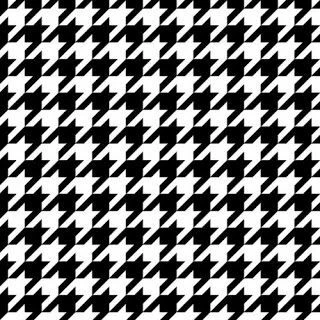
Can anyone explain how to make a working halftone pattern for screen printing using a custom dot. I need to make one with the Chanel Houndstooth, I can make halftone effects but not one that actually prints out and work a seperation.

 

    5 replies

    Gord@APL
    Inspiring
    September 30, 2026

    As far as I’m aware, the shape of the dot is determined by the output device, not the design package, and there are fixed styles of dot that have been in use for decades (eg. elliptical, round, rhomboid, square).

    While you could fake the effect on-screen, the final output would still use one of the traditional dot styles. I’d imagine your only option would be to manually separate the colours and print each plate as black-and-white.

    EDIT: saying that, take a look at this: https://the-print-guide.blogspot.com/2009/06/creating-custom-halftone-dots.html

    Translate
    Gord@APL
    Inspiring
    September 30, 2026

    Supplemental - just done a little experiment of my own using the guide linked above and, while it’s certainly possible, you’d have to work at the most insanely high resolutions to make the houndstooth pattern even vaguely discernible as the pattern being used. I went to 12,000ppi and I’m still not certain it was worthwhile, not least because of the enormous filesize.

    At a more reasonably 1200ppi, the pattern isn’t really recognisable so, any lower than that - and screen printing would probably want much lower - and you may as well be using square dots.

    1200ppi

    vs

    12000ppi

    Translate
    mglush
    Community Expert
    Community Expert
    September 30, 2026

    How are you going to use this half tone pattern? Are you applying It to an image so that the image shows up in the black areas of the pattern? Please explain how you intend to apply this to your image so we can give you some better feedback.

    Michelle

    Translate
    LightningPlugins
    Participating Frequently
    September 26, 2026

    Are you trying to make just the pattern or are you trying to make something that automatically scales in size like true halftones do? Halftones for dtf or screen printing normally grow or shrink depending on the image values.
    I don’t think it is possible in Photoshop to make a pattern that scales and has a custom pattern liek that. You might be able to do it with Illustrator.
     

    Translate
