


Answered
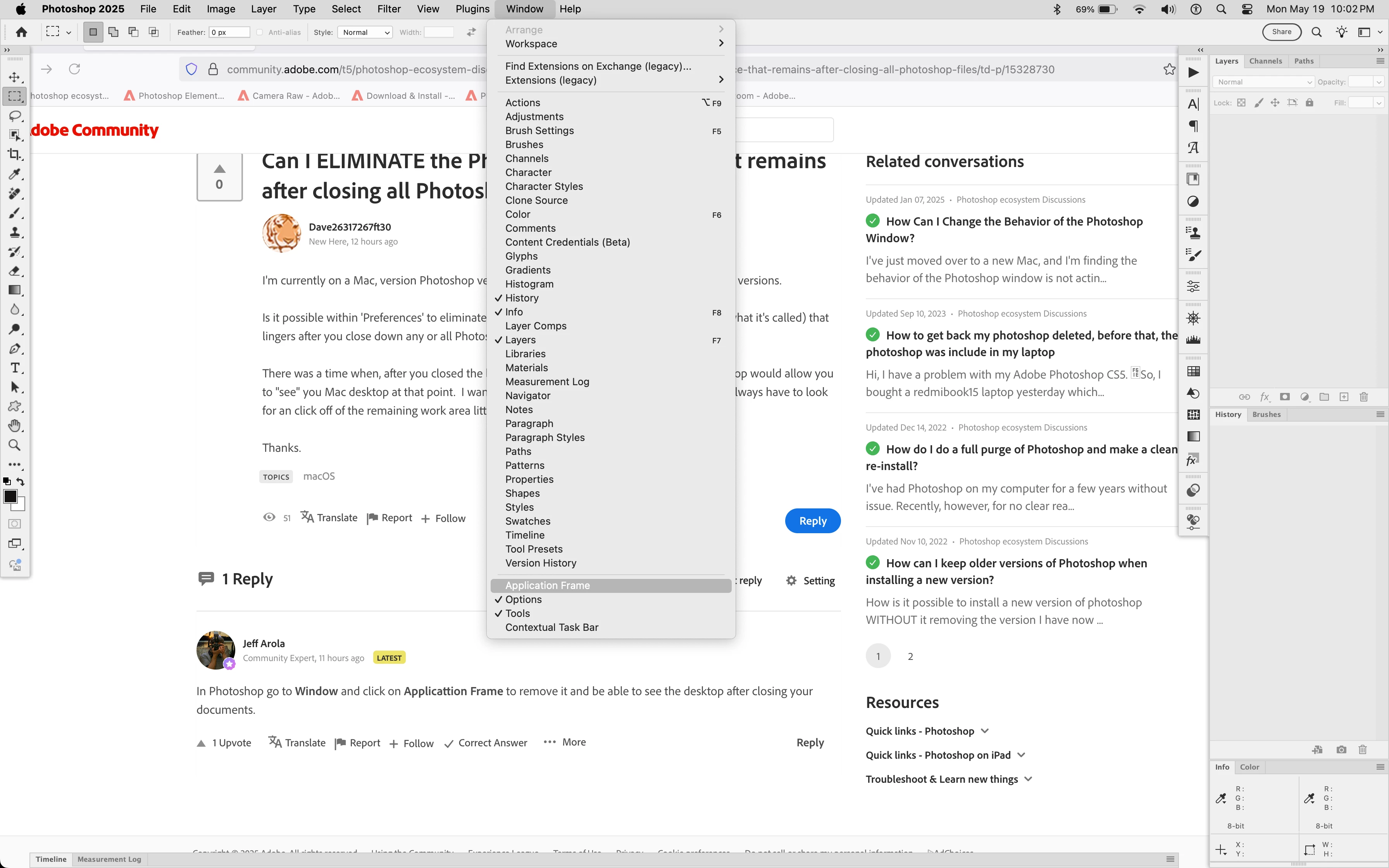
Can I ELIMINATE the Photoshop 'Workspace' that remains after closing all Photoshop files?
I'm currently on a Mac, version Photoshop version 22.5.9, but the behavior is the same on prior versions.
Is it possible within 'Preferences' to eliminate the empty Photoshop "workspace" (MIGHT be what it's called) that lingers after you close down any or all Photoshop documents.
There was a time when, after you closed the last Photoshop file you were working on, Photoshop would allow you to "see" you Mac desktop at that point. I want to go back to that point. I stronly prefer not to always have to look for an click off of the remaining work area little red 'close' button every time.
Thanks.

 AdChoices