


December 1, 2025
Answered

Can't adjust minimum opacity with Pen Pressure enabled

  • December 1, 2025
  • 1 reply
  • 116 views

Hello,


I've had this problem for probably months now and I always hoped a future update would fix it but unfortunately that hasn't been the case, so here I am.


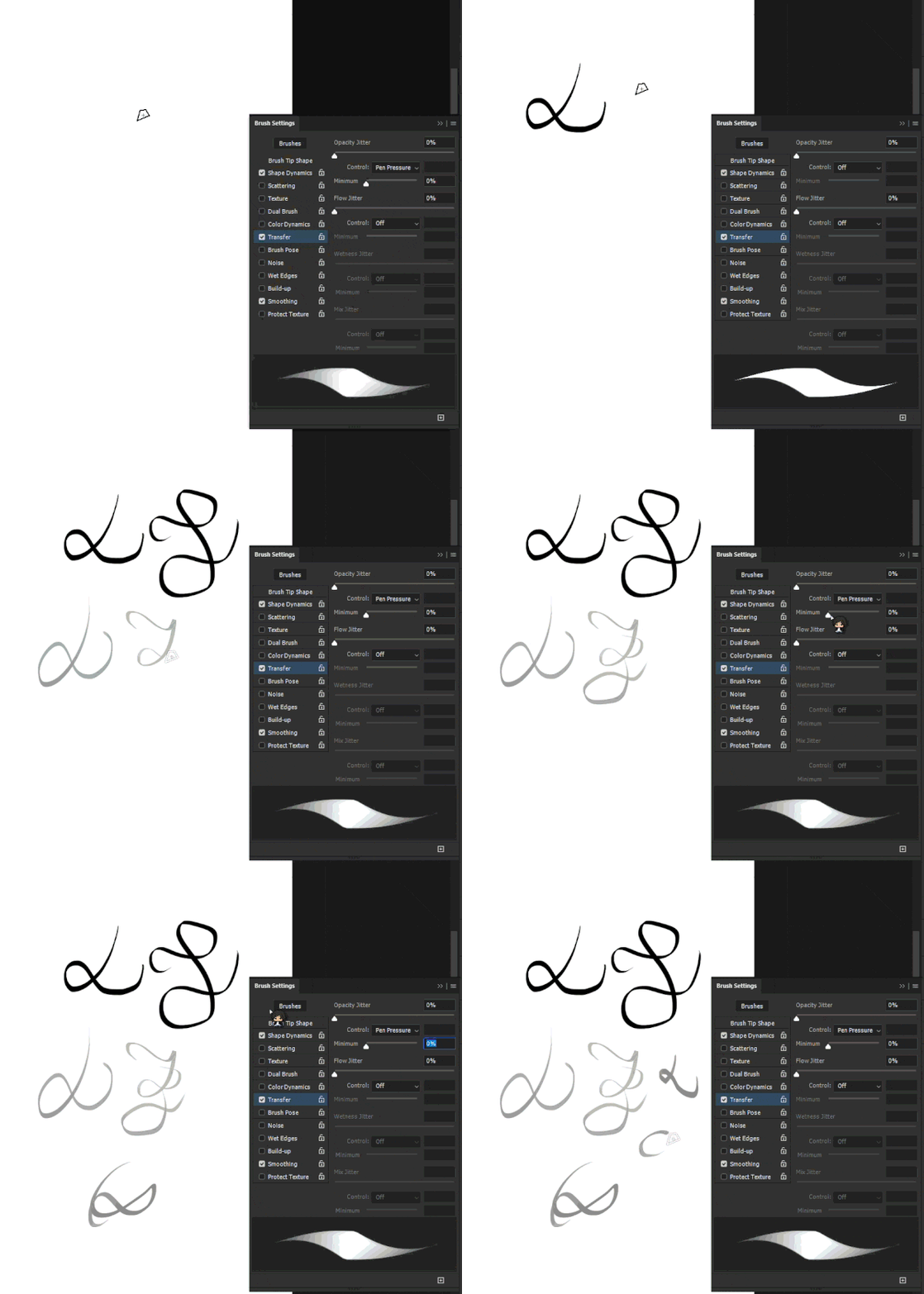
I usually draw with Pen Pressure opacity enabled, though I'd love to finetune the sensitivity of it by adjusting the "Minimum" slider in the Brush Settings. Whenever I do so however, it doesn't work and the minimum slider snaps back to 0% once I draw my first stroke.


I know I could just adjust my Wacom settings instead, but because that'd cause the pressure sensitivity to change universally across all my other settings (brush size for instance), that fix doesn't work for me either. 


Sorry its a bit hard to explain, hopefully this gif provides more insight.
ezgif-43f61f42a1bf447a.gif


Help would be much appreciated, thank you!

I should mention this is Photoshop v26.11.2, though I recently upgraded from v26.11.1 and its already been an issue then as well. 

 

Correct answer Noel Orridge

Hi @Akalari! Thank you for reaching out! I'm sorry to hear about your issue. Here are a few things you can try to fix this:


-A newer version is out. Please try updating your Ps application and your OS, if you haven't done so already. 

- Go to the Options Bar at the top of the screen. Ensure the "Always Use Pressure for Opacity" button is unpressed/off. It is a button located next to the Opacity percentage field (see the attached image for reference).


Hope this helps!

Please use @ when you mention my username so that I can get notified as soon as possible.

1 reply

Noel Orridge
Community Manager
Noel OrridgeCommunity ManagerCorrect answer
Community Manager
December 1, 2025

Hi @Akalari! Thank you for reaching out! I'm sorry to hear about your issue. Here are a few things you can try to fix this:


-A newer version is out. Please try updating your Ps application and your OS, if you haven't done so already. 

- Go to the Options Bar at the top of the screen. Ensure the "Always Use Pressure for Opacity" button is unpressed/off. It is a button located next to the Opacity percentage field (see the attached image for reference).


Hope this helps!

Please use @ when you mention my username so that I can get notified as soon as possible.

Noel