
Can't "Copy SVG" Layers in Photoshop Anymore - Help!
Hey there, can you help me out?
Normally, I can use the "Copy SVG" feature in Photoshop on any layer and paste it directly into Figma or Illustrator. But ever since I got a new PC and reinstalled Photoshop, I can't copy layers anymore.
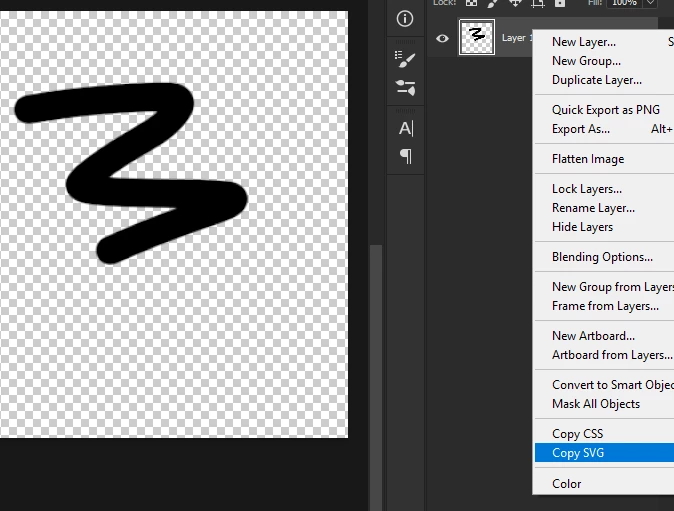
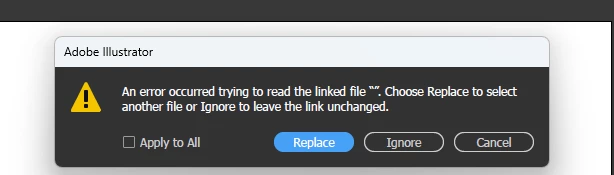
I can still copy SVG from shapes and vectors within Photoshop, but with regular layers, I get this error. When I checked the code, it looks like this: ...
<svg xmlns="http://www.w3.org/2000/svg" xmlns:xlink="http://www.w3.org/1999/xlink" width="827px" height="645px"> <image x="0px" y="0px" width="827px" height="645px" xlink:href="data:img/png;base64," /> </svg>
I'm wondering if I'm missing something or if Photoshop changed something in a recent update. It's super inconvenient. I have another laptop that still works fine with the "Copy SVG" feature, so I don't know why it's not working on my PC. I know there are other ways, like exporting the file, but I really prefer the copy-and-paste feature because it's so much more convenient.
I'm using Windows 11 and the latest version of Photoshop. Can anyone help me with this?


 AdChoices