Answered
Can't dismiss "Discover" button
I can’t dismiss the blue glow of “Discover” button notification. PC restarted. Button clicked. Photoshop restarted. Help.
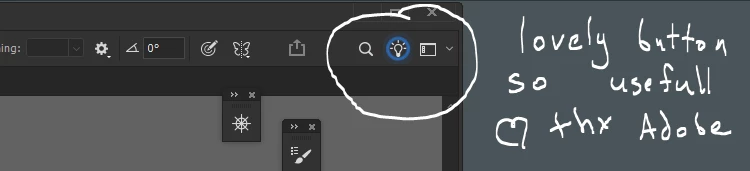
Somewhat related to my previous question (that still has no solution)

I can’t dismiss the blue glow of “Discover” button notification. PC restarted. Button clicked. Photoshop restarted. Help.
Somewhat related to my previous question (that still has no solution)
Hey, @danill42755228. Welcome to the Photoshop Community. I understand this can be distracting. I'll help you figure this out.
In Photoshop, go to Edit > Preferences > Notifications & Enable Quiet mode, and from the same pane, you can disable tooltips. After this, restart Photoshop once, and it should be better.
Thanks!
Sameer K
(Type '@' and type my name to mention me when you reply)
Already have an account? Login
Enter your E-mail address. We'll send you an e-mail with instructions to reset your password.


 AdChoices