
Participant
August 31, 2022
Answered

Can't find Custom Shapes

  • August 31, 2022
  • 2 replies
  • 589 views

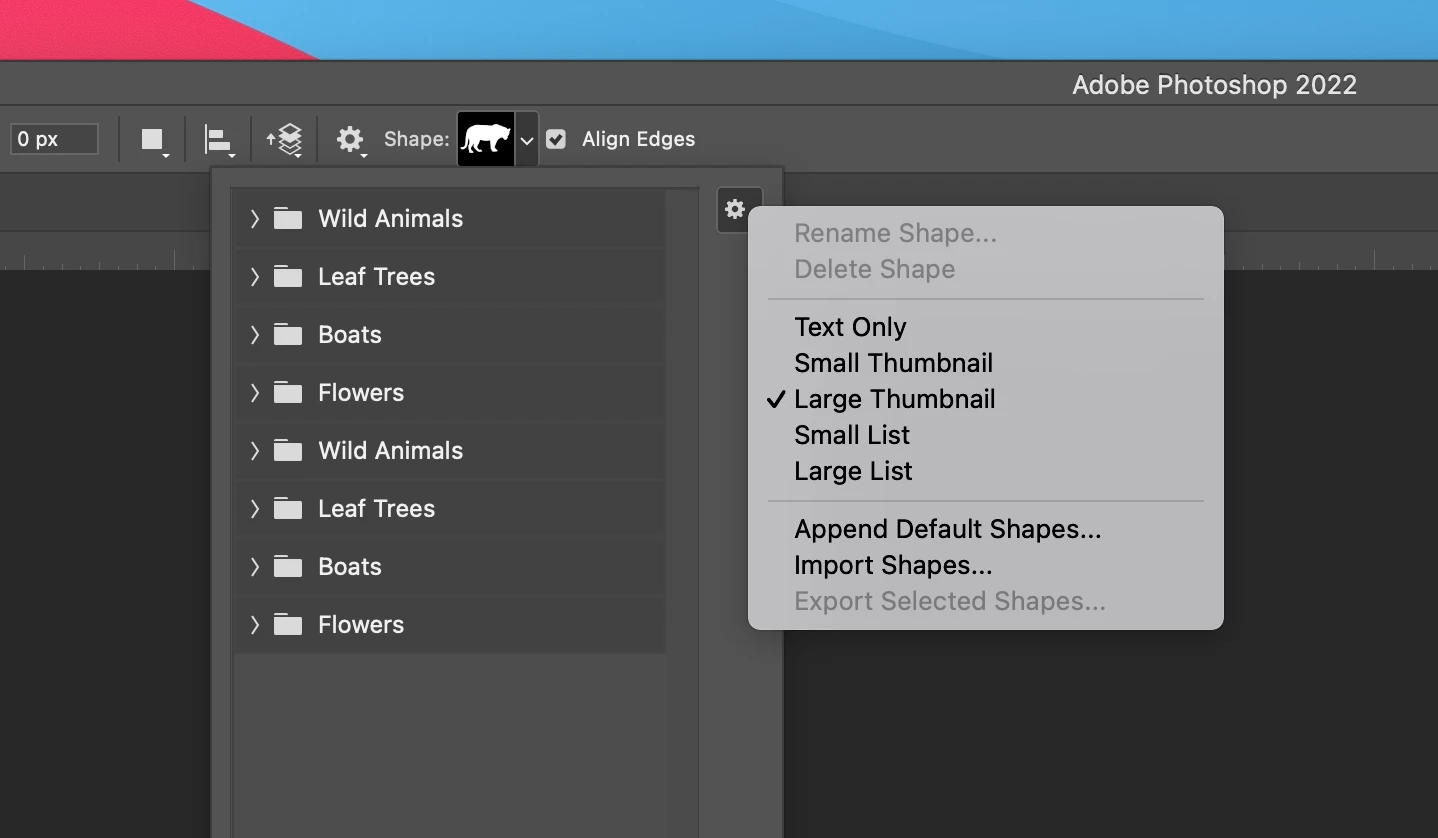
I recent began using Photoshop 2022.  Under sustom shapes, I lonly get animals, flowers, etc.  I see lots of references to this issue in here, and all say to go into the shapes menu, click the upper right and select legacy shapes.  I don't have that option (see picture below)  Is it because I now have the student version?  Are they not available in this version?
 

This topic has been closed for replies.
Correct answer jane-e

@CAWu 

Your screenshot shows you are in the options bar. Go to the Window menu where the panels are, open the Shapes panel, and use the Shapes panel menu to select the Legacy Shapes and More. They will now appear in the options bar as well.


Management is in the (newish) Shapes panel, and this panel is also where you can delete the duplicates you have made.


Jane


2 replies

PECourtejoie
Community Expert
Community Expert
September 27, 2022

Hi, if you find that the Legacy menu entry belongs there, as it is the case for the Brush tool's Legacy Brush


please vote in this feature request: https://community.adobe.com/t5/photoshop-ecosystem-ideas/add-legacy-shapes-patterns-gradients-swatches-in-option-bar-contextuals-etc/idi-p/12834769

SonseraeLeese
Known Participant
January 28, 2023

She doesn't want legacy brushes. She wants the shapes in the preset menu. There's nothing in the latest 2023 version of Photoshop.


jane-e
Community Expert
jane-eCommunity ExpertCorrect answer
Community Expert
August 31, 2022

@CAWu 

Your screenshot shows you are in the options bar. Go to the Window menu where the panels are, open the Shapes panel, and use the Shapes panel menu to select the Legacy Shapes and More. They will now appear in the options bar as well.


Management is in the (newish) Shapes panel, and this panel is also where you can delete the duplicates you have made.


Jane