



Add Legacy shapes/patterns/gradients/swatches in option bar, contextuals etc.
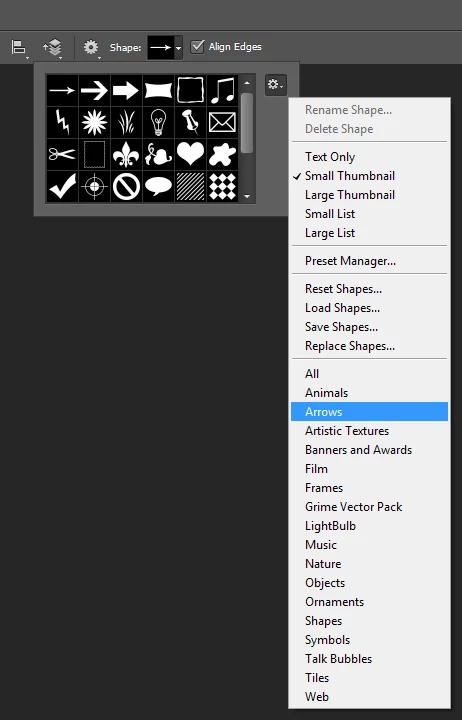
Two+ years after the arrival of the new useful Shapes Patterns, Gradients or Swatches Panels, users still cannot find the legacy presets as they search in the Option bar local menu, or in the local menu of the Contextual (right-click) click on the image, instead of in the new panels.
Case in point: https://community.adobe.com/t5/photoshop-ecosystem-discussions/missing-patterns-in-fill-dialog/m-p/12824825/thread-id/630928#M630985
We never see such discussions for Brushes, for the legacy option exists in the Option bar local menu, in the local menu when they right-click on the image. (in addition to the Brushes panel)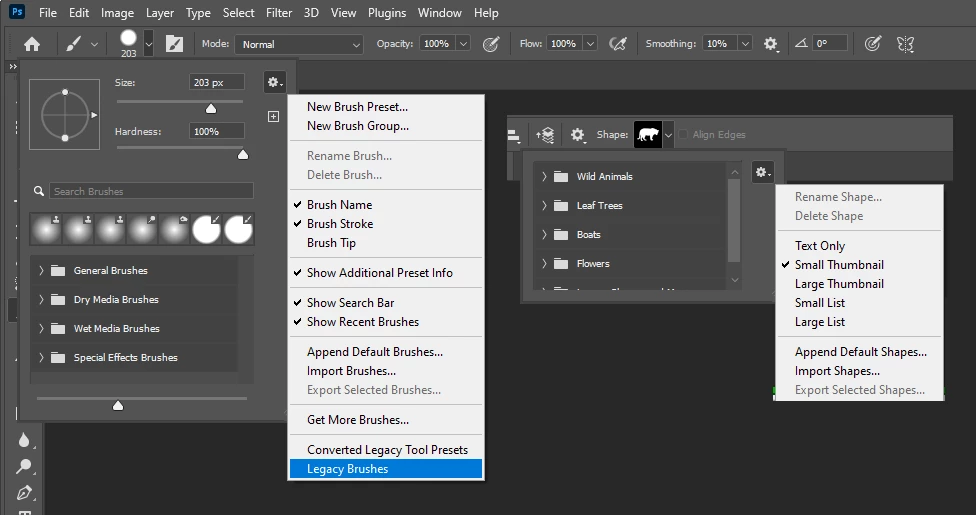
Why do they search there? Because, before we got the new folders, that's where all the other sets were found. You cannot beat twenty years of muscle memory...


 AdChoices