Doc_Pit
Inspiring
July 19, 2017
Answered

Can't get black background for pdfs

  • July 19, 2017
  • 2 replies
  • 3726 views

I want to put out a multi-page document in PS .pdf format.  If I use "Save As,"  I don't get a choice of background color.  If I use Automate>Multipage, I can choose a black background.  However, I get a gray background.  Anyone know how to get a black background?
This topic has been closed for replies.
Correct answer Stephen Marsh


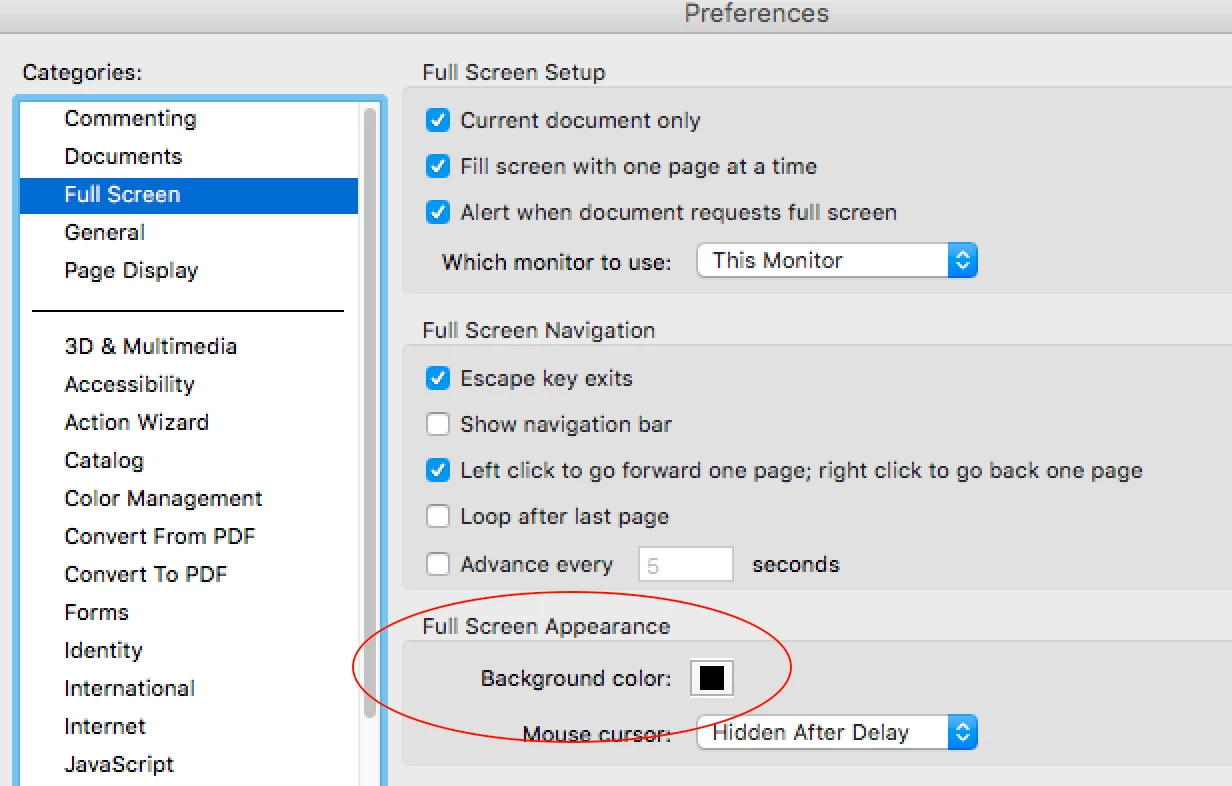
I think this is an Acrobat preference setting for “full screen display”:

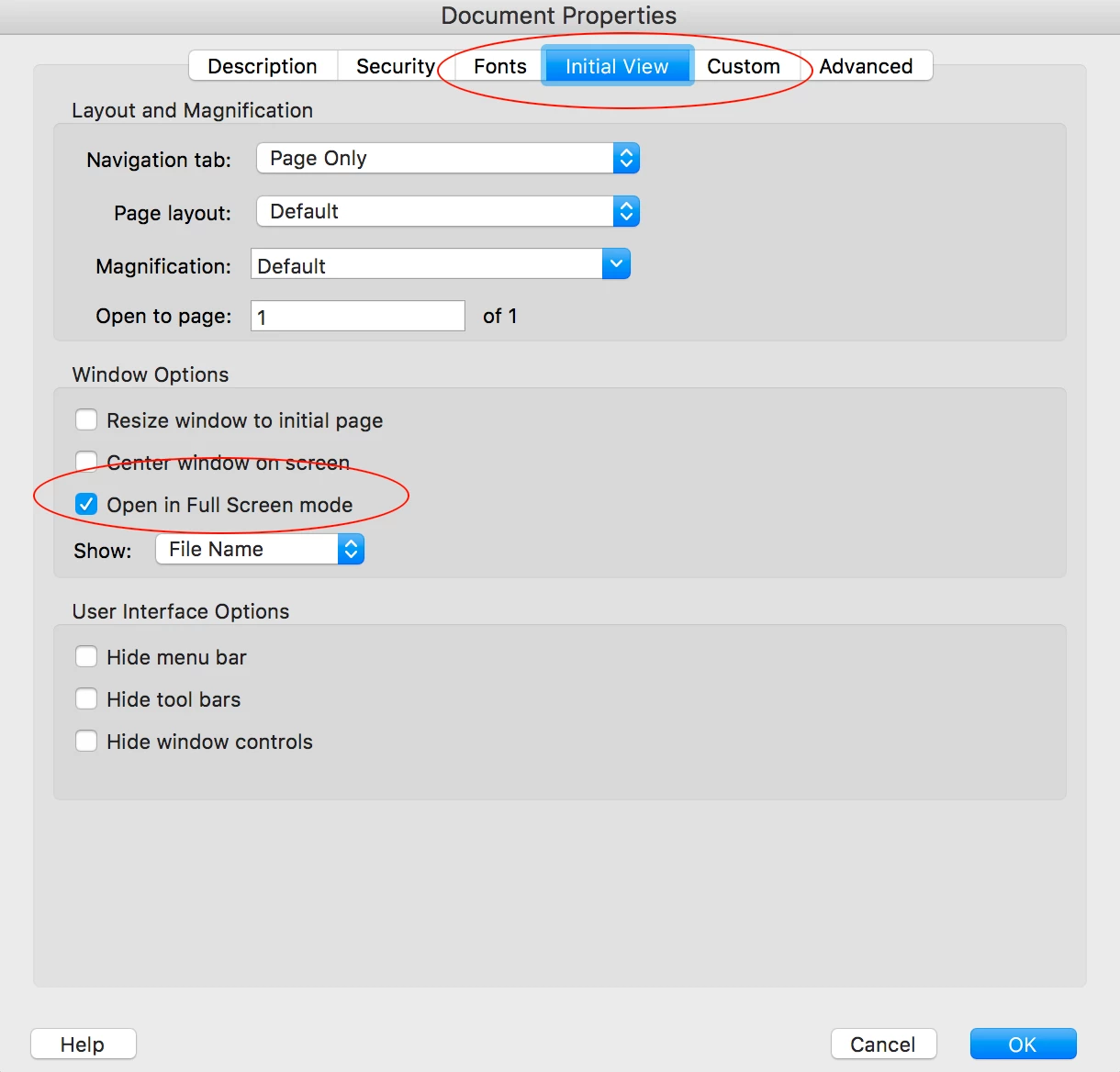
By opening up the PDF in Acrobat Reader, you can set the document properties to open in full screen mode and then save the file:

2 replies

Participant
July 20, 2017

Doc_Pit,

What you want is; Stephen_A_Marsh is correct if the pdf file has a full screen preview and the background is black. But there is a benefit to remind you. If you want the background to be black in the document, then you should add a layer filled with black to your work.

Nexahs1138
Inspiring
July 19, 2017

Google is your friend, I found this by just searching for "black background PDF"

Doc_Pit
Doc_PitAuthor
Inspiring
July 20, 2017

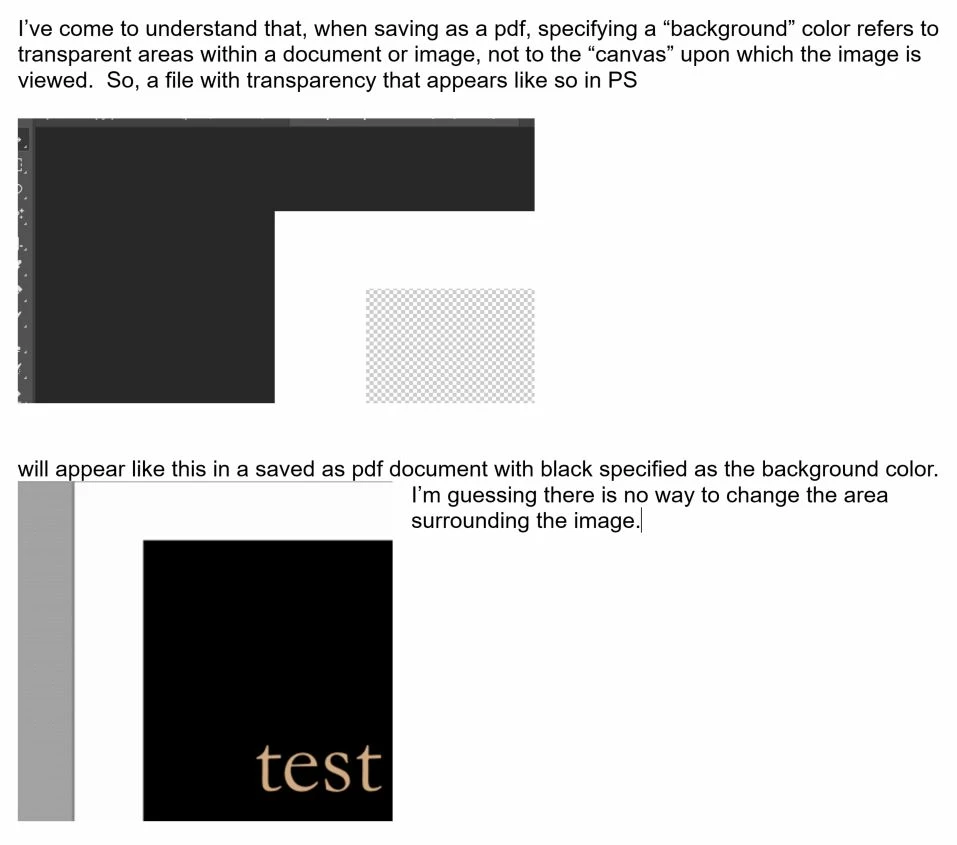
I should have stated the problem more clearly.  The solution you are referring to changes the background against which the document text is read (i.e., now white text against black background), similar to what you might do in a word processing program.  The "background" I'm referring to is comparable to the window or image area color, generally dark gray, in Photoshop.  So, regardless the color of an image in PS, it appears on a background of dark gray.  When that image is saved as a page in a multi-page .pdf document, PS provides the option of specifying a background color--gray, white, black.  I specify black, but I get light gray. 

Doc_Pit
Doc_PitAuthor
Inspiring
July 20, 2017