Participant
May 20, 2024
Answered

Can't have multiple gradient layers

  • May 20, 2024
  • 3 replies
  • 2998 views

I am trying to have multiple gradient layers show, but whenever I try adding another one, it hides the other layer. I really don't know why and I have been trying to find out online. Please help! Thanks!

Correct answer Trevor.Dennis

Hi Clemente.  If you want to use multiple gradients on the same layer, use Classic Mode, and set to Foreground to Transparent.
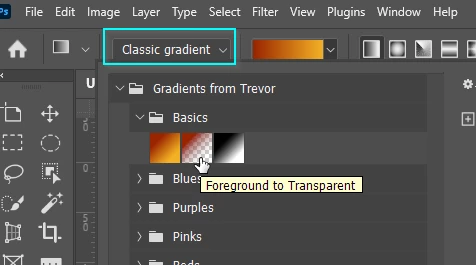
 

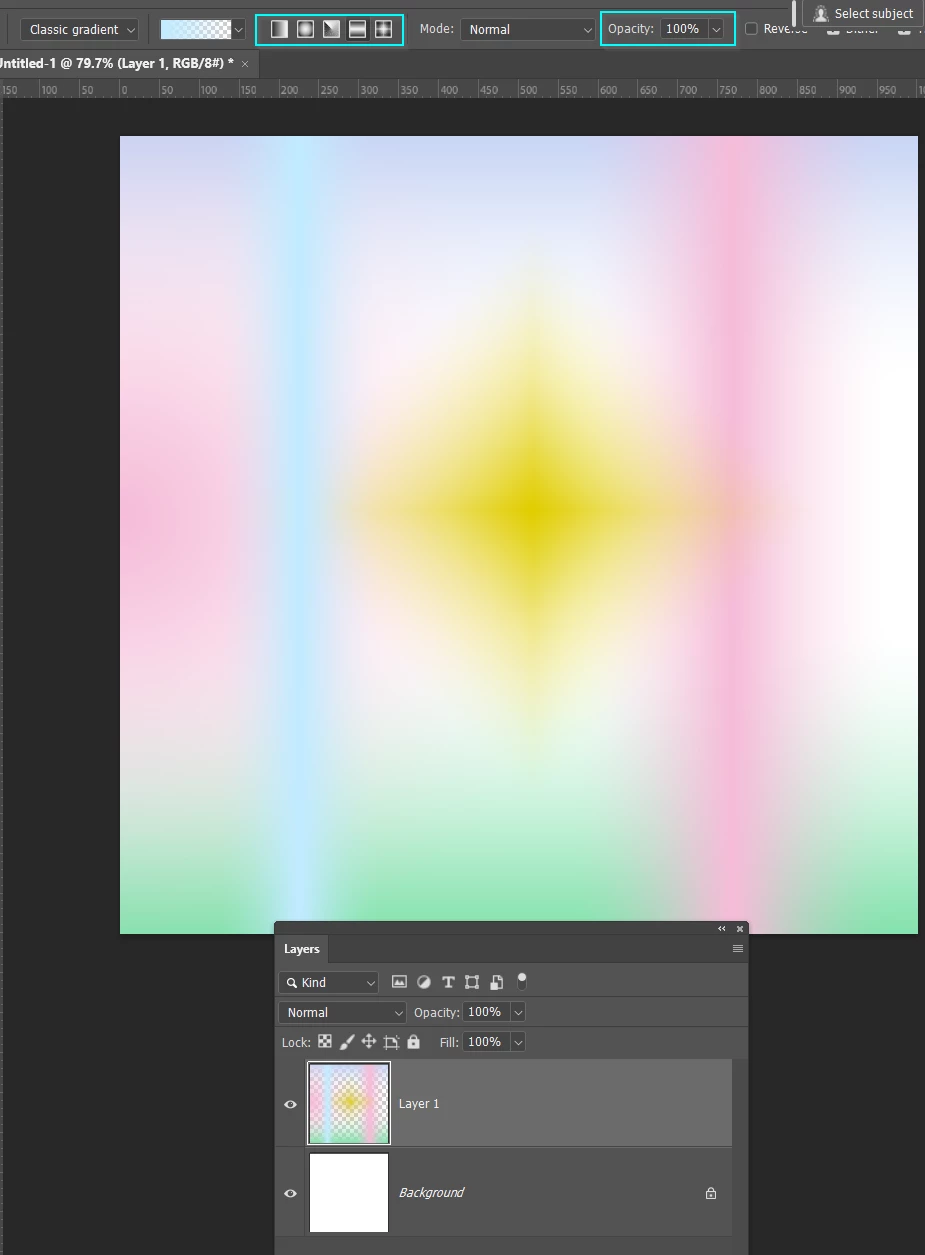
You can mix styles, colours, opacities (for each gradient) all on the same layer.
3 replies

Trevor.Dennis
Community Expert
Trevor.DennisCommunity ExpertCorrect answer
Community Expert
May 20, 2024

Hi Clemente.  If you want to use multiple gradients on the same layer, use Classic Mode, and set to Foreground to Transparent.


You can mix styles, colours, opacities (for each gradient) all on the same layer.

Participant
May 22, 2024

Thanks, but now whenever I try doing the gradient it just makes the background transparent and I don't know why.

Legend
May 20, 2024

If you use solid colors at 100% opacity then yes, this is working correctly. You have to set either the individual color opacity or layer opacity less then 100%, or use a blend mode that will composite the layers

Participant
May 20, 2024

how do i composite the layers?

Legend
May 20, 2024

Use a blend mode that does so. Try some different blend modes and see what they do.

Understand that you may not be Able to get the effect you want. A gradient is SUPPOSED TO cover whats below it.

Ares Hovhannesyan
Community Expert
Community Expert
May 20, 2024

Do you adding seperate gradient on seperate layer? See screenshot


shot