


Inspiring
Nov 17, 2019 8:25 PM UTC
Answered

Can't Import Brushes Photoshop CC 2020

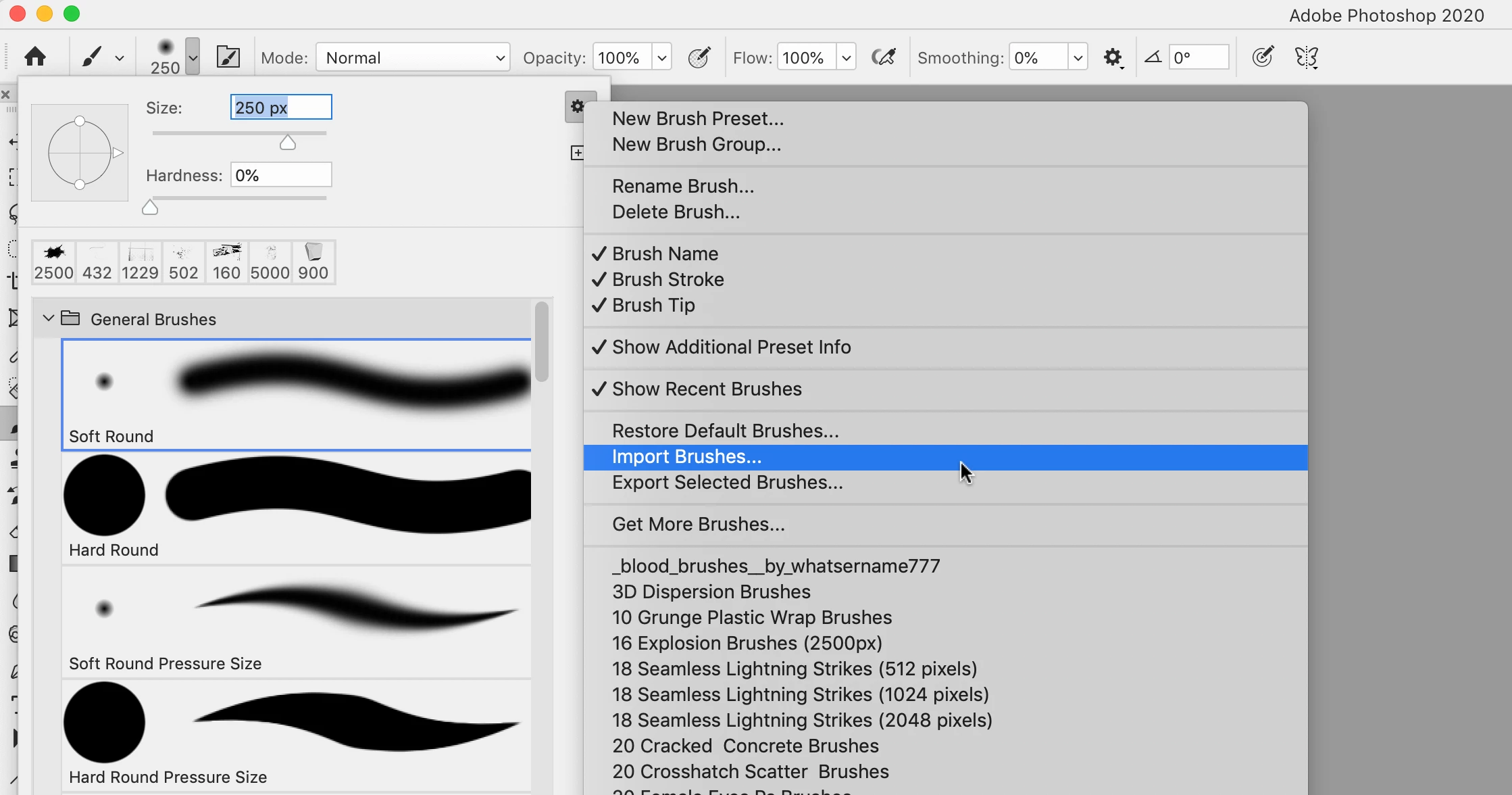
I understand in Photoshop CC 2020 you no longer use the Preset Manager to import brushes. I know that there is now an IMPORT BRUSHES... choice when you look at the menu attached to one's already loaded brushes. But, when I select that and go to my brushes folder, I see no abr files at all.


Am I doing this incorrectly?
 

FranMcFCorrect answer
Participant
Jan 24, 2020 11:32 PM UTC

Just spent hours trying to load new brushes using CC2020. How frustrating.  Watched all of the You Tube videos, read all of the Adobe Community Support References. Grrrrrr!!!!

Anyway. It is piss easy. Download the brush set from the internet, then open your File manager/Finder, navigate to your Downloads folder - and - wait for it - double click on the .abr file. It goes straight into your Photoshop CC2020 brushes.

46 replies

Participant
Mar 28, 2020 9:11 AM UTC

just double click the brush file

Translate
LauraMacky
Inspiring
Apr 30, 2020 12:43 AM UTC

I tried double-clicking but it is not in PS when I go to the brush picker.  This is beyond annoying.

Translate
Laura Macky
Participant
Jun 10, 2020 7:27 PM UTC

I thought I was having the same problem. Then I disocvered at the bottom of the brushes panel there's a folder with my new brushes in it. 

Translate
FranMcFCorrect answer
Participant
Jan 24, 2020 11:32 PM UTC

Just spent hours trying to load new brushes using CC2020. How frustrating.  Watched all of the You Tube videos, read all of the Adobe Community Support References. Grrrrrr!!!!

Anyway. It is piss easy. Download the brush set from the internet, then open your File manager/Finder, navigate to your Downloads folder - and - wait for it - double click on the .abr file. It goes straight into your Photoshop CC2020 brushes.

Translate
Participant
Feb 12, 2020 2:40 PM UTC

OMG can't believe it was that simple after so many unsuccessful tries, Thanks 😊 

Translate
Participant
Dec 23, 2019 6:41 AM UTC

I'm having this exact same issue. When I go to upload my brushes it only detects TPL files. Not any ABR and it's very annoying because all my brushes are ABR files! URGH

Translate