


Participant
July 18, 2026
Question

Can't open files from Lightroom in Photoshop

  • July 18, 2026
  • 1 reply
  • 19 views

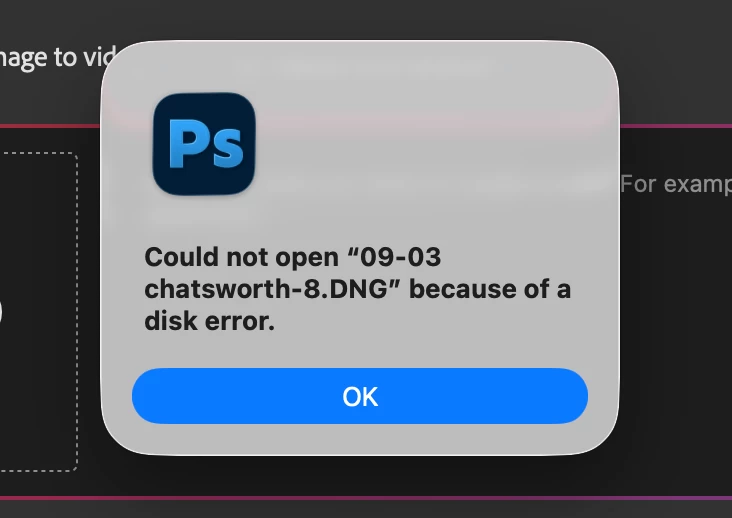
HI, only in the last few days I find I am unable to open files from Lightroom in photoshop. I just keep getting the error message as seen in attached image. I’ve never has a problem before over many years use.


I’ve tried everything I found suggested with an internet search and I can’t find mention of any known issues with this.


LR and PS are completely up to date, 15.4.1 & 27.8 respectively and my Mac OS is up to date with Tahoe 26.5.2


I have the catalog on my Mac mini M4 and images on two external hard drives, neither are overly full.


I am at a loss how to proceed other than trying an uninstall and reinstall with PS…..
 

    1 reply

    Community Expert
    July 18, 2026

    First I would do a hardware check for your disk drive. It can be a disk failure.

    Next step is to check if Lightroom has full access rights. 

    🔎 Quick Tips: How to give Full Disk Access to Lightroom Classic on macOS | Adobe DME


    If this all doesn’t help you should try to do the steps described below.

    Use the Adobe Creative Cloud Application to uninstall Photoshop. When asked, keep preferences! After this reinstall Photoshop again.


    If this doesn't help the nest step is to reinstall both apps Lightroom and Photoshop. Please follow the steps below:

    1. Open the Adobe Creative Cloud Desktop Client and uninstall both Photoshop and Lightroom Classic. When asked, keep preferences! 
    2.  Install Photoshop first and then Lightroom Classic. The right order is very important here!


    If this doesn't help try the reinstallation with removing the preferences also.


    My System: Intel i7-8700K - 64GB RAM - NVidia Geforce RTX 3060 - Windows 11 Pro 25H2 -- LR-Classic 15 - Photoshop 27 - Nik Collection 9 - PureRAW 6 - Topaz Photo AI