Participant
January 9, 2026
Answered

Can't Remove Purple Banding/Abberation In Image

  • January 9, 2026
  • 1 reply
  • 94 views

Hello Adobe Community,


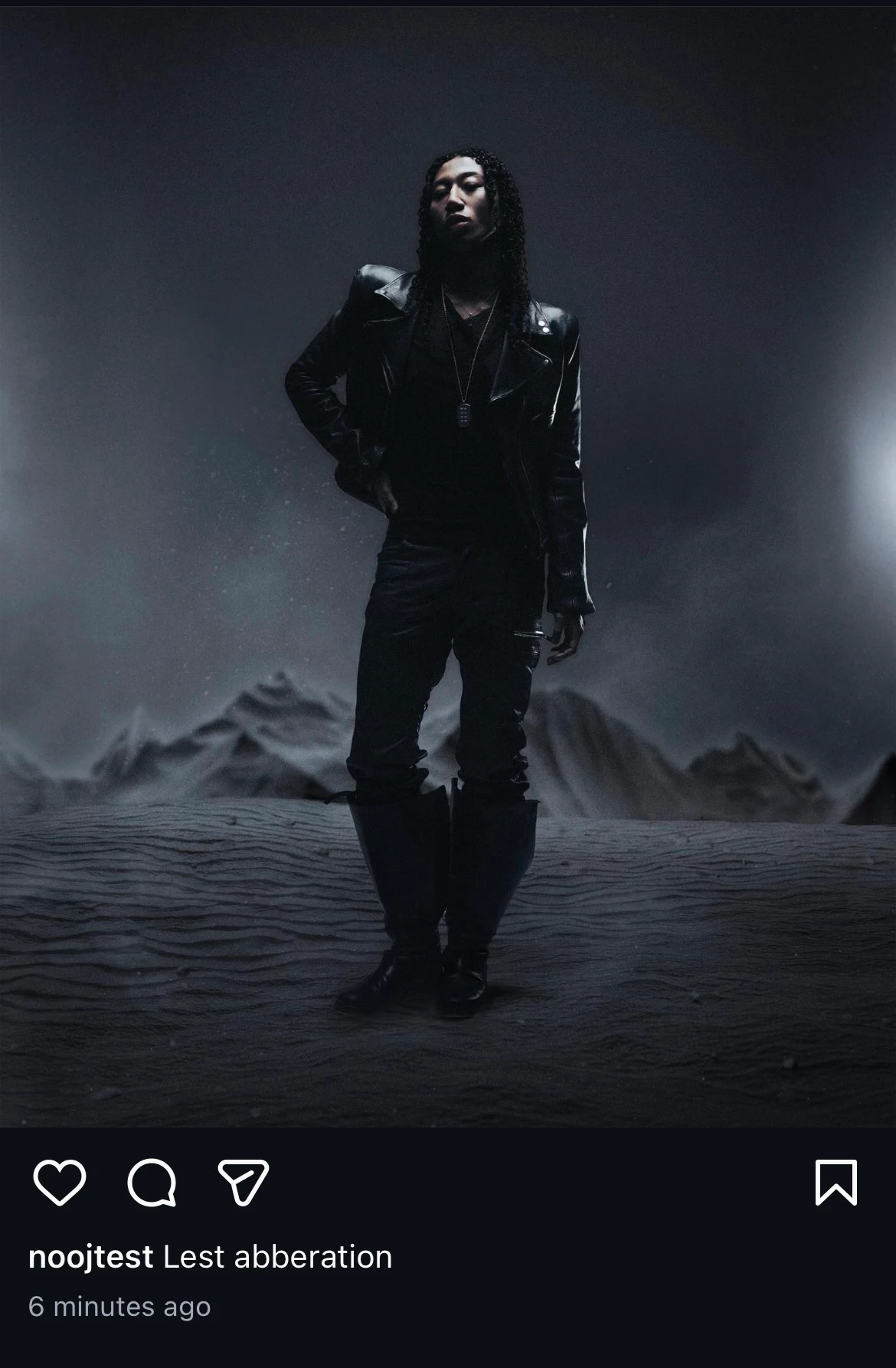
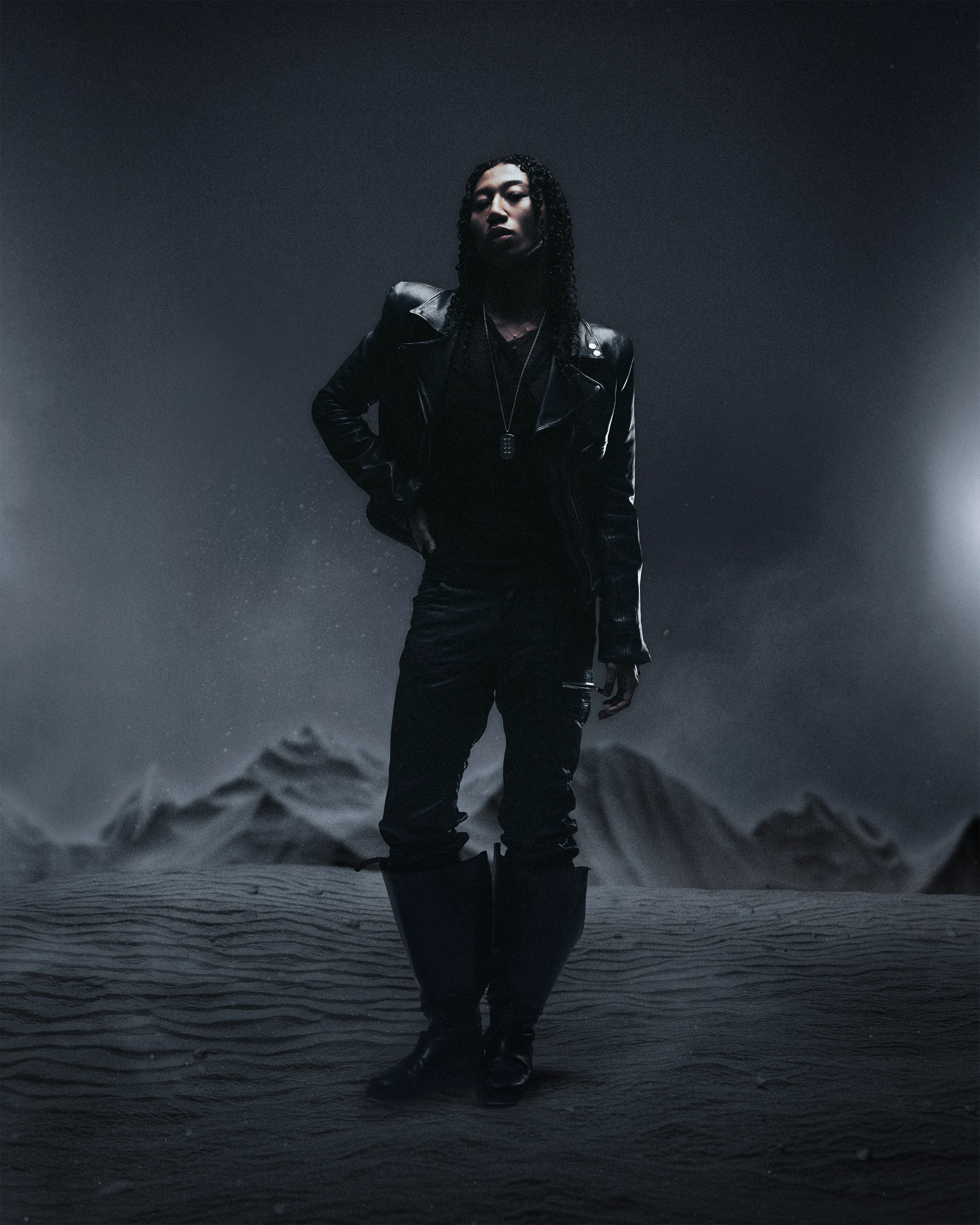
I have this studio editorial image and surrounding the subject is purple/magenta banding/chromatic abberation. It's not that noticeable on my laptop/in photoshop but it is very noticeable on Instagram. I've tried editing in 16 bit then converting to 8 bit etc. I've tried image>adjuststments>hue/sat and turned down Magenta/purple. I can get rid of it by turning the whole image temperature warmer but it is pivotal for this project to be a cooler toned image, unfortunately the purple banding still shows up. Does anyone know how to remove/fix this?YINFINAL.jpgIMG_0542.jpg
Correct answer Per Berntsen

This looks like jpg compression artifacts, caused by using a too low quality setting when creating the jpg.

You might not be able to eliminate it entirely, but using a high quality setting (like 85 in ACR or Lightroom) should produce better results. If you export from Photoshop, quality 6 is probably about the same as 85 in ACR/Lightroom.


I sometimes see similar artifacts in skies at 85 quality – jpg compression is destructive, even at high quality settings.


image.png

1 reply

Per Berntsen
Community Expert
Per BerntsenCommunity ExpertCorrect answer
Community Expert
January 10, 2026

This looks like jpg compression artifacts, caused by using a too low quality setting when creating the jpg.

You might not be able to eliminate it entirely, but using a high quality setting (like 85 in ACR or Lightroom) should produce better results. If you export from Photoshop, quality 6 is probably about the same as 85 in ACR/Lightroom.


I sometimes see similar artifacts in skies at 85 quality – jpg compression is destructive, even at high quality settings.


image.png