
Participant
December 14, 2011
Answered

Can't save files in .PNG format

  • December 14, 2011
  • 2 replies
  • 180752 views

Hi, I have CS4 web premium which I installed about a week ago. I am a complete beginner with these tools which seem totally awesome, and I have succeeded in creating some designs both in Illustrator and PS. Originally, when doing a 'save as' command, I would see many file formats to choose from in the pull down menu, but today (when it mattered most, of course) MOST of the formats, including PNG and JPG did not appear in the pulldown menu in Illustrator. I also checked Photoshop and found the same result.

I did in fact, do some research and noted some mention by people about making sure the plugins are still in place, so I checked that and there are files in the folders mentioned (here's a screen shot):
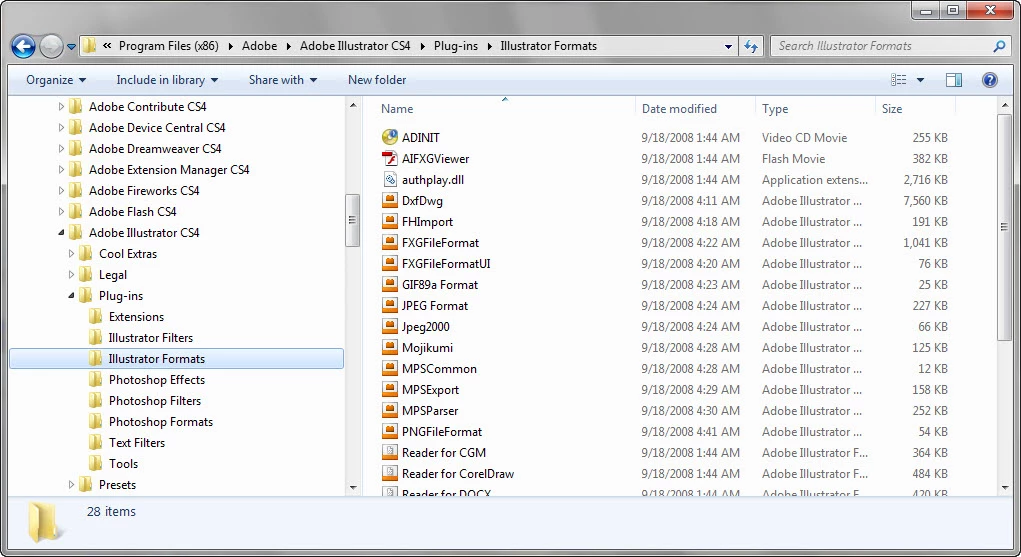
 

Anyway, it's very frustrating and I hope it is just something stupid that I am doing and that some kind soul can help quickly resolve this issue  with me.

Thanks in advance, Burle.

This topic has been closed for replies.
Correct answer

Thanks Chris, I selected this forum since I was having the same problem in both applications so I guess I thought it might be a common problem. You are probably correct about the color formatting, do you have a link to an article that addresses how to correct this issue?

Thanks in advanced, Burle.


File menu->Save for Web

2 replies

Participant
January 30, 2021

you could just simply go to File and go to Export, select save for web. It would allow you to save as PNG and GIF. Here is a video tutorial: https://www.youtube.com/watch?v=ZnA8sfqexFg 

Chris Cox
Legend
December 14, 2011

Most likely you created a CMYK document, or a 32 bit/channel document.

PNG only supports 8 and 16 bit/channel RGB.

Participant
December 14, 2011

I'll have to look into that, but if that's the case, then should I only expect to see the following possibilities for file formats?

Chris Cox
Legend
December 14, 2011

You're not in Photoshop. You're working in Illustrator.

You might want to ask in the Illlustrator forum:   http://forums.adobe.com/community/illustrator/illustrator_general