Participant
July 15, 2026
Answered

Can't save/load resource organizer in Photoshop 2025, but Illustrator works fine

  • July 15, 2026
  • 4 replies
  • 59 views

I'm getting this error in Photoshop 2025 on macOS Monterey when trying to save to the cloud or access the resource organizer: "We can't load the resource organizer right now. Make sure all Adobe domains and subdomains are allowed on your network."

Illustrator, using the same account and same device, syncs to the cloud with no issues.

I've already tried: checking hosts file, DNS, proxy, and firewall (all clean), confirmed successful TLS connection directly to Adobe's servers, fully uninstalled and reinstalled Photoshop, verified Full Disk Access permissions, and reset the CoreSync service/cache. The error persists exactly the same.

Any ideas on what else could cause this?

    Correct answer Jeff Arola

    It would certainly be worth trying a reset of the Photoshop 2025 preferences:

    https://helpx.adobe.com/photoshop/desktop/get-started/settings-and-preferences/reset-preferences.html


    Also make sure the Adobe Creative Desktop Application is up to date, which looks like for macOS Monterey is version 6.9.1.1.3

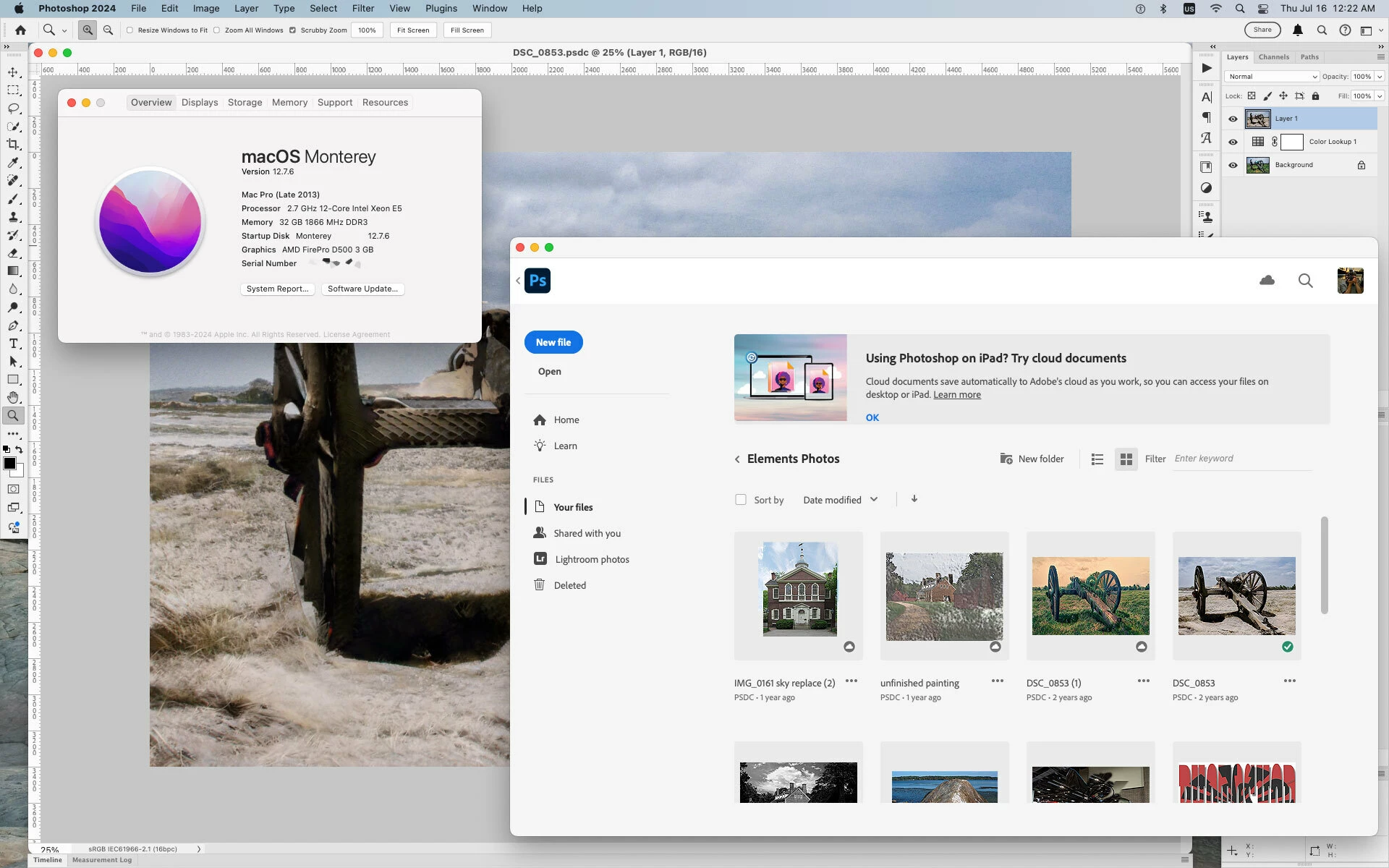
    On my 2013 Mac Pro with macOS Monterey 12.7.6 and Photoshop 2024

    (unfortunately the processor doesn’t meet the AVX2 requirements for Photoshop 2025/2026, though it runs Camera Raw 18.4.1 quite well when using macOS Sequoia 15.7.7 on the same machine)

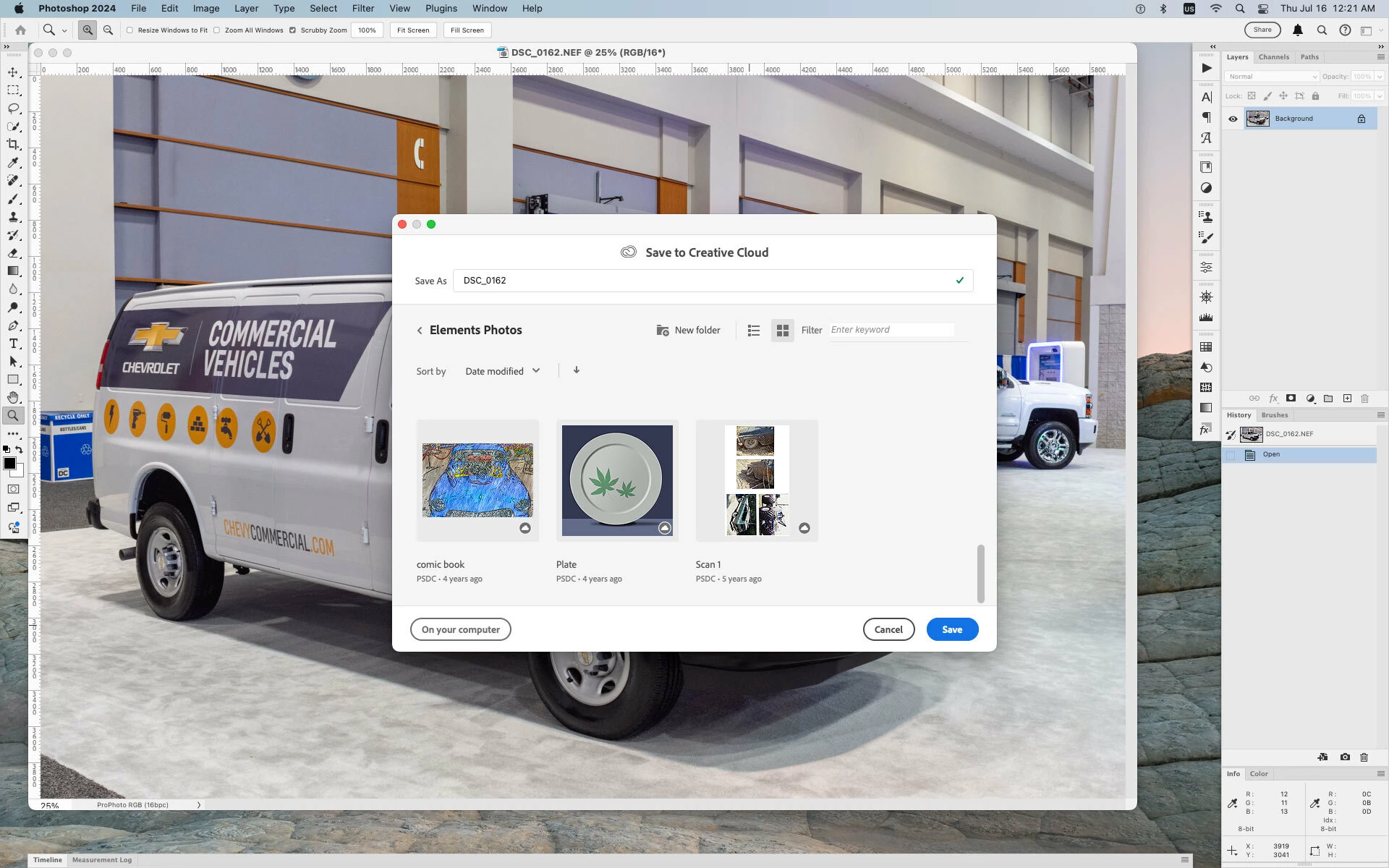
    there doesn’t seem to be any issue saving, opening to the Cloud or viewing the Cloud files in the Home screen.


    4 replies

    Jeff Arola
    Community Expert
    Jeff ArolaCommunity ExpertCorrect answer
    Community Expert
    July 16, 2026

    It would certainly be worth trying a reset of the Photoshop 2025 preferences:

    https://helpx.adobe.com/photoshop/desktop/get-started/settings-and-preferences/reset-preferences.html


    Also make sure the Adobe Creative Desktop Application is up to date, which looks like for macOS Monterey is version 6.9.1.1.3

    On my 2013 Mac Pro with macOS Monterey 12.7.6 and Photoshop 2024

    (unfortunately the processor doesn’t meet the AVX2 requirements for Photoshop 2025/2026, though it runs Camera Raw 18.4.1 quite well when using macOS Sequoia 15.7.7 on the same machine)

    there doesn’t seem to be any issue saving, opening to the Cloud or viewing the Cloud files in the Home screen.


    jane-e
    Community Expert
    Community Expert
    July 15, 2026

    @Manuel Santellan 


    Photoshop does not have a “resource organizer”. 


    Are you using Photoshop Elements or maybe Adobe Bridge?


    Jane


    jane-e
    Community Expert
    Community Expert
    July 15, 2026

    @Manuel Santellan 

    Also, is there a reason you are using macOS Monterey (version 12), which was released in 2021?


    Jane