

brian_p_dts
Community Expert
Community Expert
January 17, 2024
Question

Can't script filling a transparent layer mask with full black

  • January 17, 2024
  • 2 replies
  • 1398 views

I'm working on a script that is supposed to clear a background. Due to some initial preprocessing some semi-transparent pixels are present in the layer that I would like to remove. See the inverse selection here: 
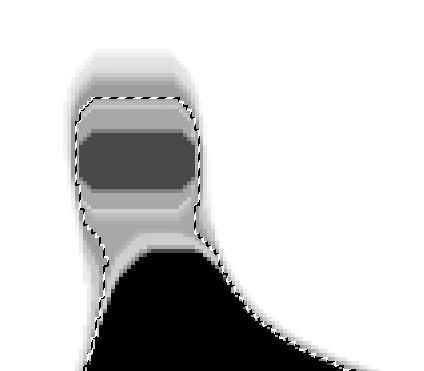
If attempt to use selection.clear() with the activeLayer selected, I'm still left with artifacts, and it also deletes up into the white part of the selection. I get the same effect using Delete manually. Here's after one delete. 
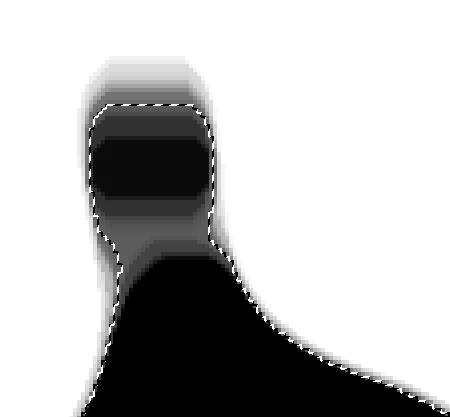
I've also tried using selection.fill(solid black) to no avail; it still only partially fills. Same effect if I try to fill using Edit >> Fill. 
What am I missing? Thanks in advance. 


This topic has been closed for replies.

2 replies

PedroMacro
Participating Frequently
January 17, 2024

Get the selection, enter in QuickMask mode, then open levels and add light, it will get a litte harsh selection, just add some smooth selection.

brian_p_dts
Community Expert
Community Expert
January 17, 2024

Pushing levels all the way right, and I still am left with pixels. And, I need something actionable/scriptable regardless of the type of transparency I come across. Any other thoughts?  


PedroMacro
Participating Frequently
January 18, 2024

Hm, if that didnt work, i dont know anything else

c.pfaffenbichler
Community Expert
Community Expert
January 17, 2024
quote

What am I missing?

The Selection is probably not what you imagine it to be. 

How did you create it? 


Could you please post screenshots with the pertinent Panels (Toolbar, Layers, Options Bar, …) visible including one of the Selection in QuickMask Mode with the composite channel hidden? 

brian_p_dts
Community Expert
Community Expert
January 17, 2024

The selection was derived from Layer Copy 1, then expanded and smoothed by 20px, then inversed. The active layer is the white fll 255,255,255 layer, made with the following code: 

function newColorLayer(red,green,blue, doc) {
    newLayer = doc.artLayers.add();
    newLayer.name = red + "," +green + "," + blue;
    newColor = new SolidColor();
    newColor.rgb.red = red;
    newColor.rgb.green = green;
    newColor.rgb.blue = blue;
    doc.selection.selectAll();
    doc.selection.fill(newColor, ColorBlendMode.NORMAL, 100, false);
    doc.selection.deselect();
    newLayer.move(doc, ElementPlacement.PLACEATEND);
};

Anything else you want to see? 


c.pfaffenbichler
Community Expert
Community Expert
January 17, 2024

I meant screenshots that illustrate the process/result, not just the Selection. 


Anyway, the Selection features soft/double edges, so deleting will result in semitransparent pixels.