
josephl47982360
Participant
December 10, 2020
Answered

Can't start Photoshop

  • December 10, 2020
  • 13 replies
  • 9520 views

Running on Windows 7. Has been working up until yesterday. Can't run Photoshop due to missing api-ms-win-core-libraryloader-l1-2-0.dll. The rest of the apps run fine. The message displays durring initialization. I've tried uninstalling and reinstalling.
This topic has been closed for replies.
Correct answer

Try installing an older version of ACR from here, the installer will overwrite the current version

https://helpx.adobe.com/camera-raw/kb/camera-raw-plug-in-installer.html

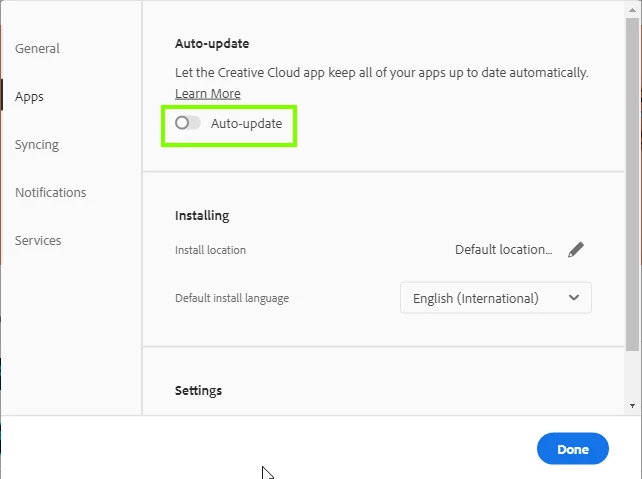
Make sure auto update is disabled in the CC preferences

13 replies

Participant
December 10, 2020

I have the exact same problem since yesterday after installing the Camera RAW update

Participant
December 10, 2020

Same here. It started last night. Uninstalled/reinstalled. Tried reinstalling MS Visual C++ 2015-1019 x64. That didn't work either. The only thing I can think of is finalling going to Windows 10. Everything else works on my computer including Adobe Creative Cloud.

Participant
December 10, 2020

Habe seit heute dasselbe Problem!

josephl47982360
Participant
December 10, 2020

Sorry. This is ver 21.2.4