Answered
Can't use free transform
Hello,
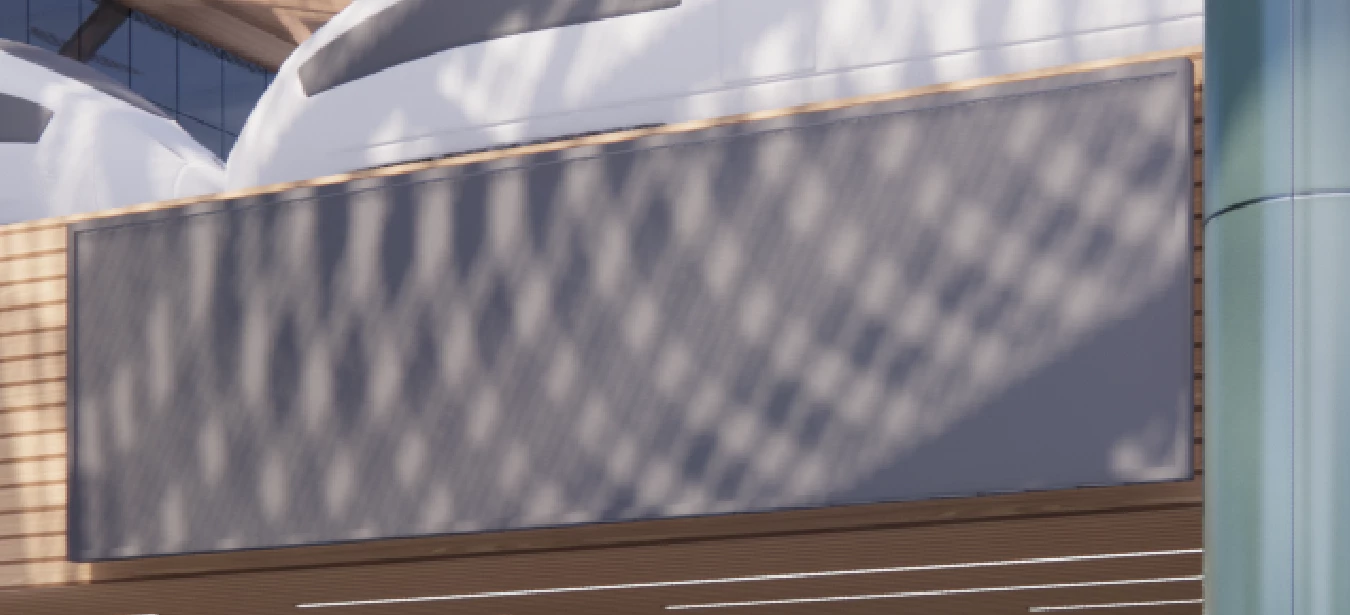
I am trying to use free transform to fit a screen onto this rectangle. I am not able to move the corners of my linked smart object independently. When I drag one, it causes the others to move.

Hello,
I am trying to use free transform to fit a screen onto this rectangle. I am not able to move the corners of my linked smart object independently. When I drag one, it causes the others to move.
I can confirm this, it seems to be specific to placed Adobe Illustrator files. If the .ai file is placed (linked or embedded), the commands available on the Edit > Transform submenu are restricted.
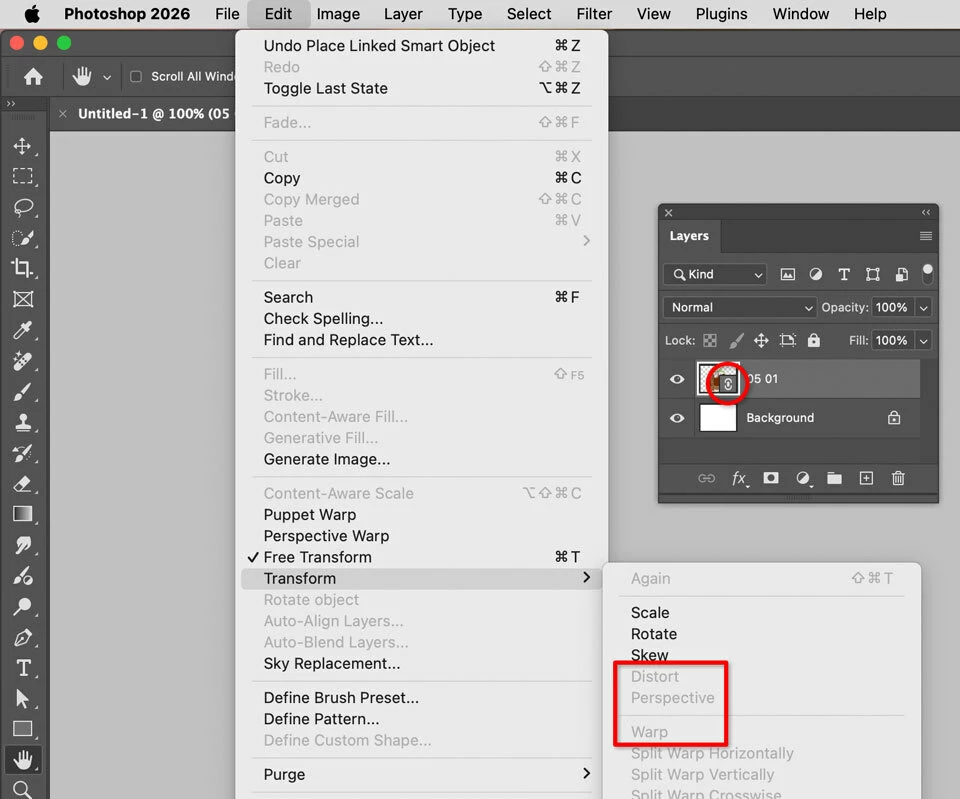
But the commands become available if the placed Illustrator layer is either rasterized or converted to a Smart Object. Of course, a placed file is already a Smart Object, so having to apply Convert to Smart Object creates a nested Smart Object that might require more memory and storage to handle.
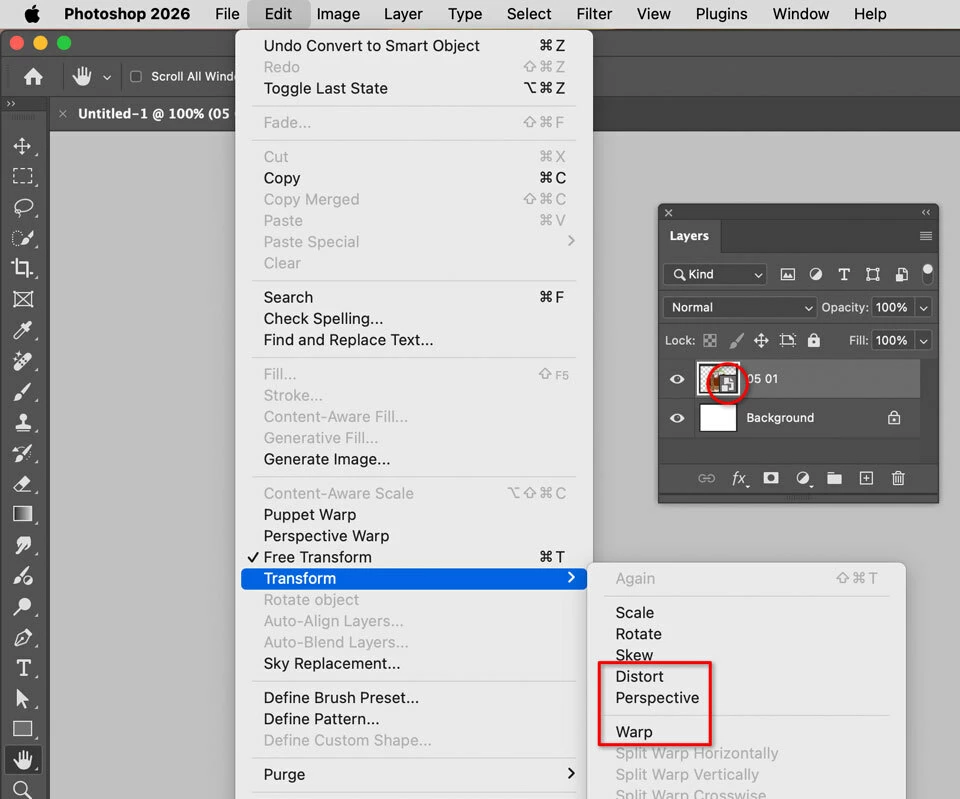
So it’s a weird situation. The expectation is that Edit > Transform > Distort, Perspective, and Warp should be available right away as they are for placed non-Illustrator files, but for some reason they’re blocked.
Already have an account? Login
Enter your E-mail address. We'll send you an e-mail with instructions to reset your password.


 AdChoices