


Cannot edit corners of rounded rectangle in Photoshop CS6.
I was very sure that in CS6 you could get an options box that looked like this in the properties menu in order to edit the corners of a rounded rectangle. I've tried the commonly suggested solution of selecting the "paths selection tool" (black arrow) in order to reselect the rectangle and then the correct properties box would, in theory, show up. That has not worked for me. I've also been told of the possibility that CS6 doesn't have that options box that I'm looking for at all, which I'm pretty sure isn't true, because I'm rather certain I've used it before in CS6 (though it's not impossible that I could be wrong). Right now the masking options are all I'm getting, as demonstrated below.
Are there any other solutions to this issue, or does CS6 REALLY not have that options box and no option to simply edit the roundness of corners on rectangles?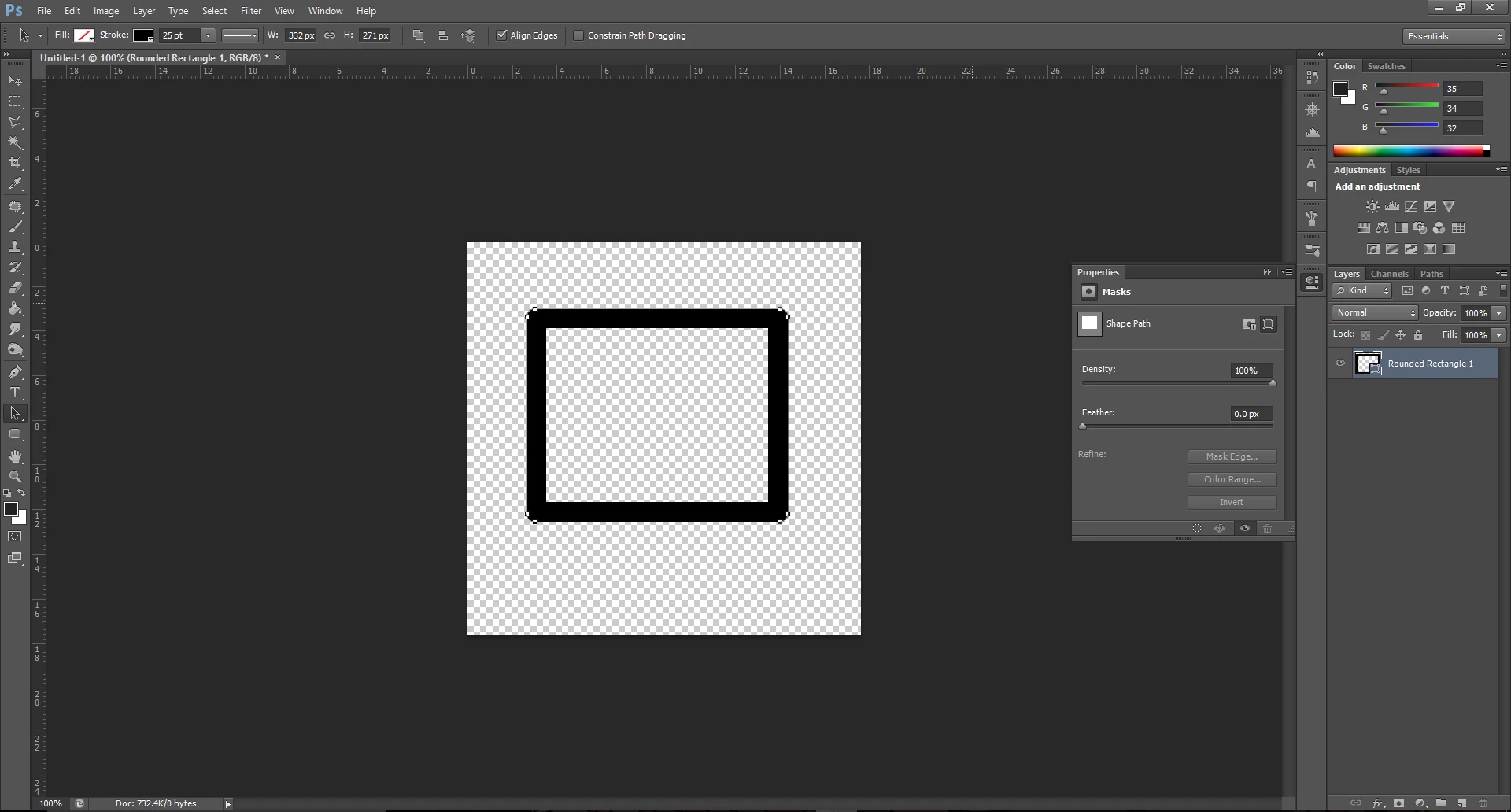
 AdChoices