
Keyikey
Participating Frequently
September 23, 2018
Question

cannot import new brushes / old brushes not showing

  • September 23, 2018
  • 1 reply
  • 1070 views

Hey,

The last time i updated photoshop was last week (13-9). Friday i downloaded new brushes but when i opened Photoshop i couldn't add them to the brush inventory without losing all the other brushes. when i click on the gear icon the new brushes shows up, but i would like to add them without losing the other ones.

By the way when i click on the gear icon only those two new brushes I downloaded are in the list plus one that i created, but all the other ones i downloaded in the past doesn't show up.
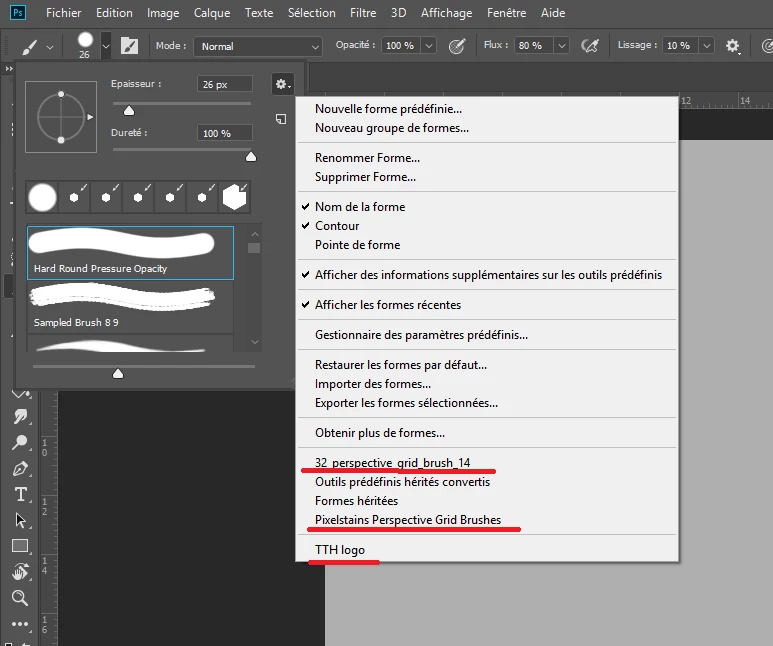
When i try to import brushes nothing shows up except the brush that i created

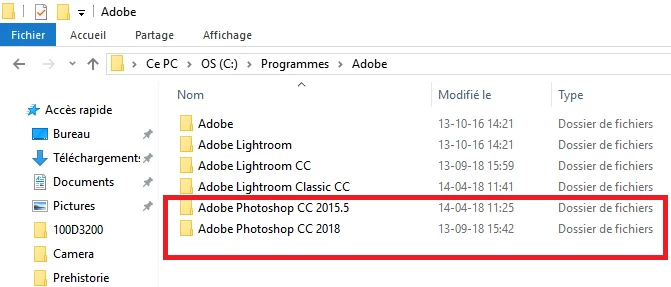
the update also created 2 Photoshop folders.
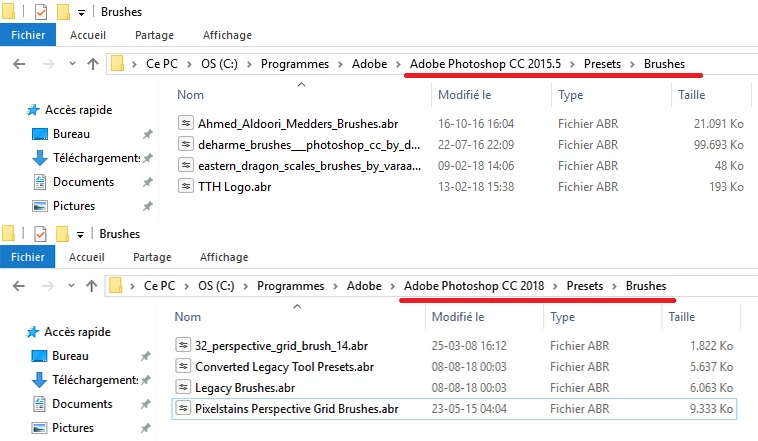
This are all the custom brushes i have (i did not download the "legacy brushes" and the "converted legacy brushes" i assume they appeared after the update
So i would just like to add these two new brushes to my brush inventory so i don't have to load a specific brush every time i need it ( i don't know if I'm making any sense, i apologize if i'm not, I'm not a native English speaker)

I'm sorry everything is in french but the french adobe website redirected me here if i had a question....

This topic has been closed for replies.

1 reply

c.pfaffenbichler
Community Expert
Community Expert
September 23, 2018

You seem to be referring to different Folders (see the complete paths in the windows).

Also if an abr-file is in the Brushes Presets Folder it should not need to be imported but can be selected from the flyout menu of the Brushes Panel.

I hope I understood the issue, if not please excuse the mistake.

Keyikey
KeyikeyAuthor
Participating Frequently
September 24, 2018

Hey thank you for your help

What i'm trying to say is that i would like to add these brushes to my list without it to replacing all the other brushes.

in previous versions of Photoshop it gave me a choice to either add it to the list (then it would go on the bottom of my brush list) or to replace all the brushes wit the new brush i am trying to add (but i don't want that)

this is the list i am referring to

when i click on the new brush this window shows up ( i guess the problem that I'm having is that it is difficult to explain what is written in this window sins i am not sure what it means in french -_-' )

so I'm scared that if i click on "ok" it will replace this brush (32_perspective_brush_14) wit all the other brushes in my list.

(i'm so so sorry for my broken English i'm really trying my best to explain my problem, it's really hard.)

c.pfaffenbichler
Community Expert
Community Expert
September 24, 2018

Then save your currently (edited, typo) loaded brushes into a new Abr-file for safety but »Restore X to the list …« should not replace them anyway.