
antonyp73342635
Participant
February 27, 2018
Answered

Cannot select or move text.

  • February 27, 2018
  • 1 reply
  • 6466 views

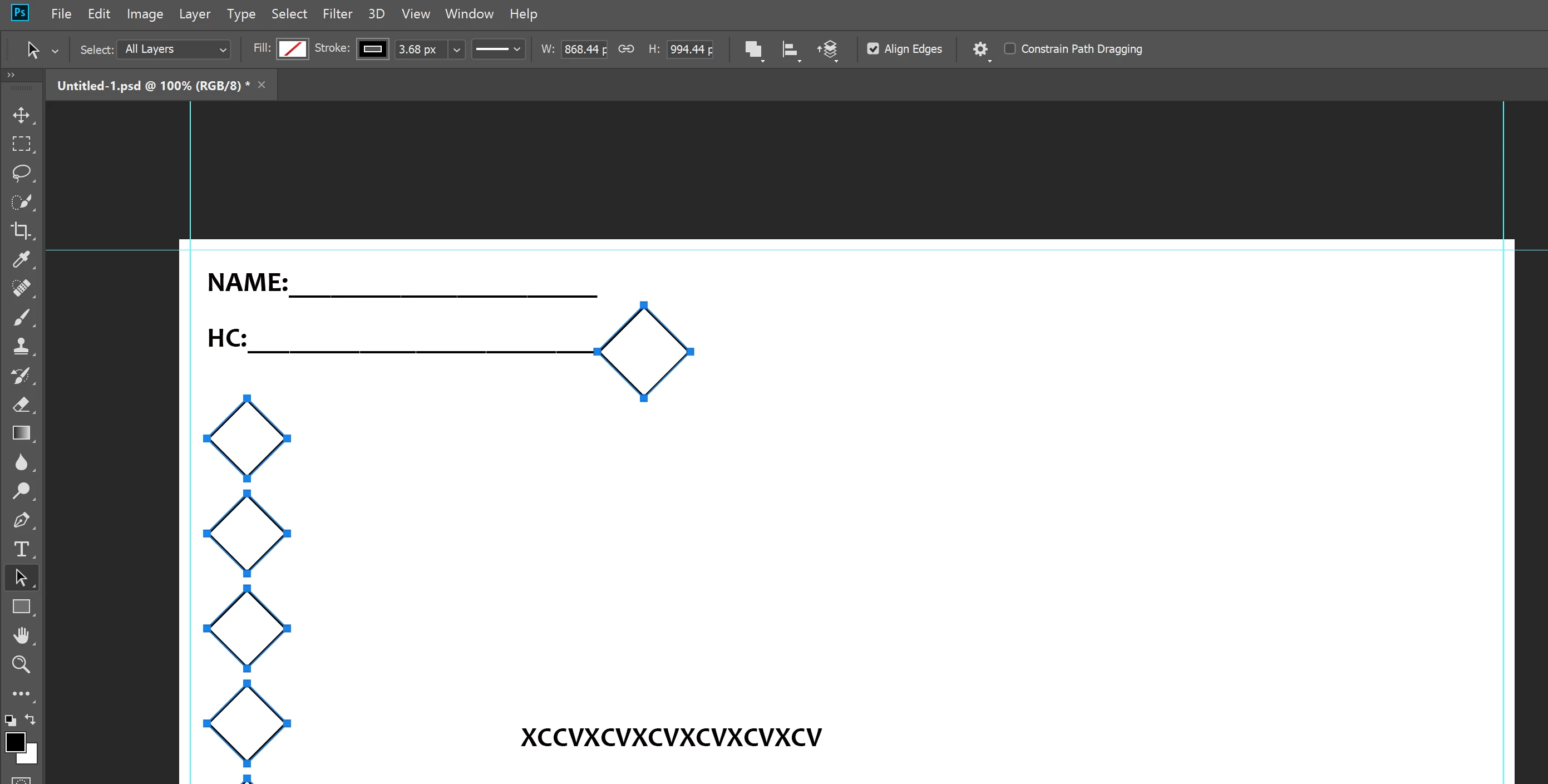
As the title suggests I can't seem to move or select text with the path selection tool.

I'm able to create and edit text but that's about it. It was working fine for a while but I don't know what happened.

Anybody got any ideas? Any help would be appreciated!

The photo shows the path selection tool with all layers selected, it picked up the shapes but not the text border.
This topic has been closed for replies.
Correct answer c.pfaffenbichler

Could you please post a screenshot with the pertinent Panels (Layers, Channels, Options Bar, …) visible?

Type Layers are not Shape Layers, so if you want to move them you should use the Move Tool (V).

1 reply

c.pfaffenbichler
Community Expert
c.pfaffenbichlerCommunity ExpertCorrect answer
Community Expert
February 27, 2018

Could you please post a screenshot with the pertinent Panels (Layers, Channels, Options Bar, …) visible?

Type Layers are not Shape Layers, so if you want to move them you should use the Move Tool (V).

antonyp73342635
Participant
February 27, 2018

Turns out I was using the wrong tool the whole time, thanks for your help!

Now to go away and feel like an idiot for a long time X(

c.pfaffenbichler
Community Expert
Community Expert
February 27, 2018

Don’t beat yourself up, the main thing is you got it working.