You’ve posted in the Photoshop forum, but this isn’t a Photoshop feature.
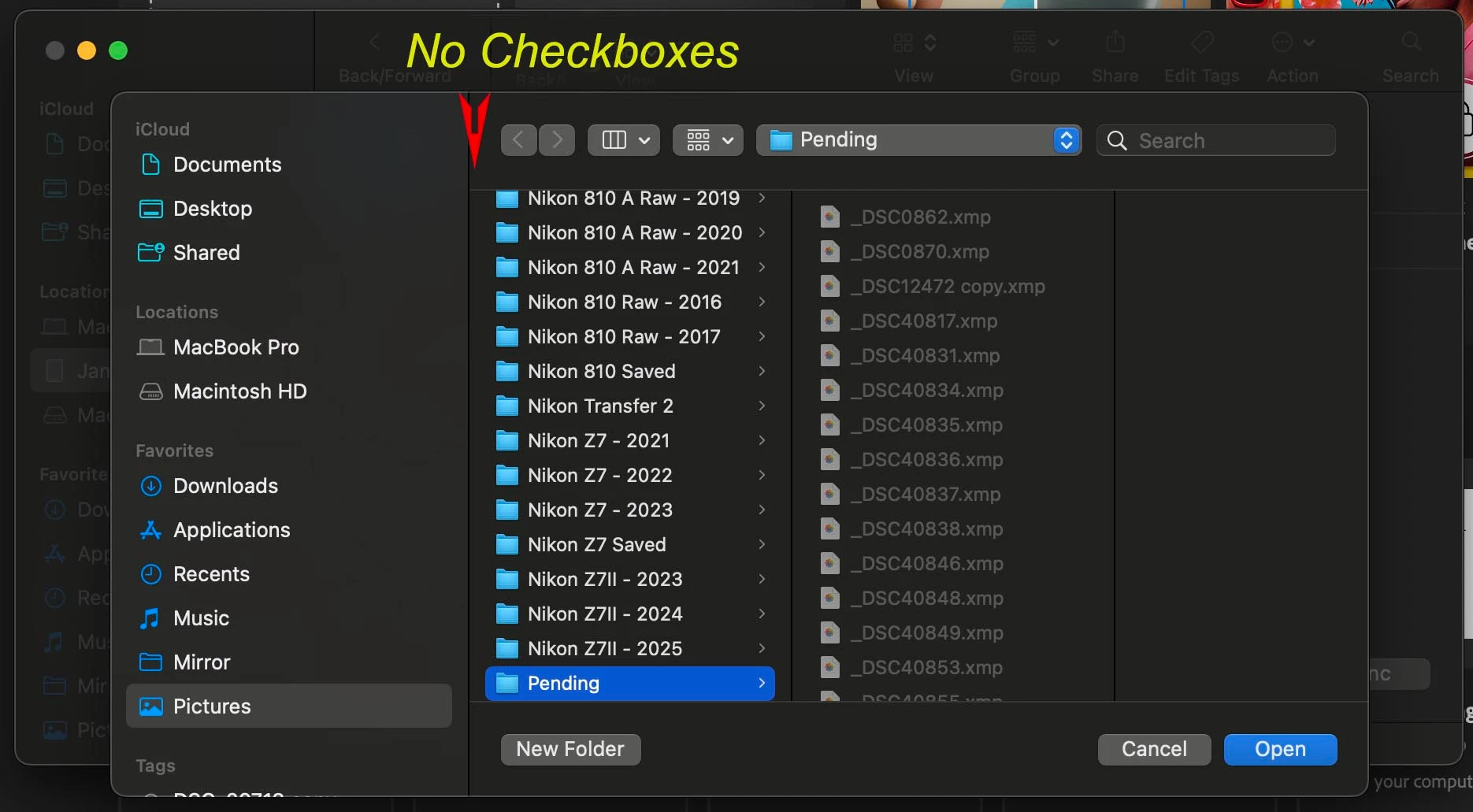
I had to think about why you were expecting checkboxes, and then I remembered: You are connecting to the iPad through its Finder window, and you are probably in the Photos tab. You said you used Choose Folder. I think I know what is going on.
When you use Choose Folder, what you are doing is selecting the parent folder to use for syncing. One parent folder. That’s why you don’t see check boxes in there. You select one folder and click Open. macOS will sync only the folders within that one parent folder you select.
After you click Open, now the list with the check boxes appears, containing the subfolders that you can select.
So what you want to do in your screen shot is go one level up to select the folder containing the folders shown in the screen shot, and click Open.
That will load those folders into the list with the check boxes, and then you can select the ones you want to sync.
I didn’t really have to answer this question because, as dj_paige said, this is an Apple question about local sync between macOS and iOS, not an Adobe question. So if you still have questions even after reading this, those questions would be best asked in Apple Discussions.




 AdChoices