

Participant
November 6, 2025
Question

Cant open files from lightroom

  • November 6, 2025
  • 2 replies
  • 105 views

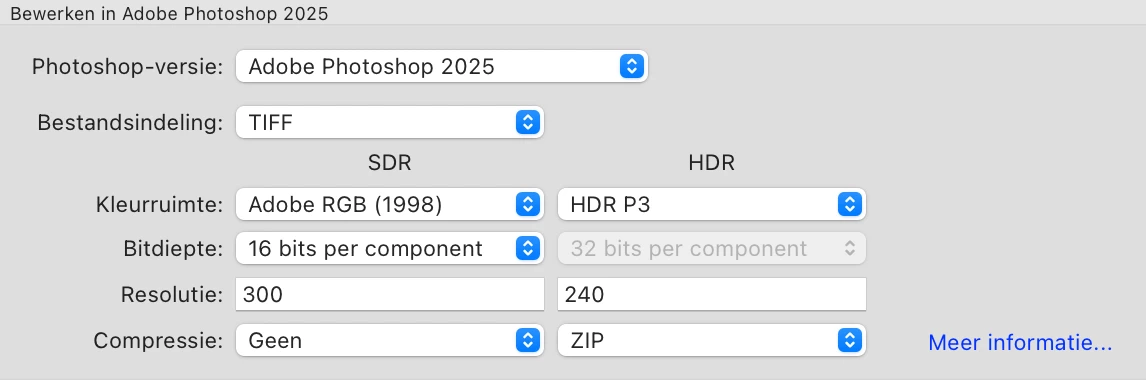
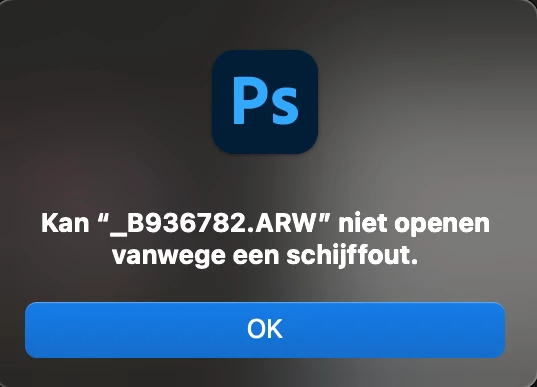
Hello, When i try to open a raw file from lightroom in photoshop, i keep getting this error message. Does anyone know what i can do to fix this?
  

2 replies

bart_8542Author
Participant
November 7, 2025

i am working with:


  • Classic-versie: 15.0
  • Mac OS 15
  • Adobe Photoshop versie: 27.0.0 20251015.r.25 d1c1320 arm64 (final, Release)
  • I use edit in>photoshop

Hope this helps to find a solution

Anshul_Saini
Community Manager
Community Manager
November 18, 2025

Hi @bart_8542,

Thank you for sharing your Lightroom Classic and Photoshop versions. Since you’re on macOS 15 with LrC 15.0 and Photoshop 27.0, the most common cause of this specific error, especially when using Edit In > Photoshop, is missing macOS permissions that prevent Photoshop or Lightroom from accessing the files.

Please check the following:

Open System Settings
Go to Privacy & Security
Open Files & Folders
Scroll to Photoshop & Lightroom and ensure that access is enabled for all relevant locations, including removable drives if your images are stored there.
Then go to Privacy & Security > Full Disk Access
Make sure Photoshop, Lightroom Classic, and Adobe Creative Cloud all have Full Disk Access enabled
After enabling the permissions, quit both apps and restart your Mac.
Once the system is back up, try Edit In > Photoshop again.


If the issue persists after updating these permissions, let me know, and we’ll move forward with deeper checks.


Regards,
Anshul Saini

bart_8542Author
Participant
November 20, 2025

Looks like it is working again! thank you so much, i was struggeling with this problem for months now!

Srishti Bali
Community Manager
Community Manager
November 6, 2025

Hi @bart_8542,


Thanks for reporting this issue. To help us understand what’s happening, could you please share a few more details:

  • Version of Lightroom and Photoshop you are using?

  • Version of macOS
  • How are you trying to open the RAW file from Lightroom into Photoshop (e.g., Edit in > Photoshop, drag & drop, etc). 


In the meantime, you can also try the steps shared here to rule out system-related issues: 🔗 https://adobe.ly/47GWNxf


Let us know how it goes.


Regards,

Srishti

bart_8542Author
Participant
November 18, 2025

Could you please look at a solution for this problem?
