

Inspiring
February 14, 2025
Answered

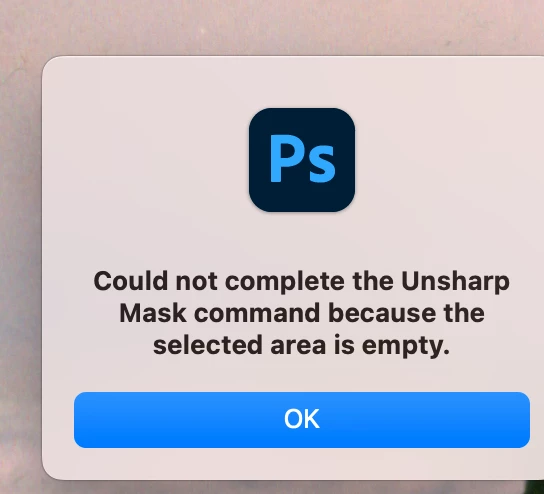
Cant put unsharp mask on new layer

  • February 14, 2025
  • 2 replies
  • 834 views

Never seen this before, any ideas?  I do notice the new layer indents to the left of the adjument layers above. Usallly they have been flush.  Otherwise clueless, never had issue before, thanks.
 

Correct answer Bojan Živković11378569

You cannot now use a filter on an empty layer because there are no pixels to modify. Adjustment layers do not contain any data or pixels, so you cannot apply a filter to them. If you want non-destructive sharpening, select all layers in the Layers panel and convert them to a Smart Object, or convert the Background layer to a Smart Object, then apply sharpening to the Smart Object.

2 replies

larry45Author
Inspiring
February 14, 2025

Thanks it's this


Then add a new layers and it's this

I could move that new layer to top or wherever, but still that that cannot complete the unsharp mask becuase has no content.

Ah, do have to do a merge visible first of all layers.. maybe rusty.. 

Pity they dont have some feature to just let that new layer, some button, ,so PS knows you want everything or at least the layer right below to sharpen.

Or better an unsharp mask adjustment layer above that effects what have below...

Bojan Živković11378569
Community Expert
Community Expert
February 14, 2025

You cannot now use a filter on an empty layer because there are no pixels to modify. Adjustment layers do not contain any data or pixels, so you cannot apply a filter to them. If you want non-destructive sharpening, select all layers in the Layers panel and convert them to a Smart Object, or convert the Background layer to a Smart Object, then apply sharpening to the Smart Object.

Semaphoric
Community Expert
Community Expert
February 14, 2025

Could you post a screen shot of the Layers panel?

