
WillBryan
Participant
July 3, 2018
Answered

CC Libraries missing from Photoshop menu

  • July 3, 2018
  • 2 replies
  • 10481 views

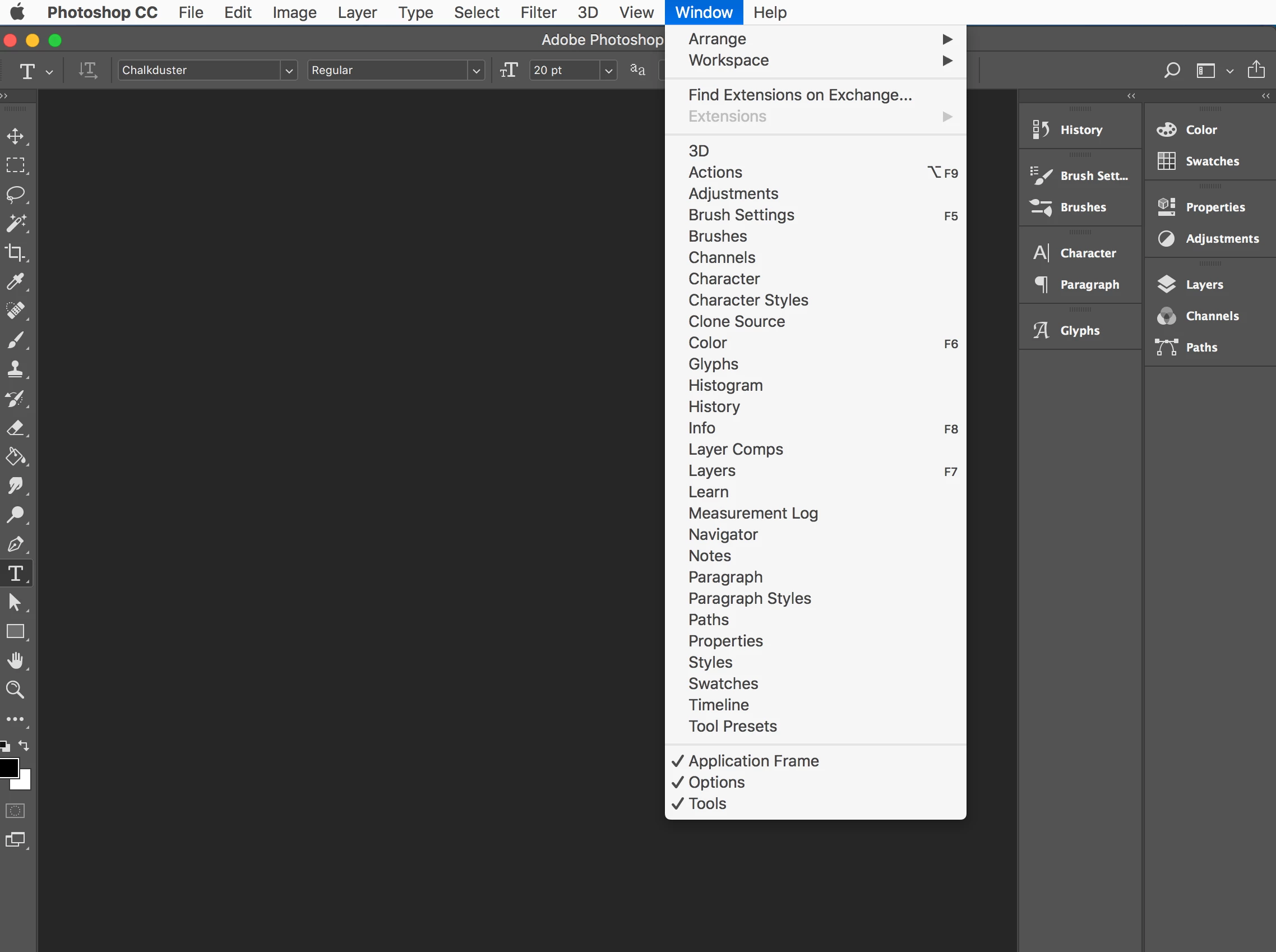
I'm suddenly missing CC Libraries in my Photoshop menu and palettes and can't determine how to find it. This actually happened a while back and I just figured it was a bug and would be fixed in the next update. I'm pretty sure there has been an update since, and still no CC Libraries to be found.

And I don't mean the content won't load in the Libraries palette. I mean there is no mention of libraries anywhere, including when I search for it in under the Help tab. Libraries work fine in all my other CC apps.

Is this a bug or am I missing something obvious?

Thanks in advance for any help! -WB
This topic has been closed for replies.
Correct answer Sahil.Chawla

Thanks for sharing the information with us, could you please make sure you are signed in to the Creative Cloud application with the your Adobe ID?

Also, could you please try resetting the preferences of Photoshop and let us know if it helps with the issue? Preferences in Photoshop

2 replies

Participant
March 10, 2023

I Hope this may help you. Go to preferences>Plugins>
Check the boxes under the "Legacy extentions"


viktorc92663764
Inspiring
May 9, 2024

this helped! Thank you.
Why does Adobe try to make the user experience more tough and challenging with each update/version? That's the question.

Sahil.Chawla
Adobe Employee
Adobe Employee
July 3, 2018

Hi Willbryan,

We're sorry to hear about the missing CC libraries, could you please let us know which exact version of Photoshop you're working on and which operating system are you using?

Also, could you please try the steps mentioned on this article and let us know if it helps? Solution to the issue: Adobe Creative Cloud Libraries panel doesn't load in desktop products

Regards,

Sahil

WillBryan
WillBryanAuthor
Participant
July 3, 2018

Hi Sahil,

The Photoshop verison is 19.1.5

The OS is MacOS High Sierra 10.13.5

On Tue, Jul 3, 2018 at 11:37 AM, Sahil.Chawla <forums_noreply@adobe.com>