Answered
CEP-Extension Remove or hide resize widget.
Hi everyone can anyone help me to remove this resize widget in the botton corner " resize handle" in this toolbar panel I don't find a way to do it. Dont look stetic over the add button.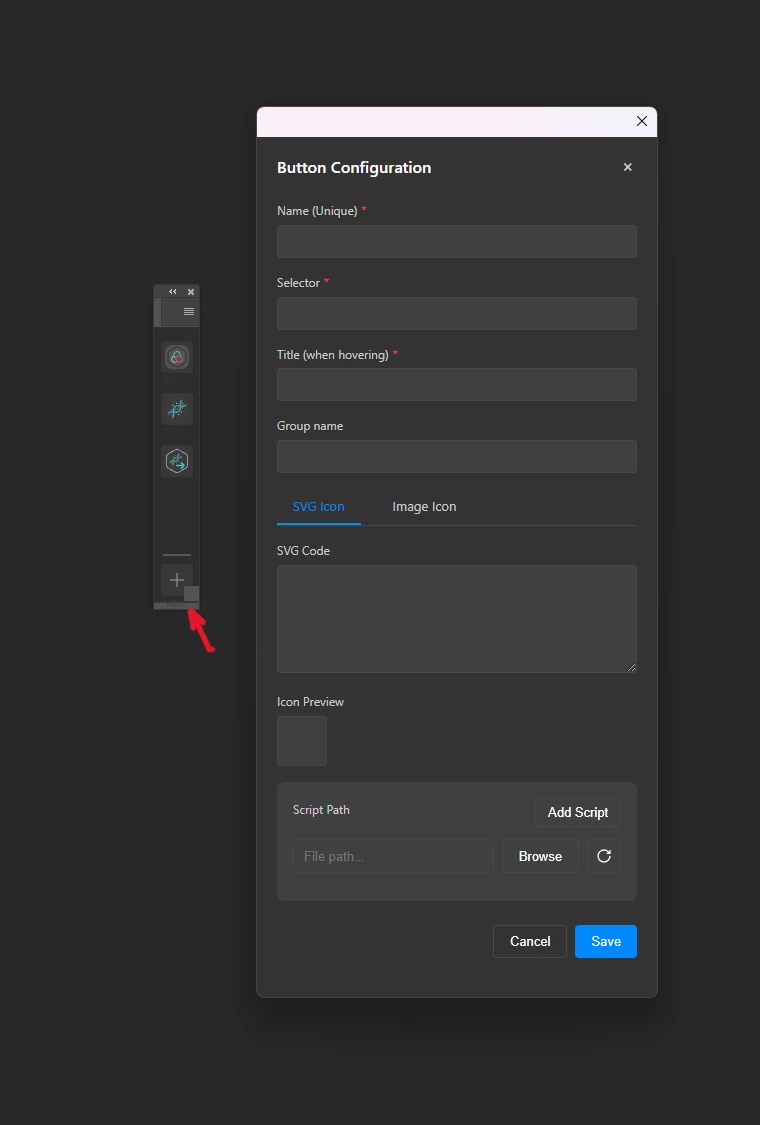

Hi everyone can anyone help me to remove this resize widget in the botton corner " resize handle" in this toolbar panel I don't find a way to do it. Dont look stetic over the add button.
You must modify the manifest.xml file if the panel is missing.
These are the values that you must alter.
\Size> \Geometry> \Width>300</Width> \Height>555</Height> \/Size> \/Geometry>
You must alter the manifest if it's an uxp panel. JSON
Place the four equal height values in the manifest file.
and the same width
View below
minimumSize": {"width": 240, "height": 840}, "maximumSize": {"width": 240, "height": 840}, "preferredDockedSize": {"width": 240, "height": 840}, "preferredFloatingSize": {
Already have an account? Login
No account yet? Create an account
Enter your E-mail address. We'll send you an e-mail with instructions to reset your password.


 AdChoices