
Participating Frequently
August 19, 2019
Question

Change color in specific parts of map

  • August 19, 2019
  • 3 replies
  • 4859 views

Hello,

I have a couple of questions regarding changing colors in an image. I have a .jpg of a large topographical map. Is it possible to change the colors of specific areas of the map. For example, I want to change the color of all of the forests in the map to a different green (the forests are non-contiguous). If this is possible, how would I do this in Photoshop?
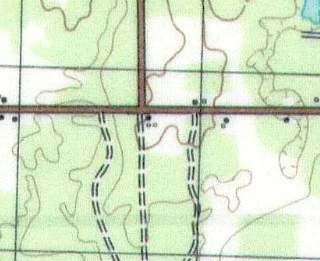
Can I also change the saturation for a specific color within the image, like the green in the forests or blue in the water?

Thanks,

Brian

This topic has been closed for replies.

3 replies

Rafael Aviles
Legend
August 20, 2019

Brian,

I believe you can use Color Range under the Selection tools to accomplish what you want. I did a very quick test and was able to select the green areas of a topo map by clicking on the green color and adjusting the Fuzziness and Range of the tool (first image). The selected areas are shown in various levels of red (because I chose Quick Mask in the Selection Preview. With this selection I created a mask on a duplicate of the map, and then used a simple Hue/Saturation adjustment level to change the green colors to the purplish colors shown on the second image.

Participating Frequently
August 20, 2019

Thanks Rafael. I found I can also make the changes I want using Replace Color. I will try your method as well.

Brian

Omar.Fathy
Community Expert
Community Expert
August 19, 2019

You can use Filters> Camera Raw Filter for advanced edit.
You can also use the Adjustment techniques:
Image> Adjustment ( Replace color - Selective color )

Participating Frequently
August 19, 2019

Thanks Omar. I will try those techniques.

Norman Sanders
Legend
August 19, 2019

if a Selection can be made of the areas in which you want to change the color, it can be done. The specifics of which technique to use depends upon the image sharpness and the colors involved. In order to provide instructions please post a 100% size larger segment of the map, in sharp focus rather than the sample you provided.

Participating Frequently
August 19, 2019

Thanks for the reply Norman. Unfortunately, it is really hard to select the areas since they are not contiguous and there are so many of them. I thinking the technique you mentioned is probably not going to work.