



Change Default File Path Locations for Save-As, Place, and Export
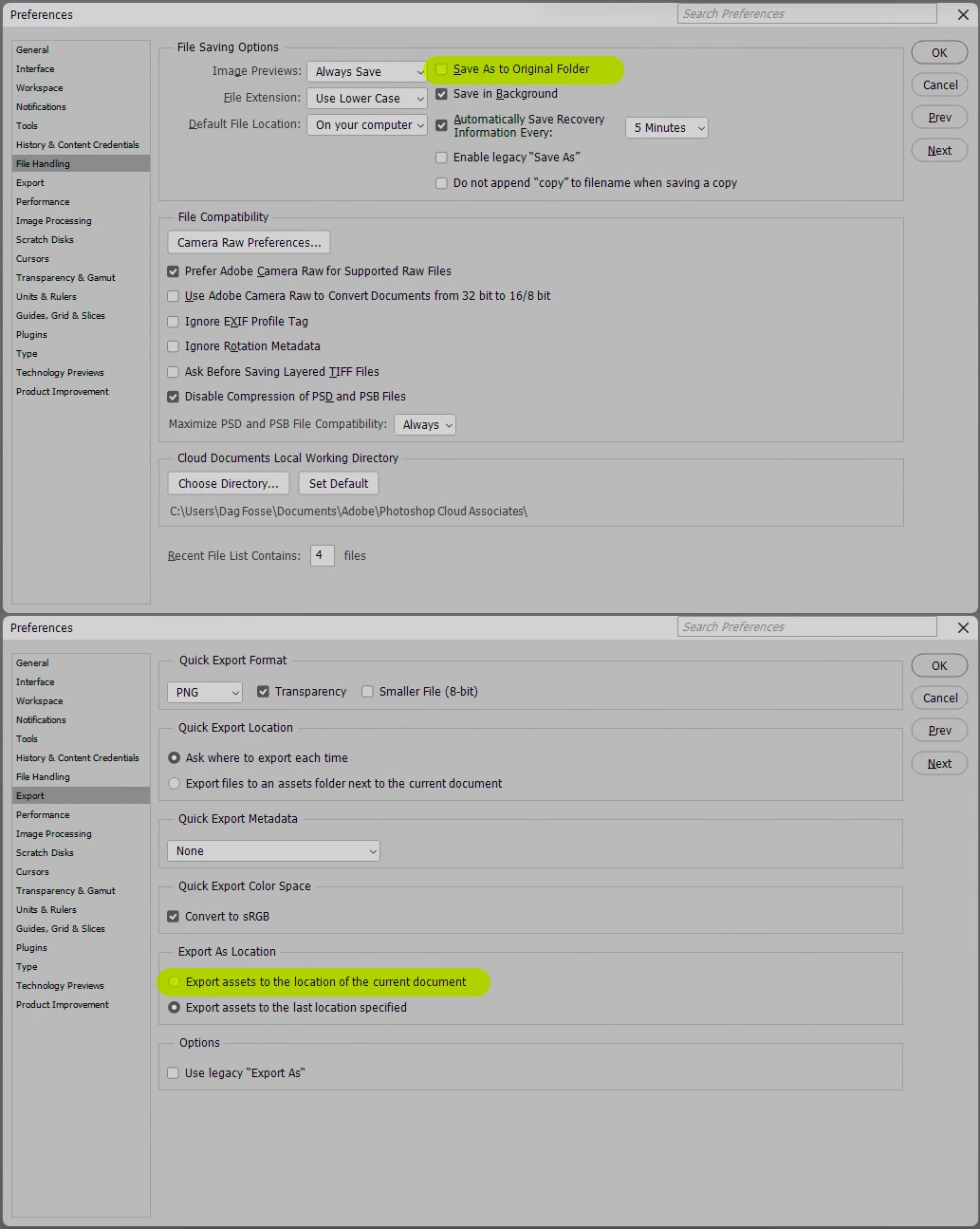
Please let the default Save-As/Export location be the folder of the document we are currently saving/exporting.
Let's say I open an existing photoshop file from a folder called "House," and I want to save it as a new version. I go to "save-as" and expect the default save location to be "House," as is the case with most software. However, instead, the default folder photoshop opens is whatever folder I had saved the last file I saved-as. The last random file I happened to save-as, in most cases, is COMPLETELY unrelated to the file I am currently trying to save. This is not a logical or helpful default file path. It would only be helpful if I had a folder full of all my saved-as files (regardless of subject matter/project) and a folder with all my original versions, (regardless of subject/project). Because most applications save-as to the location of the original copy by default, in Photoshop, I frequently hit save without realizing it went to some random folder I may not have opened in weeks. Then I don't know where my file went and have to click save-as again to find the location, then go into my files, navigate to that folder, delete the file and then save-as again to the right location. If I simply move the file to the right location, any subsequent regular "save" will continue saving to the incorrect place.
This is also the case for export. In most cases, I want to export the JPG to the same folder as the PS file I am working in, or at least a folder within the same parent. Instead, the dialog box defaults to wherever I had exported whatever random file I worked in last, which, again, could be utterly unrelated to what I am currently working on.
I work on multiple projects for multiple clients (often in the same day) and constantly having to navigate out of folders from completely unrelated projects every time I save or export is very annoying and often causes me to misplace files if I am not paying attention. Navigating to the right folder each time adds minutes to every export. I realize you always need to select a folder, but "Save-as" and "export" should default to the folder of the PS file you are currently working in. It is simply intuitive. I cannot imagine any reason why the current system is desirable.

 AdChoices