
Answered
Changing color
hello,
I have a black text to be converted in red. Obviously is not editable, it's a jpeg from the web.
Using Color replacement tool i can't modify anything, what can i do?

hello,
I have a black text to be converted in red. Obviously is not editable, it's a jpeg from the web.
Using Color replacement tool i can't modify anything, what can i do?
Ideally for a finished product you'd want to obtain the typeface and re-type the text, but a "quick and dirty" way to do this is make the text into a layer mask. (*this only works if you have the black text on a white background in your jpeg)
• First, copy the layer with the text into your clipboard (cmd/ctrl + A, cmd/ctrl + C)
• Create a new layer and with it selected, click on the layer mask button. (The white rectangle with the black dot inside, to the right of 'fx')
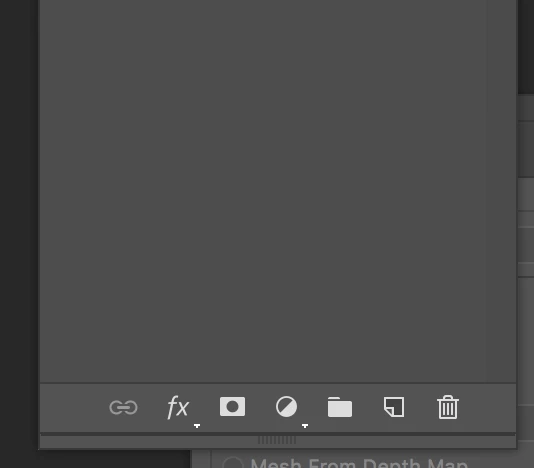
• Option/alt + click on the layer mask:
(the white box that appeared next to your new layer thumbnail)
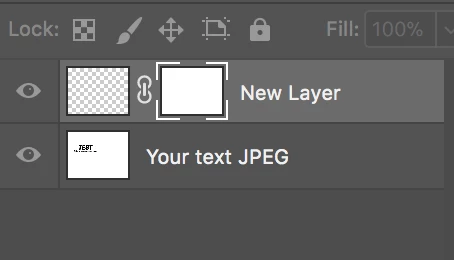
• Paste your image into the mask (cmd/ctrl + V)
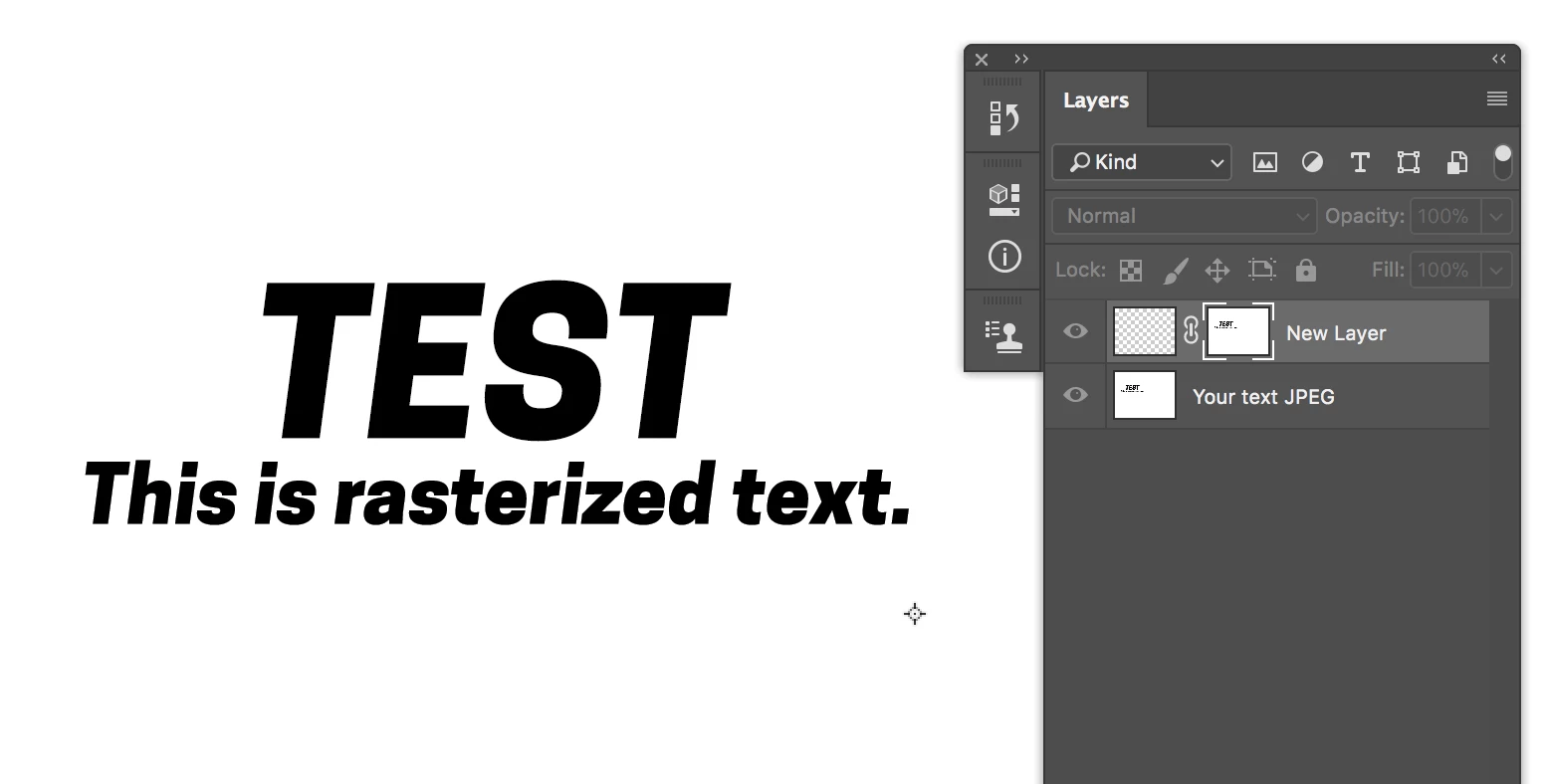
• Invert it (cmd/ctrl + i ) [This tells the mask to *show* the text, and *hide* the white background]
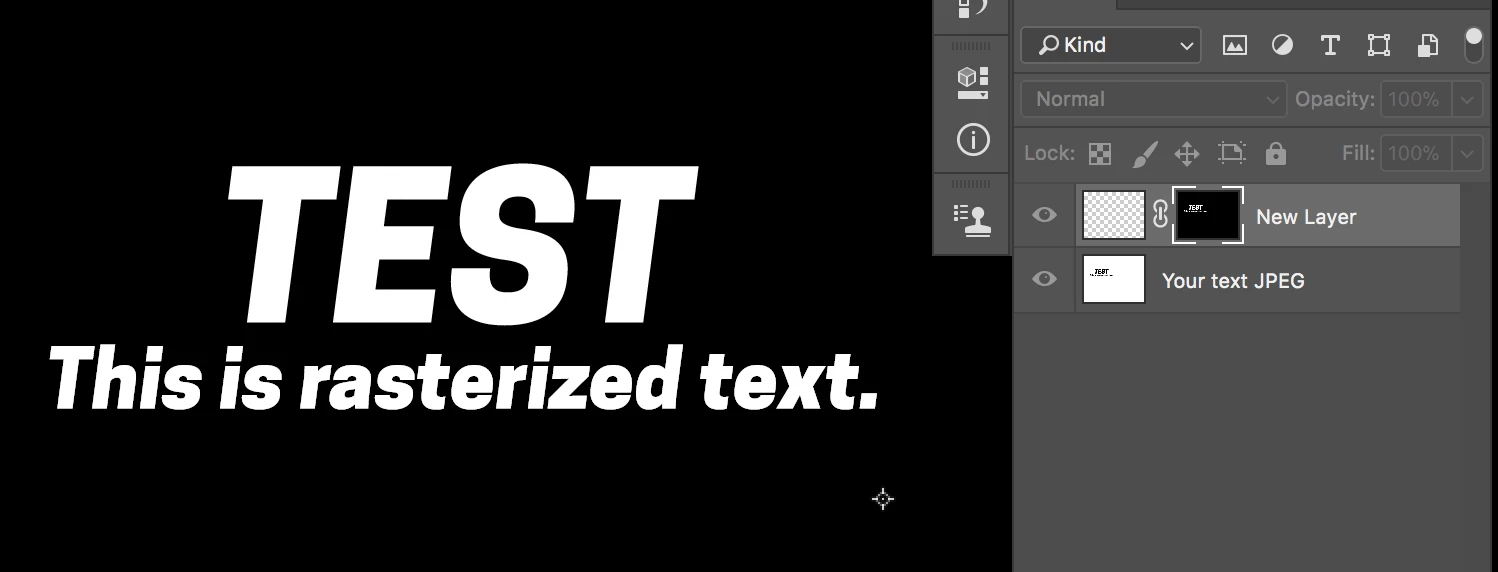
• Exit the mask and select the actual layer, and fill the layer with whatever color you want the text to be
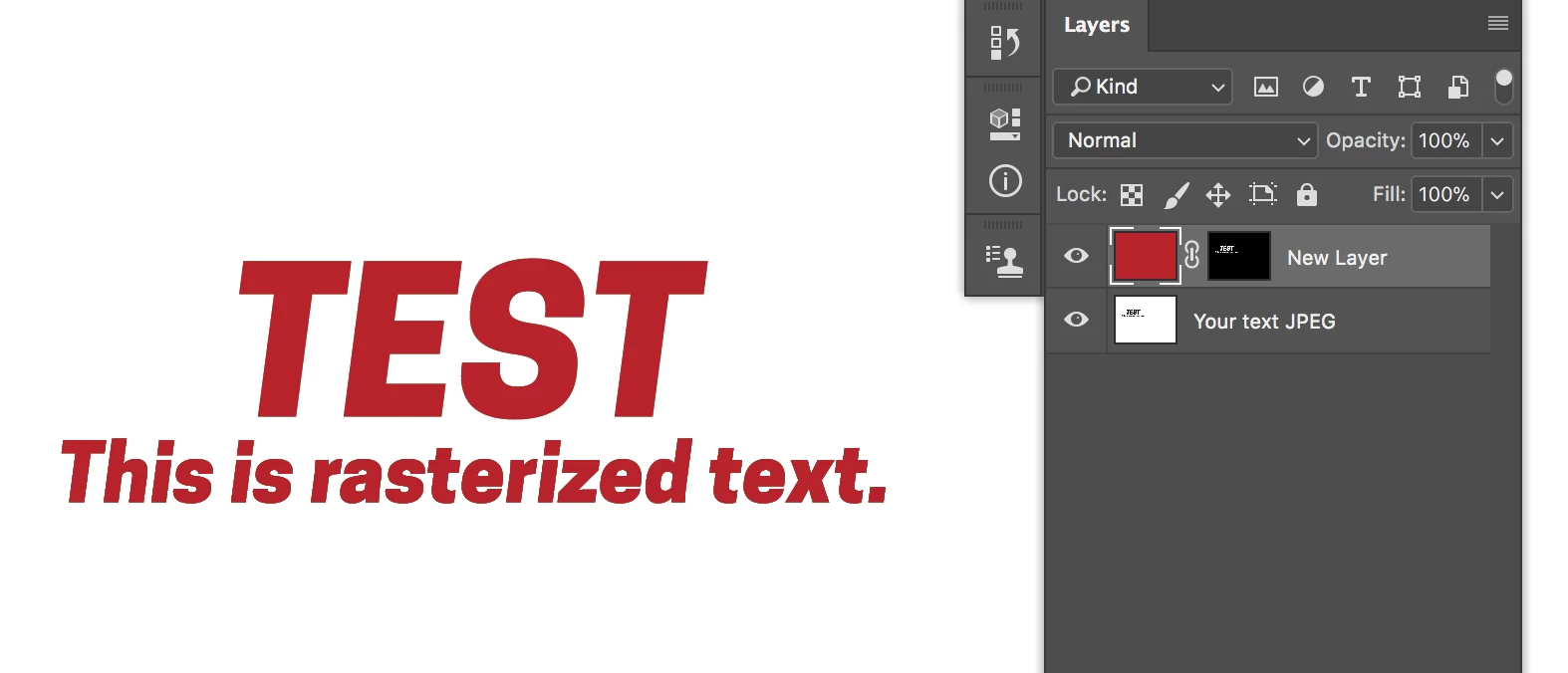
This also works to knock the text out to become an image:
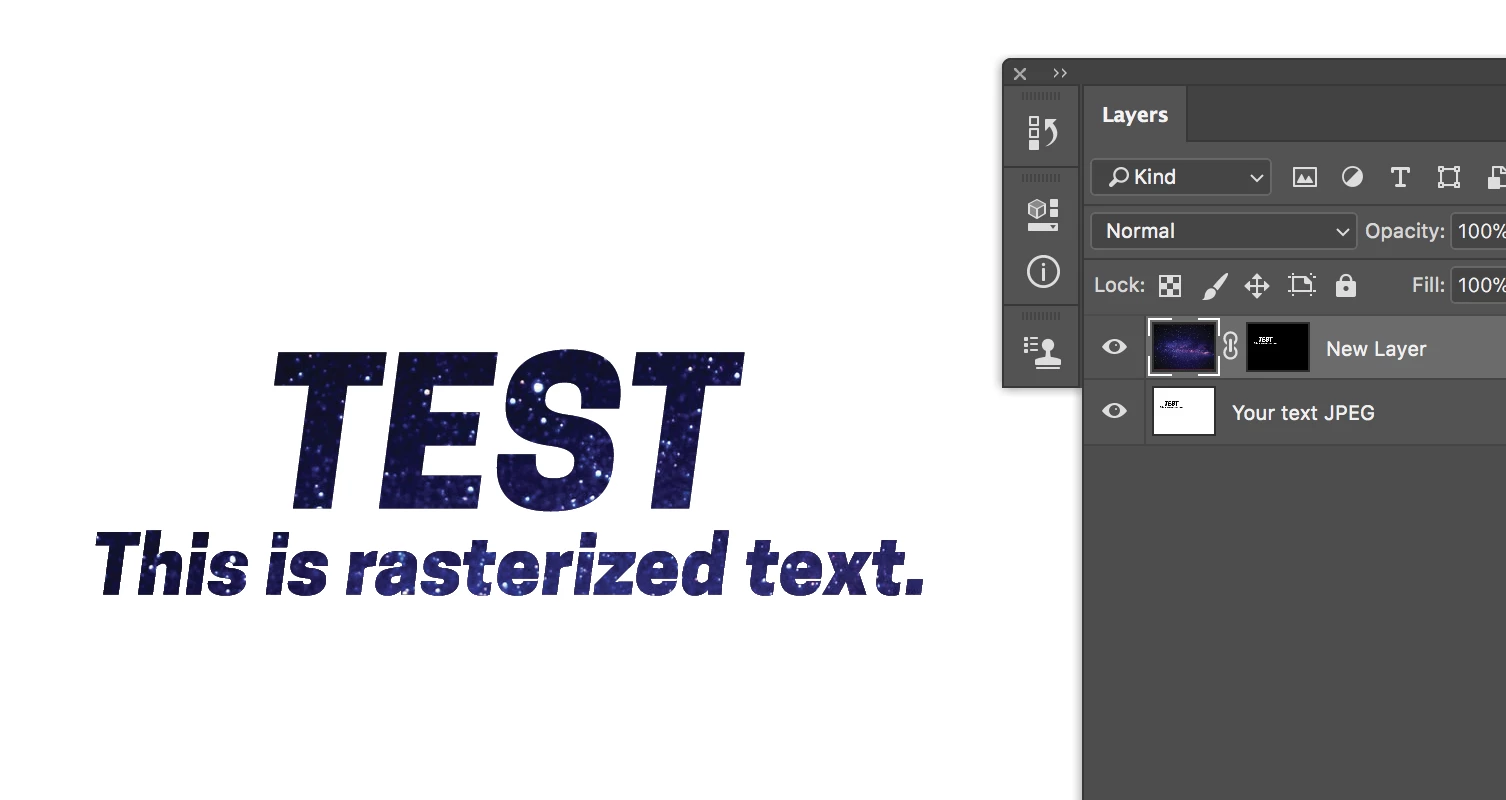
Good luck 
Already have an account? Login
No account yet? Create an account
Enter your E-mail address. We'll send you an e-mail with instructions to reset your password.


 AdChoices