
Oneechan69
Participant
March 10, 2025
Question

Changing color adjustments with the keyboard rather than clicking the sliders?

  • March 10, 2025
  • 3 replies
  • 549 views

I'm trying to come up with a more efficient workflow for photo editing, and ideally would like to use the keyboard as much as possible. A huge part of my workflow is changing many color adjustments on many layers (exposure, selective color, contrast etc.).


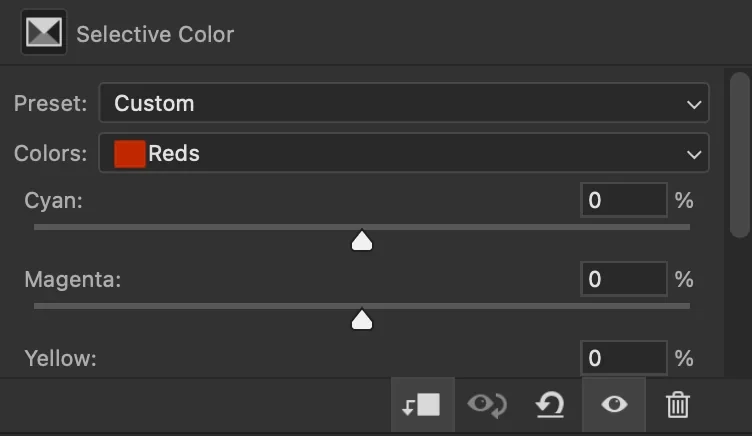
I would use Camera Raw to change them but it doesn't live preview layers below the current one, so that seems to leave me with regular individual adjustment layers. I have to click on the adjustment I want to edit in the layers panel, then move my mouse to the adjustments panel to change the slider. At the very least I'd like to be able to select and change the sliders with the keyboard.
3 replies

Stephen Marsh
Community Expert
Community Expert
March 10, 2025
quote

I would use Camera Raw to change them but it doesn't live preview layers below the current one...


By @Oneechan69


How about selecting the layers and converting them to a smart object, then using the Camera Raw filter as a smart filter.

Trevor.Dennis
Community Expert
Community Expert
March 10, 2025


  • You are always going to need the mouse or stylus to make one of the fields active, but after that you can:
  • Tab between fields — Tab moves to the next field, Shift tab to the previous field.
  • (If you shift and hold the cursor key, it will take you to max value in about a second.)
  • Cursor keys up and down to change value by 1, Shift cursor key to change value by ten
  • Type value directly into a field.  Not so useful for laptops or desktop users with a TKL keyboard, but I'd feel like I was typing with just one hand if I was deprived of the number pad.
  • Back to the mouse, but double clicking the value pointer will return it to its default zero position.  This works in all panels AFAIK.


About 12 years ago, (it might have been longer) Michael Ninness did a Power Shortcuts workshop at MAX. I subscribed to his ideas and have used a lot of them ever since.  Unfortunately, Adobe took down the video when some Photoshop shortcuts were changed.  But one of his ideas that was solid gold for Photographers, was saving ACR presets.  ACR has changed a lot since then, but we can still Apply Previous Settings and copy/paste/save/load settings.  I don't use Lightroom (spit) but I believe presets are a big thing with that app.


Hey, anyone know how to edit C amera RAW shortcuts?

I'd like to have a shortcut for Previous Settings.


c.pfaffenbichler
Community Expert
Community Expert
March 10, 2025
quote
  • You are always going to need the mouse or stylus to make one of the fields active, but after that you can:

With »Auto-Select Parameter« selecting the Adjustment Layer in the Layers Panel should make the first entry-field active. 

Trevor.Dennis
Community Expert
Community Expert
March 10, 2025
quote

With »Auto-Select Parameter« selecting the Adjustment Layer in the Layers Panel should make the first entry-field active. 


By @c.pfaffenbichler


How about that!  I love it when we learn something new. 🙂 

Bojan Živković11378569
Community Expert
Community Expert
March 10, 2025

I am not familiar with selecting each slider shortcut, but you can change values using the keyboard's up and down arrows (add Shift for a 10-point increment) and navigate through text input fields using Tab once focus is set to the input in the panel. I am waiting for other inputs because it's an interesting topic.