


Changing colour, changed colour does not look good enought.
Hi im changing colour of images daily. but i noticed some stuff does not look realisitc even when their colour is changed.
i have been reading multiple guides how to change colour. its the most comfortable for me to change colour by right clicking the layer and going to layer style
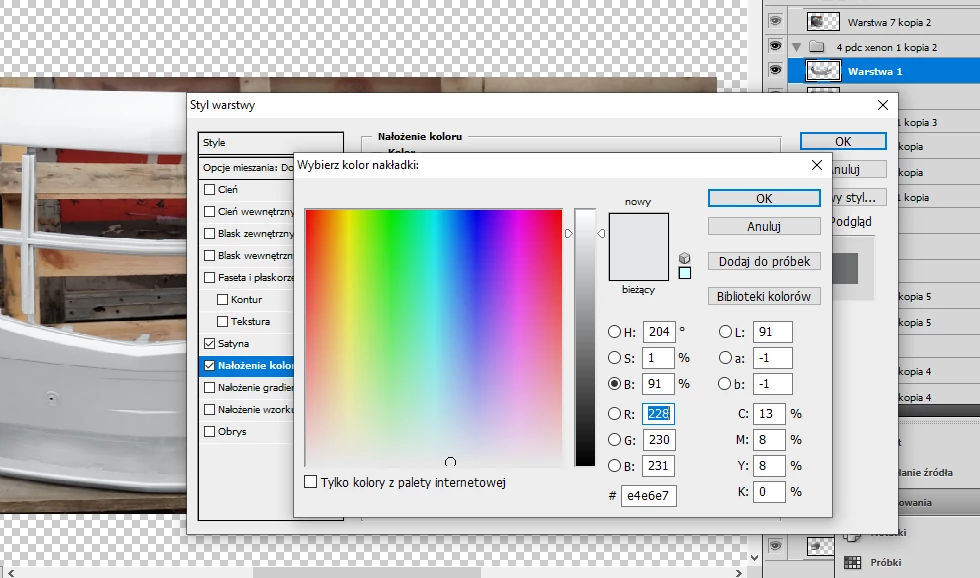
i like this way because it allows me to copy excatly same colour as in image B.
while using selective colour does not allow me to get every possible colur.
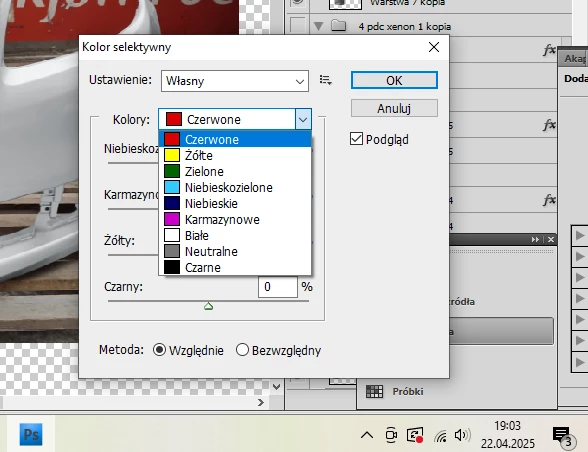
i must use a lot of combinations there to get tone i have in image b i simply cannot copy it with one click.
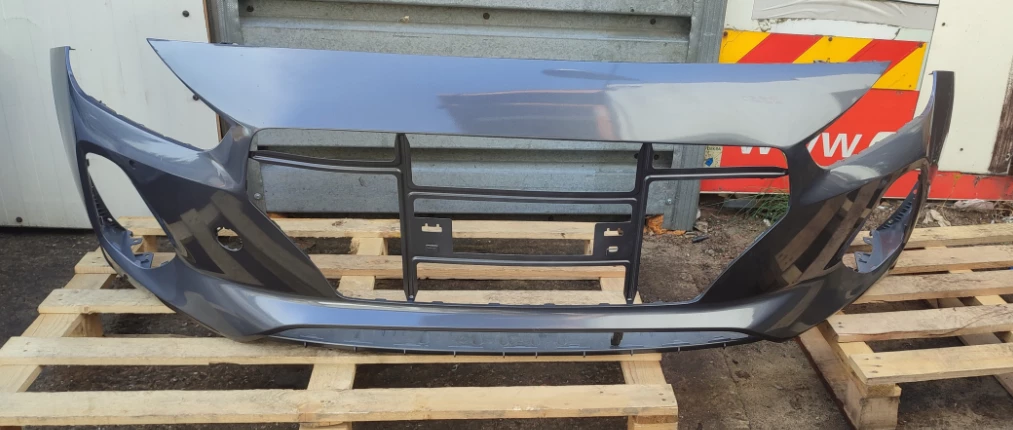
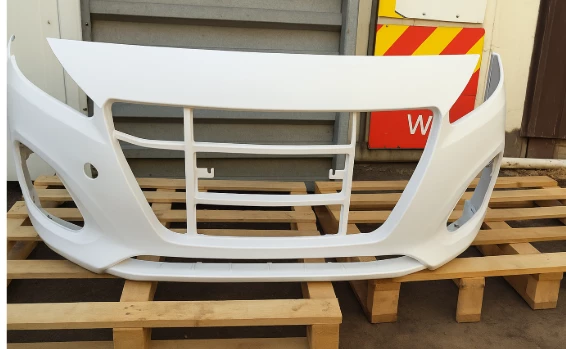
i have been trying to change colour of this gray bumper to white one
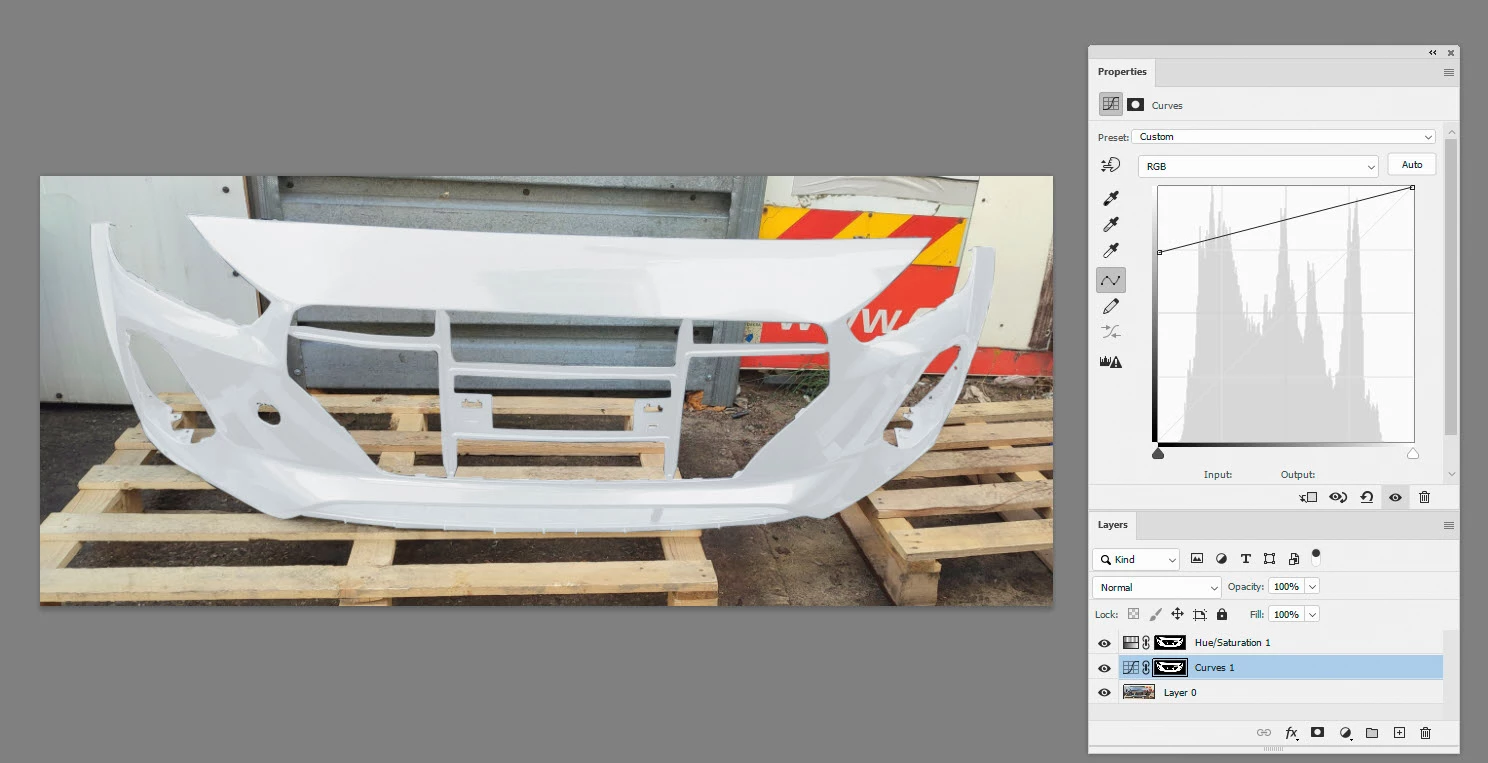
but i get very poor result. bumper looks silver and the more i lighten it up the worse and less realistic it looks. it looks like glass lol.
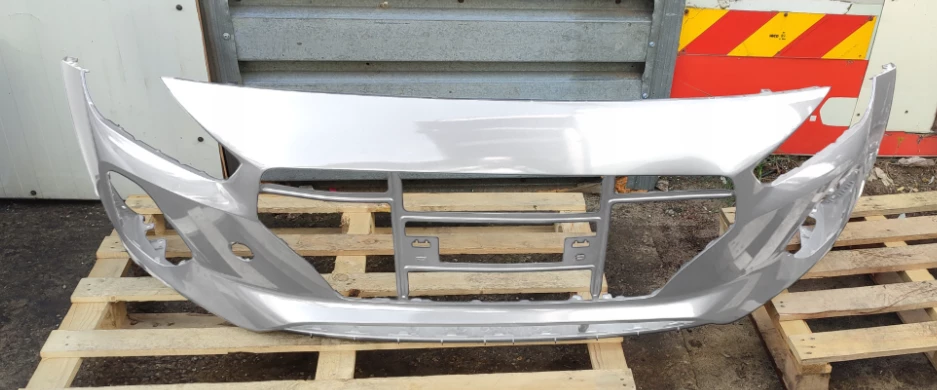
theres no way for me to make it look white without it being too bright
i have asked chat gpt to edit image it does perfectly job can anyone eplain me how chat gpt did it? i really like chat gpts job and i would like to be able to do it by myself but problem with chat gpt is its only few times free and its slow + it tends to change the way bumper looks.
u might not notice it but the bumper does not look like on orginal photo anymore. it has been litle deformated

 AdChoices