c.pfaffenbichler
Community Expert
Community Expert
October 5, 2025
Answered

channel mixer dialog different when applied as a smart filter

  • October 5, 2025
  • 2 replies
  • 98 views

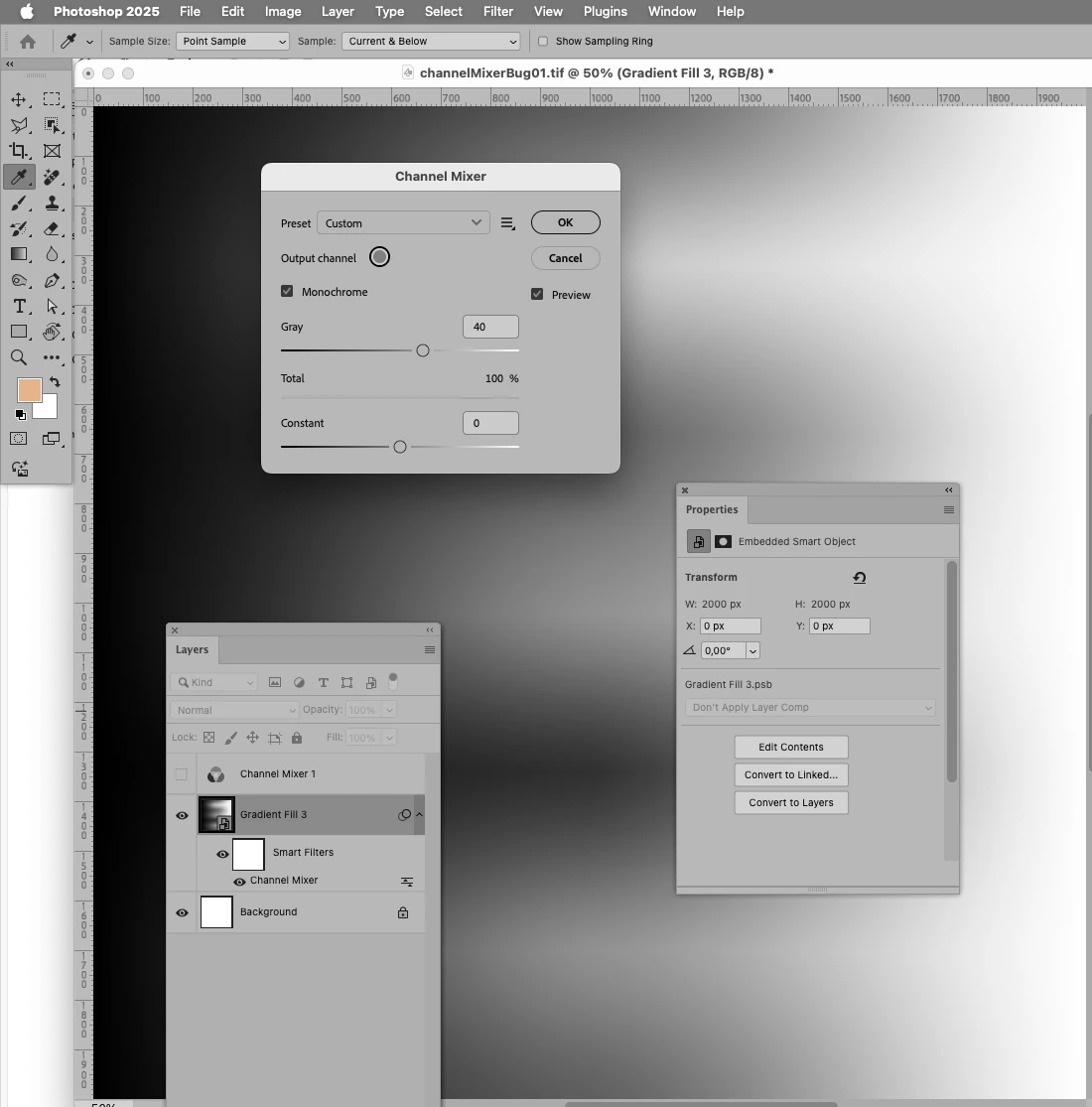
For Channel Mixer set to »Monochrome« the interface looks different

• for an Adjustment Layer in the Properties Panel 

• and for the Adjustment applied to a Smart Object.
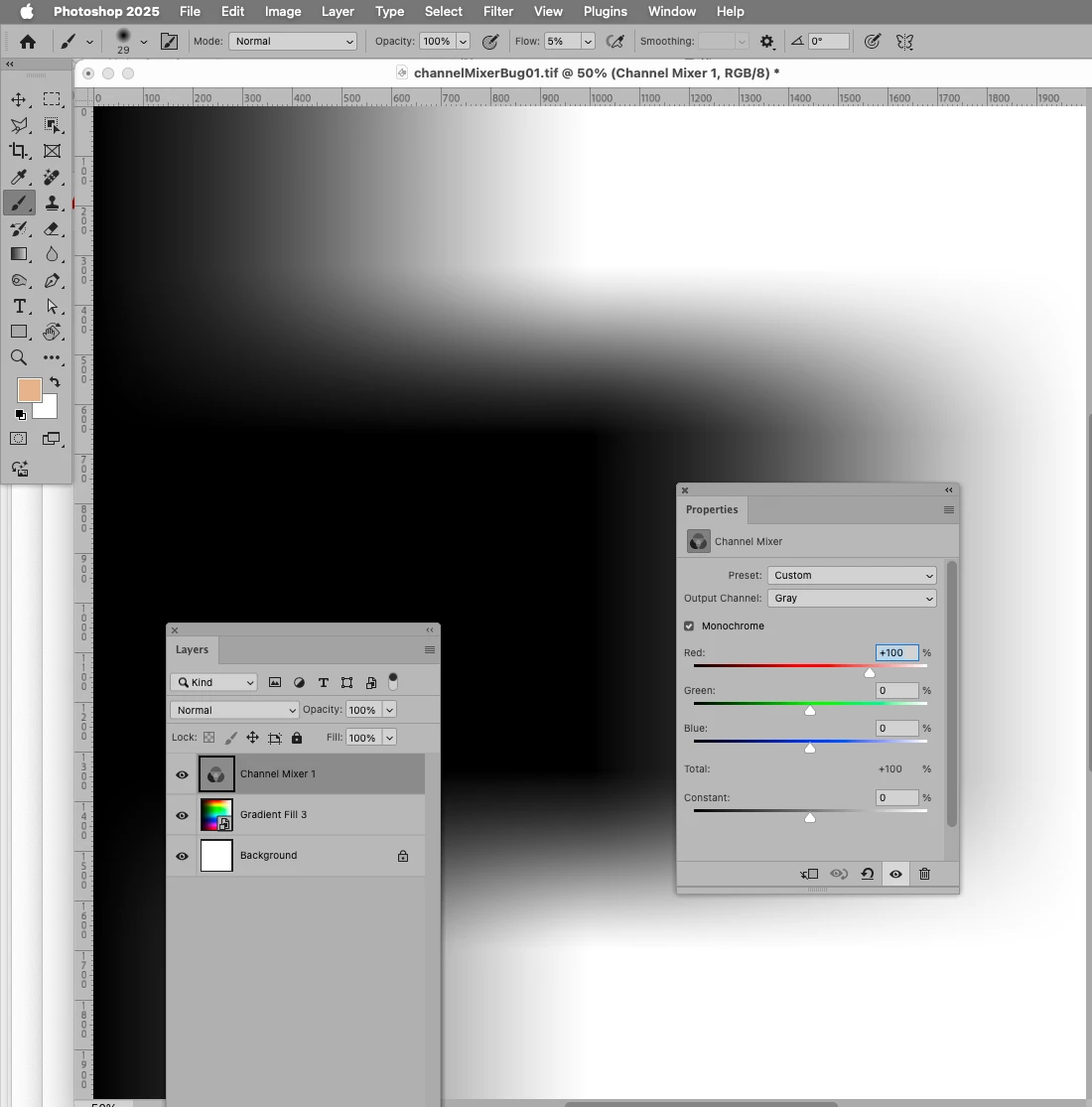
 

I fail to see how I can make the same entries for the Smart Filter as for the Adjustment Layer (and as it basically used to be even in Photoshop 2024). 


Could somebody verify? 


Adobe Photoshop 26.11.0 on Mac OS 14.6.1

Correct answer Jeff Arola

Go to Photoshop 2025>Settings>Technology Previews, uncheck Enable Modern User Interface and then restart Photoshop.


There have been so many reported bugs as a result of having the "Modern user interface" enabled; from incomplete dialogs like in your example, to not even being able to preview the effects of settings. 

Mostly having to do with Image>Adjustments

2 replies

c.pfaffenbichler
Community Expert
Community Expert
October 6, 2025

Thanks a lot! 

I completely overlooked that setting. 


Hopefully the »Modern User Interface« will be made to provide the same functionality as the »Old« one with time. 

Jeff Arola
Community Expert
Jeff ArolaCommunity ExpertCorrect answer
Community Expert
October 5, 2025

Go to Photoshop 2025>Settings>Technology Previews, uncheck Enable Modern User Interface and then restart Photoshop.


There have been so many reported bugs as a result of having the "Modern user interface" enabled; from incomplete dialogs like in your example, to not even being able to preview the effects of settings. 

Mostly having to do with Image>Adjustments