SageRoulade
Participant
May 16, 2026
Question

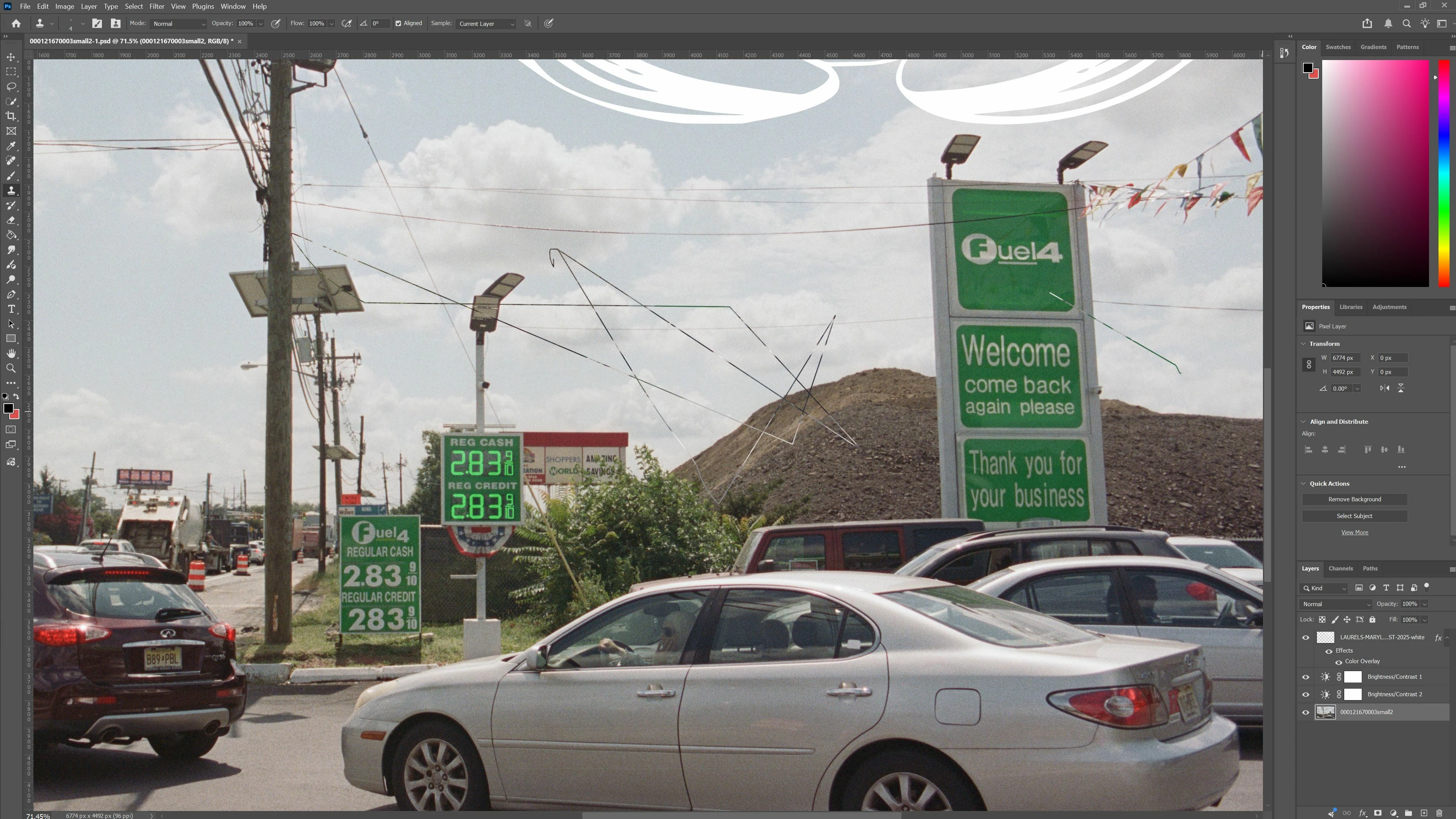
Clone Stamp tool creates a line between sample point and cursor (sometimes crazy line)

  • May 16, 2026
  • 1 reply
  • 20 views

When sampling an area with the clone stamp tool, upon clicking where you want to paint with the cursor, it automatically creates a paint line between sample and cursor. Sometimes the link isn’t even logical it’s just crazy and random and all over the place. Reset app, updated photoshop, reset clone stamp tool, reset preferences. I got a “scratch disk full” message once when opening so I deleted a bunch of stuff and it still has the issue. 
 

    1 reply

    Trevor.Dennis
    Community Expert
    Community Expert
    May 16, 2026

    I would have expected that Resetting the Clone tool would fix this, as it returns to default state.   I can’t remember this sort of issue with the Clone tool specifically, but ISTR seeing posts with similar issues with other tools.

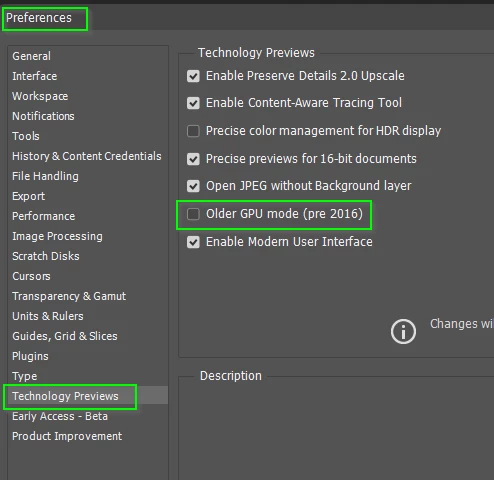
    If it is not the clone tool, I would look at whatever pointing device you are using. Especially if it is something other than a plain vanilla mouse.  But I would mostly think in terms of the GPU.  You could test turning off GPU acceleration in Preferences > Performance, (and restarting Photoshop). You could try the Older GPU setting.

    It might be useful to see your System Info

    Go Help > System Info > Copy  and paste to this thread.

    Also let us know what version of Photoshop you are using?

    What operating system and version?

    A bit about the hardware you are using?


    Good luck