
Cloning and Healing tools will move the entire layer in Photoshop
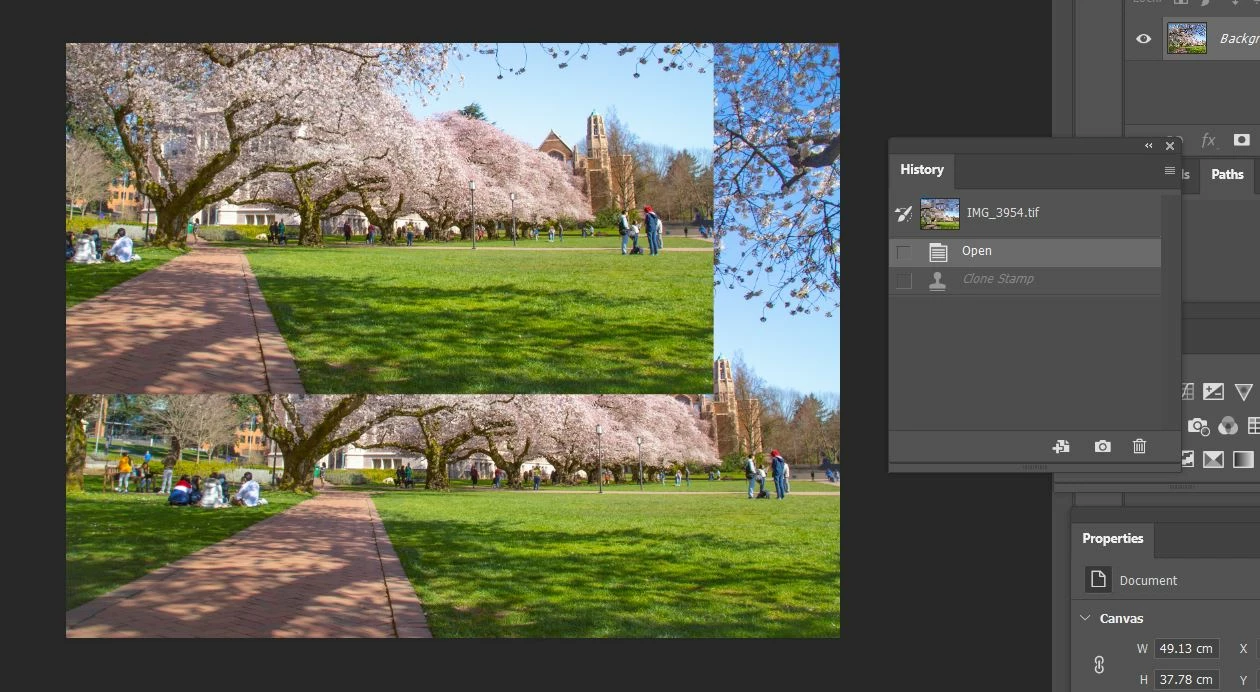
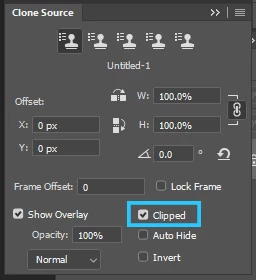
All software versions are up to date. When I try to spot heal or clone, alt+left click to select source area, but the entire image moves with my cursor (as opposed to just the spot I've selected). It seems completely unfixable, 'undo' does not restore back to previous state, and I need to close the image and start again/ give up.
The saved image does not show the issue which says to me that its a glitch within Photoshop.
My partner thinks that maybe Photoshop isn't communicating with the alt button or something.
Screenshot attached shows the unruly clone result, and also you can see from the history tab that I've undone the action and reverted back to previous state, yet the issue is still there.
There is only one layer here, and no- doing it on a separate layer does not change the result.
 AdChoices