
Participant
May 24, 2019
Answered

CMYK value of colour doesn't correspond with RGB / HEX

  • May 24, 2019
  • 1 reply
  • 18857 views

Hey guys, could you please explain me why the colour is so much different when using CMYK code I got (from competition brief) from the colours when using RGB and Hex code? It is same in Photoshop, Illustrator, Indesign, setting CMYK either RGB color mode, trying different working spaces in color settings too. I tested these values on random online CMYK to RGB converters including website color.adobe.com. Everywhere I got result I would expect - the colours are more or less same (I understand conversion between RGB and CMYK might "change" it), but in PS they are so much different - I would say it is green and blue. Why? And why is it working properly online?
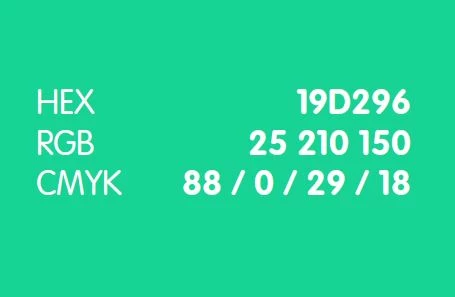
What I got in brief
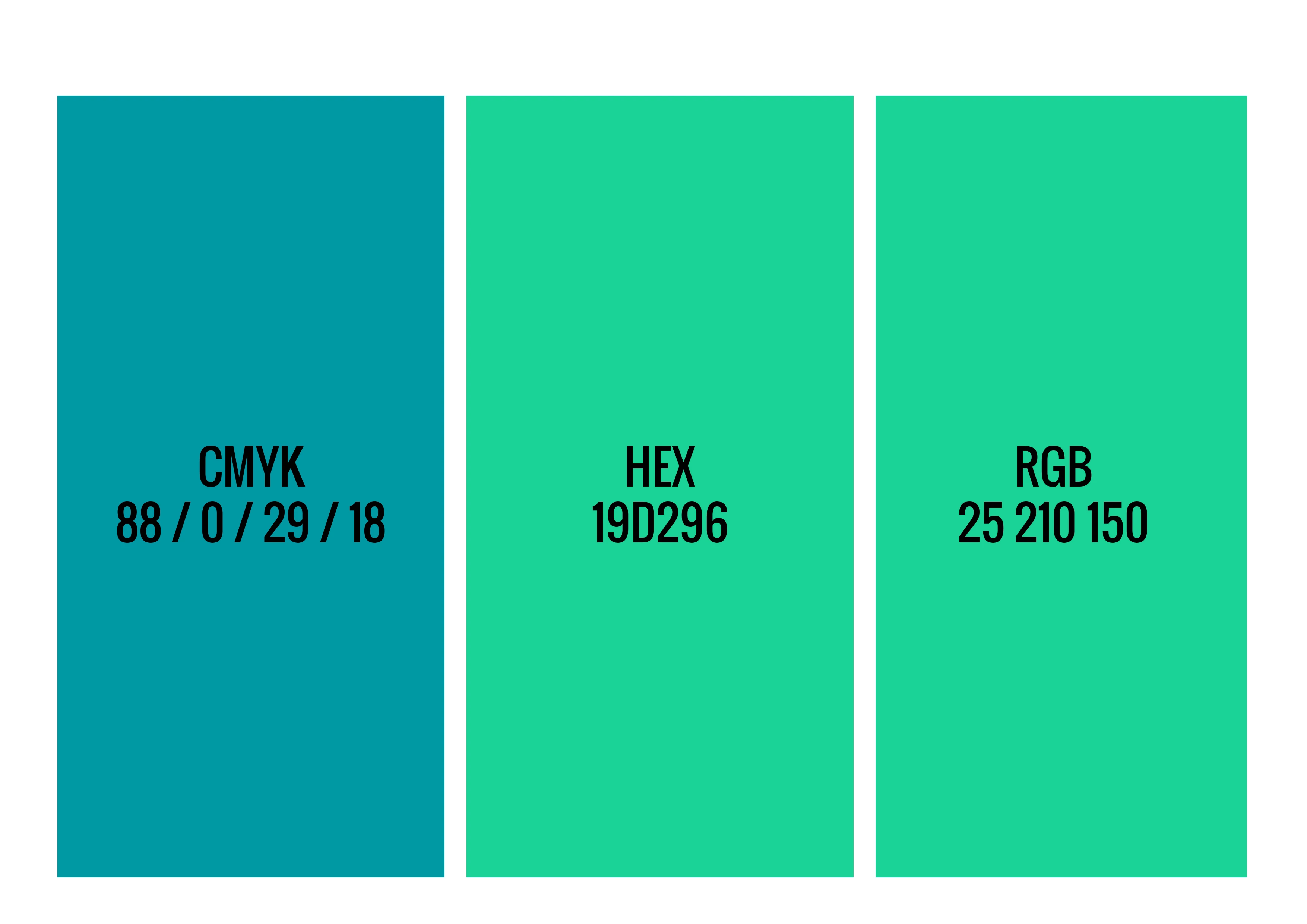
Colours I am getting if setting colour swatch by CMYK / HEX / RGB
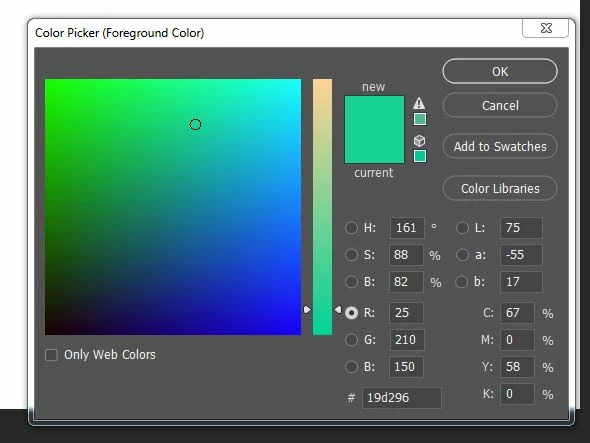
Colour picker when I used Hex code - CMYK value totally different 67 / 0 / 58 / 0
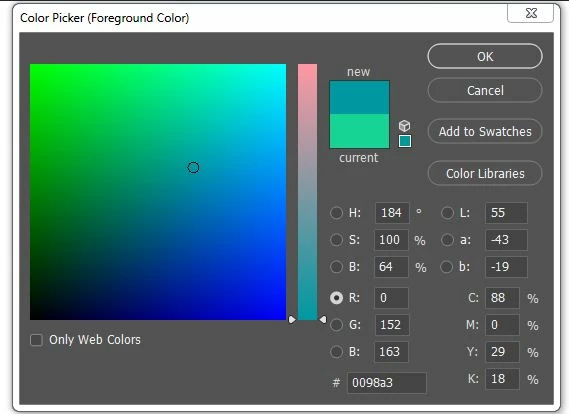
Colour picker when I set CMYK code 88 / 0 / 29 / 18 - HEX code and RGB code totally different.
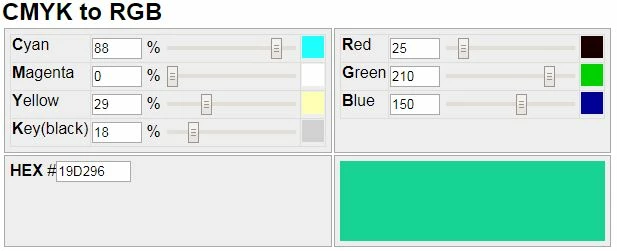
Online converter - If using CMYK code I got I am getting not only the correct RGB and HEX codes but also I see the colour I expect (and which is in the competition brief)
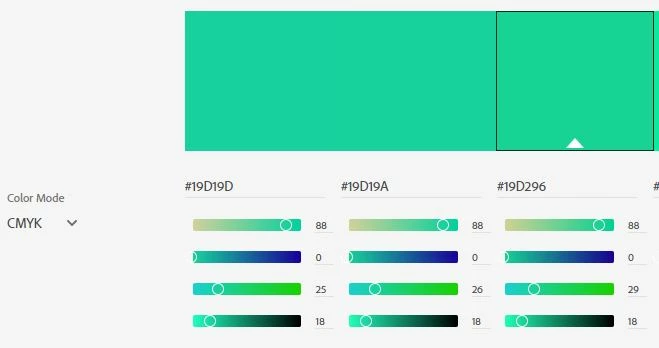
Website color.adobe.com - CMYK code also correspond with HEX and RGB code, also the colour I see is that colour from competition brief. AND this is Adobe website!

I read some threads about colour management in PS and that the CMYK values might differ according settings, but in this case why am I getting the result I would expect online. Is it not weird that the colour is so much different? What am I missing here? It is very confusing. Thanks

Dom

This topic has been closed for replies.
Correct answer davescm

The answer is simple - the numbers you got from whoever supplied them are incomplete in that they are not given in the context of specific colour profiles.

Colour numbers - be they RGB numbers,  HEX numbers (which are just RGB expressed in base 16 instead of decimal) or CMYK numbers are meaningless on their own.  They only describe a colour when given in the context of a colour space.  So the RGB value of 25,210,150 will describe a different colour in sRGB to that in Adobe RGB and will be different again in ProPhoto.  Similarly the same colour in those three spaces will be described by different numbers.
The same applies to CMYK - they can only describe a specific colour in the context of a particular CMYK color profile.

When websites give Hex /RGB numbers without a color space they are commonly describing numbers in the sRGB color space. However numbers given for CMYK could be using one of many different profiles - only one of which will be right. Those websites that pupport to do conversions without the context of a color space are just misleading.

Dave

1 reply

davescm
Community Expert
davescmCommunity ExpertCorrect answer
Community Expert
May 24, 2019

The answer is simple - the numbers you got from whoever supplied them are incomplete in that they are not given in the context of specific colour profiles.

Colour numbers - be they RGB numbers,  HEX numbers (which are just RGB expressed in base 16 instead of decimal) or CMYK numbers are meaningless on their own.  They only describe a colour when given in the context of a colour space.  So the RGB value of 25,210,150 will describe a different colour in sRGB to that in Adobe RGB and will be different again in ProPhoto.  Similarly the same colour in those three spaces will be described by different numbers.
The same applies to CMYK - they can only describe a specific colour in the context of a particular CMYK color profile.

When websites give Hex /RGB numbers without a color space they are commonly describing numbers in the sRGB color space. However numbers given for CMYK could be using one of many different profiles - only one of which will be right. Those websites that pupport to do conversions without the context of a color space are just misleading.

Dave

Participant
May 24, 2019

Thank you, I just found similar answer in different post (maybe from you as well). I was just surprised getting two really different colours when getting same one even on adobe online converter. I somehow estimated that even if not specified working profile, I would get at least greenish tone not bluish. Thanks anyway

Legend
May 24, 2019

I have never heard of an Adobe online converter, please post the link. In all the time I have looked at online converters I found only one that was any good, because it allowed you to choose ICC profiles. They are basically made by people who don't understand colour, and are sharing their ignorance.