
Participant
September 20, 2018
Question

Color Differences between LR and PS.

  • September 20, 2018
  • 1 reply
  • 1143 views

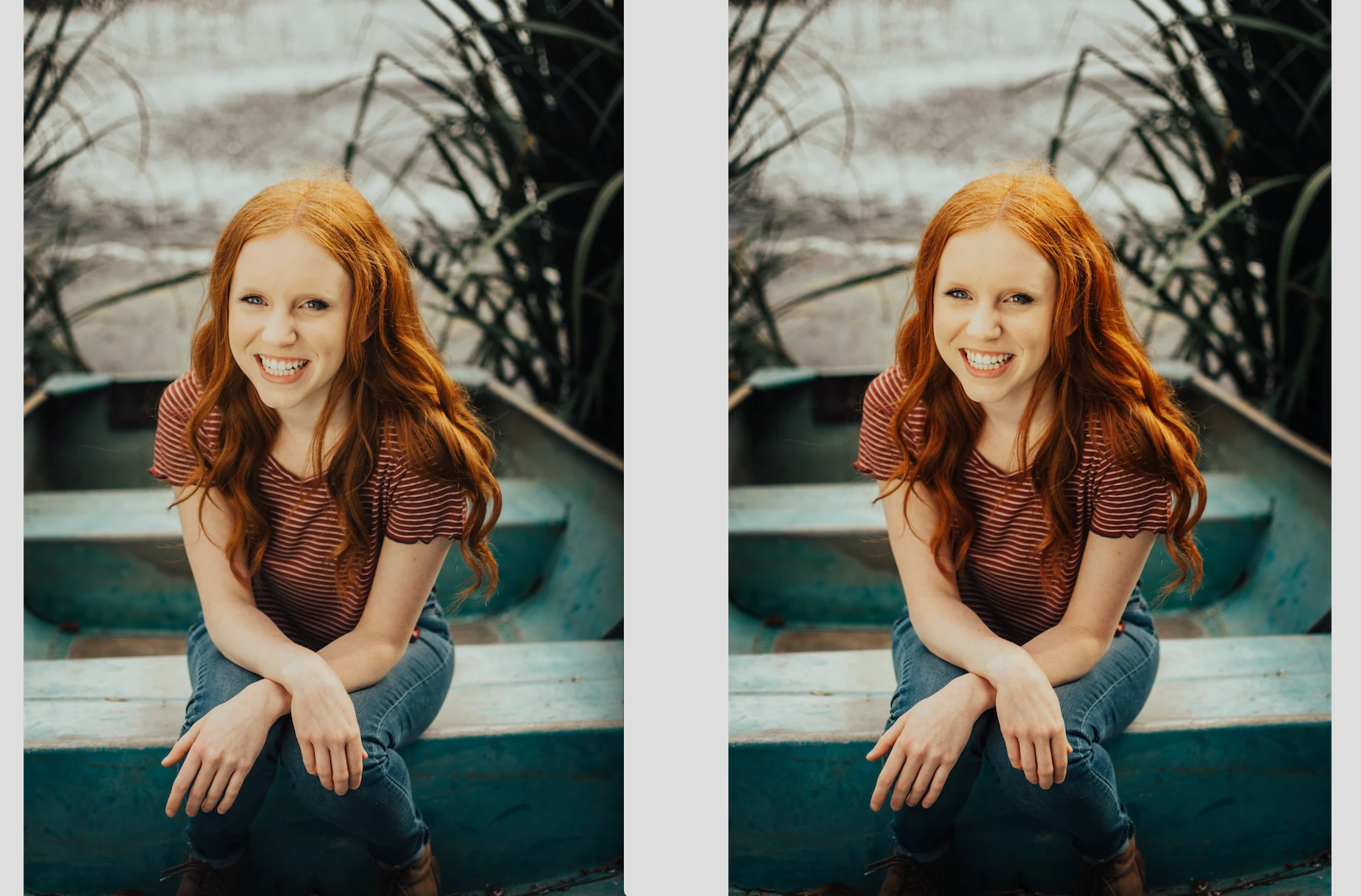
Whenever I externally edit from LR in PS, the colors and contrast change.

I've been trying to fix this myself for quite some time now and nothing is working.

When I post-process my photos, I import into LR as RAW to do all my color correcting and minor touchups. I only use PS on occasion for more extreme touchups, cloning, and other non-LR functions. Both apps and Camera RAW are updated.

BOTH LR and PS have matching color profiles at RGB 16bit color as their settings state but will still create different results.

Even when I export from PS without ANY post-processing or adjustments made, the photo will still differ from an export from LR.

The left image is from LR and the right is from PS.

What can I do to fix this, does anyone know?
This topic has been closed for replies.

1 reply

davescm
Community Expert
Community Expert
September 20, 2018

Hi

If I read your post correctly, the images look the same in Photoshop and Lightroom but look different after exporting from each of those applications?

If that is the case check your export settings to ensure you have "embed color profile" and if exporting for web use "Convert to sRGB".

These can be found in :
Photoshop Export > Save for web:

or Photoshop > Export As

and in Lightroom Classic

Dave

Participant
September 21, 2018

No, they appear different in the apps as well. But thank you for your help! (These are my export settings too btw)

davescm
Community Expert
Community Expert
September 21, 2018

Hi

OK I understand

Can you check that in Photoshop > Color Settings your colour management policies are set to "Preserve Embedded Profiles"

If they are, and you still have that issue , then you may have a broken monitor profile.

Dave