Inspiring
April 10, 2025
Answered

Color discrepancy in Lightroom vs. Photoshop

  • April 10, 2025
  • 1 reply
  • 619 views

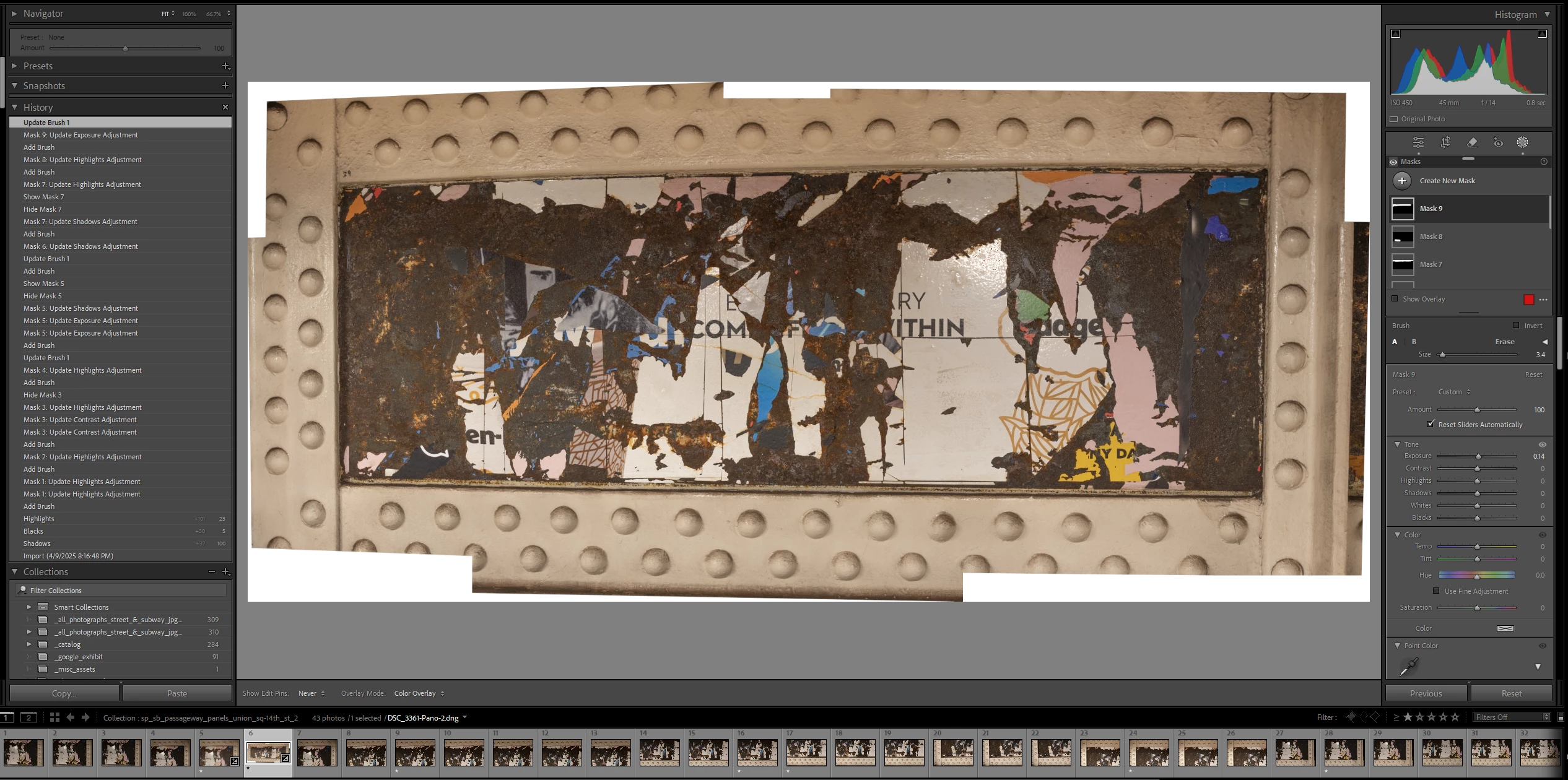
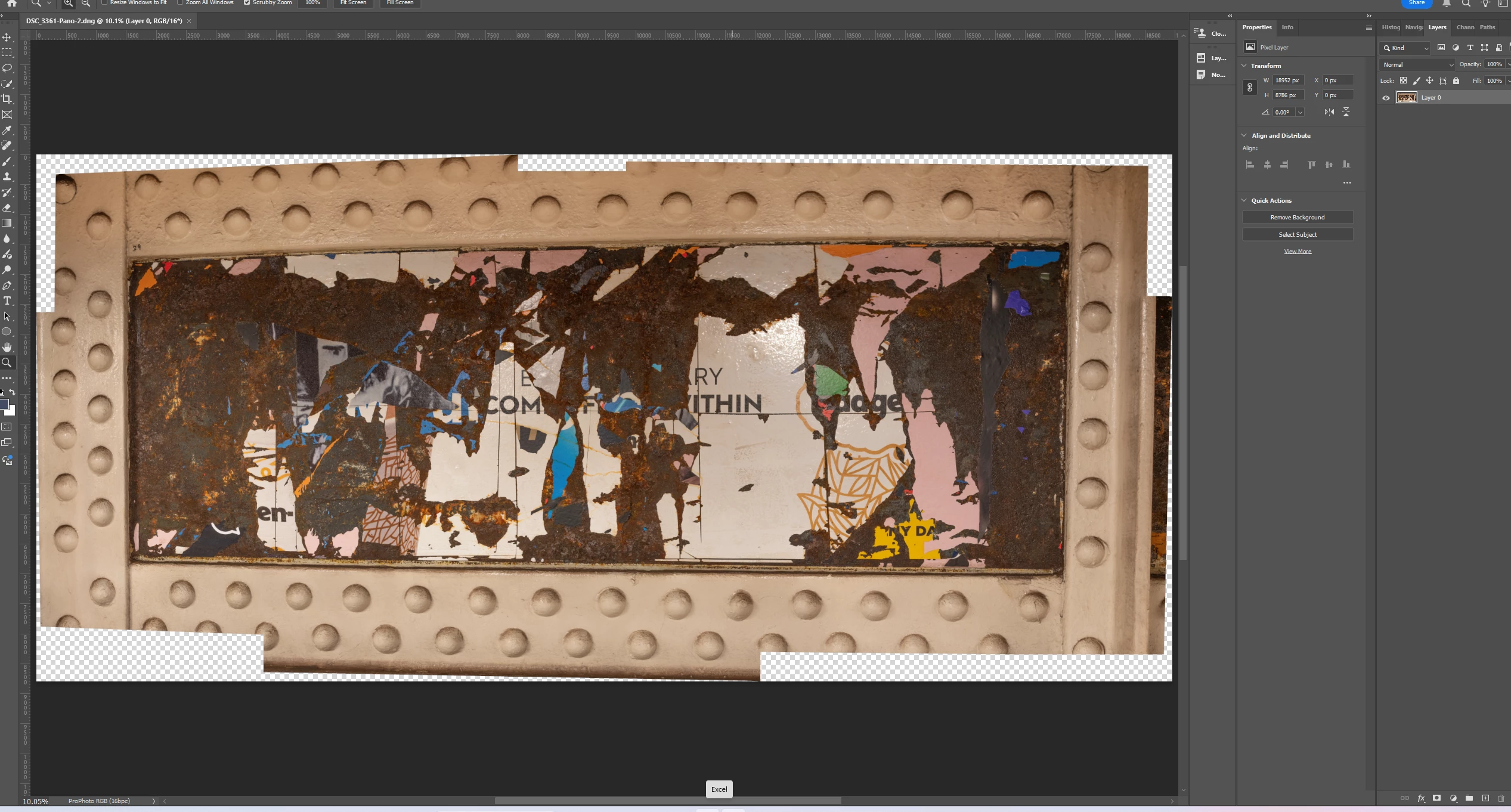
I edited an image in LR.  See 1st screenshot below.  I then clicked "Edit in Photoshop 2025" and when the image opened in Photoshop, the colors were different.  See 2nd screenshot.  I don't recall this being an issue in the past.  Is this normal?  Thanks.  


Correct answer D Fosse

This helps, thanks.  From what you've described, it sounds like the calibrator creates a profile (for the monitor) that interpolates the document profile, so that what's in the document displays corectly, is that roughly correct?  I regularly calibrate my monitor, using SpectraView software that was supplied with it.  I assume I'm doing what I need to do to ensure accuracy.  


If that's the NEC Spectraview software, that's usually very reliable and trouble-free. Once it's up and running and it has made the measurement and written the profile, everything is handled automatically. There's nothing you need to do.


I'm guessing you just saw a random glitch where the operating system for some reason didn't load the monitor profile correctly. That substitutes the default Windows monitor profile (sRGB).


If it doesn't happen again, and it probably won't, it's nothing to worry about.

1 reply

AxelMatt
Community Expert
Community Expert
April 10, 2025

Do you use the same color profile settings in LR and PS?

Is your monitor color calibrated?

Check your monitor profile: How do I change my monitor profile to check whether it’s corrupted? | The Lightroom Queen


My System: Intel i7-8700K - 64GB RAM - NVidia Geforce RTX 3060 - Windows 11 Pro 25H2 -- LR-Classic 15 - Photoshop 27 - Nik Collection 8 - PureRAW 6 - Topaz Photo AI
Inspiring
April 11, 2025

Thank you for your reply.  For some reason, now when I open the 2 images, they look virtually the same in LR and PS.  That said, regarding your 3 questions,


  • As to color profile settings, I have not worked with them in LR before.  So I Googled it and saw how to access.  Pasted below is that information.  Should I have either sRGB or ProPhoto RGB reflected somewhere in the panel?  If so, where?  (The image is ProPhoto RGB in Photoshop.)  
  • My monitor is calibrated. 
  • I went to the link and see the instructions pertain to Windows 8 or lower - I am at 11.  Still, I will try this.  It seems like it's good to know regardless if it is (or rather was) the problem in my case.  


D Fosse
Community Expert
Community Expert
April 11, 2025

A difference between Lightroom and Photoshop indicates either a defective monitor profile, or a buggy GPU driver.


The actual conversion into the monitor profile is executed in the GPU. So which one of those two components is the problem, requires testing to determine. The simplest test is to replace the monitor profile.


There are three different types of color profiles that you need to keep separate. Don't mix them up!


  • You're showing a screenshot of camera profiles. That is irrelevant here, ignore that (except under very special circumstances that don't apply here).
  • The document profile is embedded by Lightroom into the file it sends to Photoshop. This profile will always be correctly treated by Photoshop. It overrides the Photoshop working space and they don't need to match.
  • The monitor profile is the critical component. The original numbers in the file are converted into the monitor profile, and these recalculated numbers are sent to screen.


Since the source color spaces are different, the actual conversion is different. That is why, if the profile is defective, one may work correctly and the other fail.