

Question
Color in "Photoshop Print Settings" dialog are very off. So are prints.
I'm getting pretty dramatically different colors in the Photoshop Print Settings box that appears when going to File>Print. Loss of saturation and heavy green tint. See screenshot below.
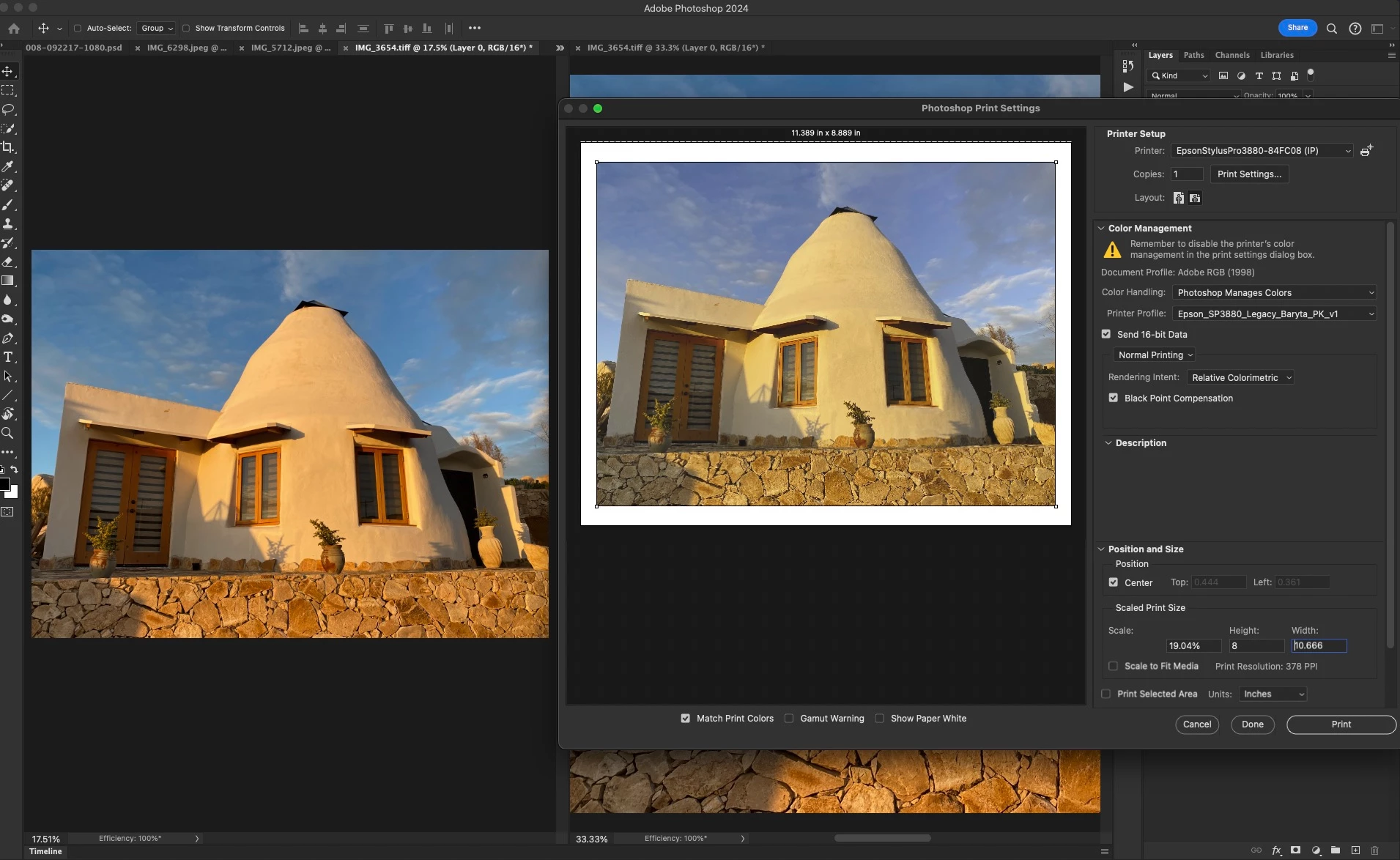
That's bad enough but making matters worse is that the resulting print resembles the color in the preview, rather than the original file.
This is the first time I'm attempting to print from Photoshop in a few years and I'm also running a new machine and a newer version of PS since I last printed. Point is, something may be set up incorrectly.
Any ideas what's causing this?
Many thanks!
PS 25.4.0, Mac OS 13.6.4


 AdChoices