
Question
Color management and batching?
Hello!
I usually work with a lot of files from my Fuji Scanner. The problem is that they come from the scanner without a color profile. To fix that I have downloaded a Fujiscanner color profile. When I open my files I assign the scanner profile and then convert it to Adobe RGB and then save. All good except it takes a lot of time but the images come out looking good and correct.
So I have been trying to batch the whole process but my images end up looking too desaturated.
This is what my action looks like:
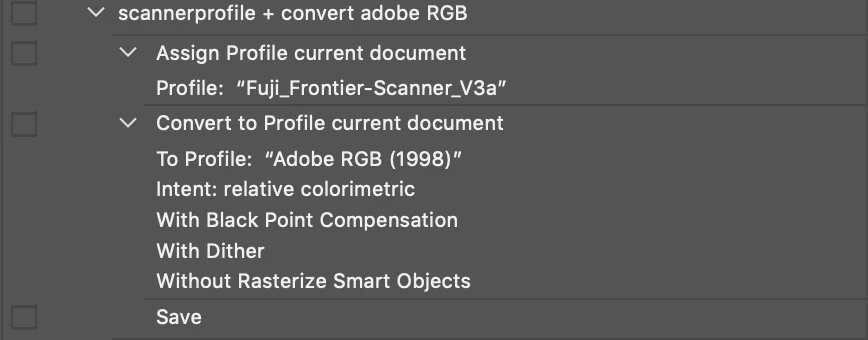
This is how I setup my batching

and this is what my color settings look like:
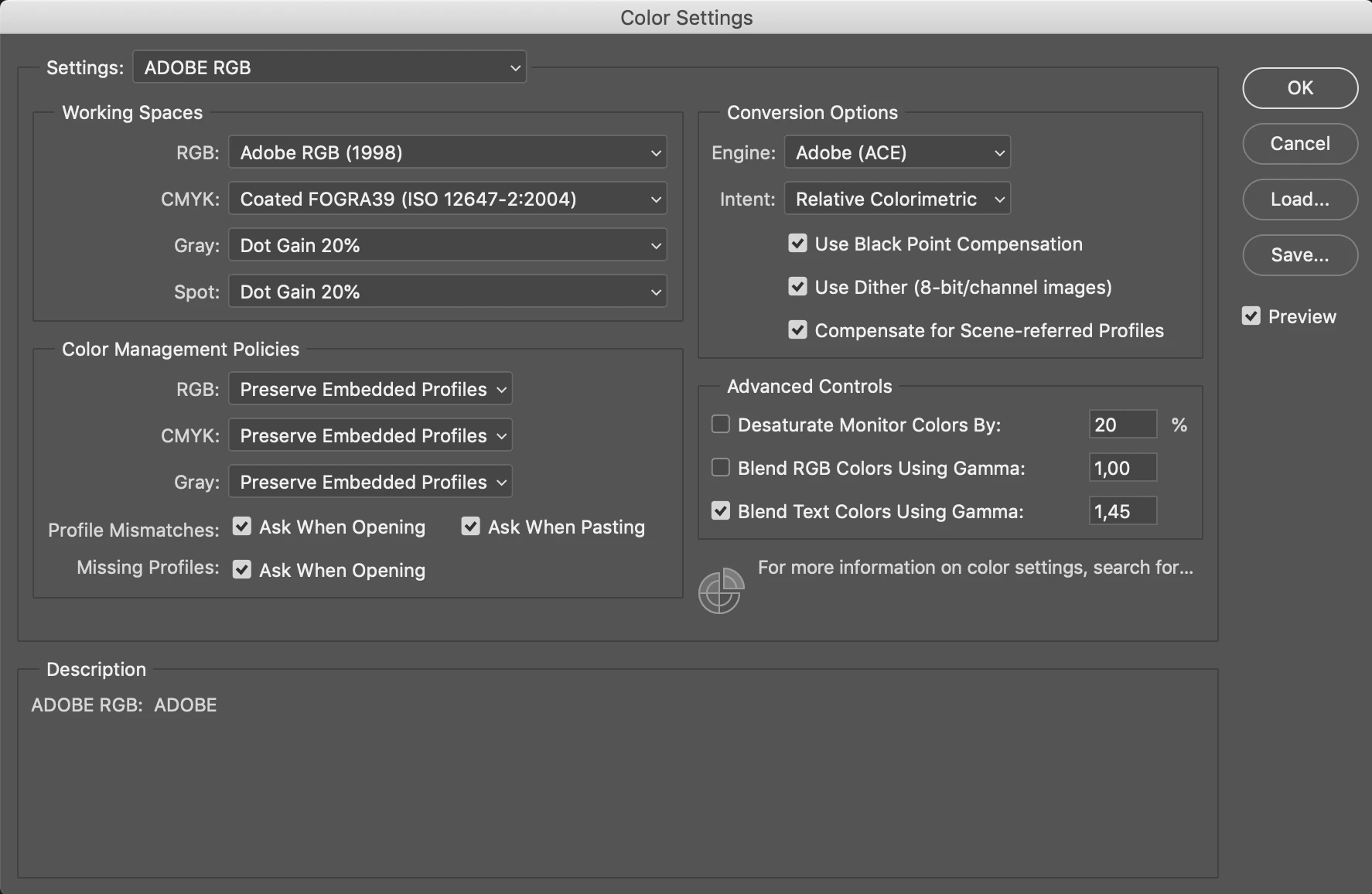
Does anyone know what's going on? Running my action should generate exactly the same result as when I do it manually but it doesn't.
Thanks for your help!
/Felix
 AdChoices