



Question
Color mismatch issue from Premiere Pro to PS and back to Premiere Pro
I need to remove a logo from Premiere Pro, by exporting a frame, editing in Photoshop, and importing the new plate into Premiere Pro - however the colors do not match.
Here is a video of my workflow and issue.
https://drive.google.com/file/d/1Fmipx5eMw31MuUlYdeQ_6LkBwkGEYr4u/view?usp=sharing
As you can see:
- I cannot find the exact 709 profile which the PNG has
- I didn't include in the recording, trying a JPG snapshot which shows a different colour profile (sRGB)
- I tried to use the preserve profiles option with no luck
Color science is not something I am well versed in. Please assist.
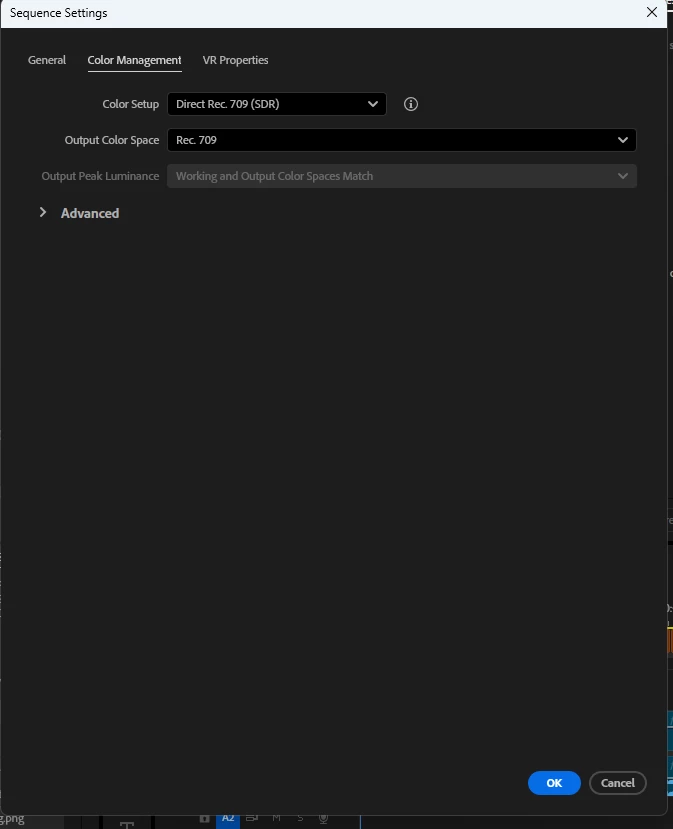
Also included are the sequence settings:
SPECS
Intel Core i9-14900HX
NVIDIA GeForce RTX 4060
64GB DDR5 RAM
1TB SSD
- All latest Adobe/Win11Pro/and video drivers
- DELL SE2419HR 24"
 AdChoices